Basic Operations
Preparing to Print
36
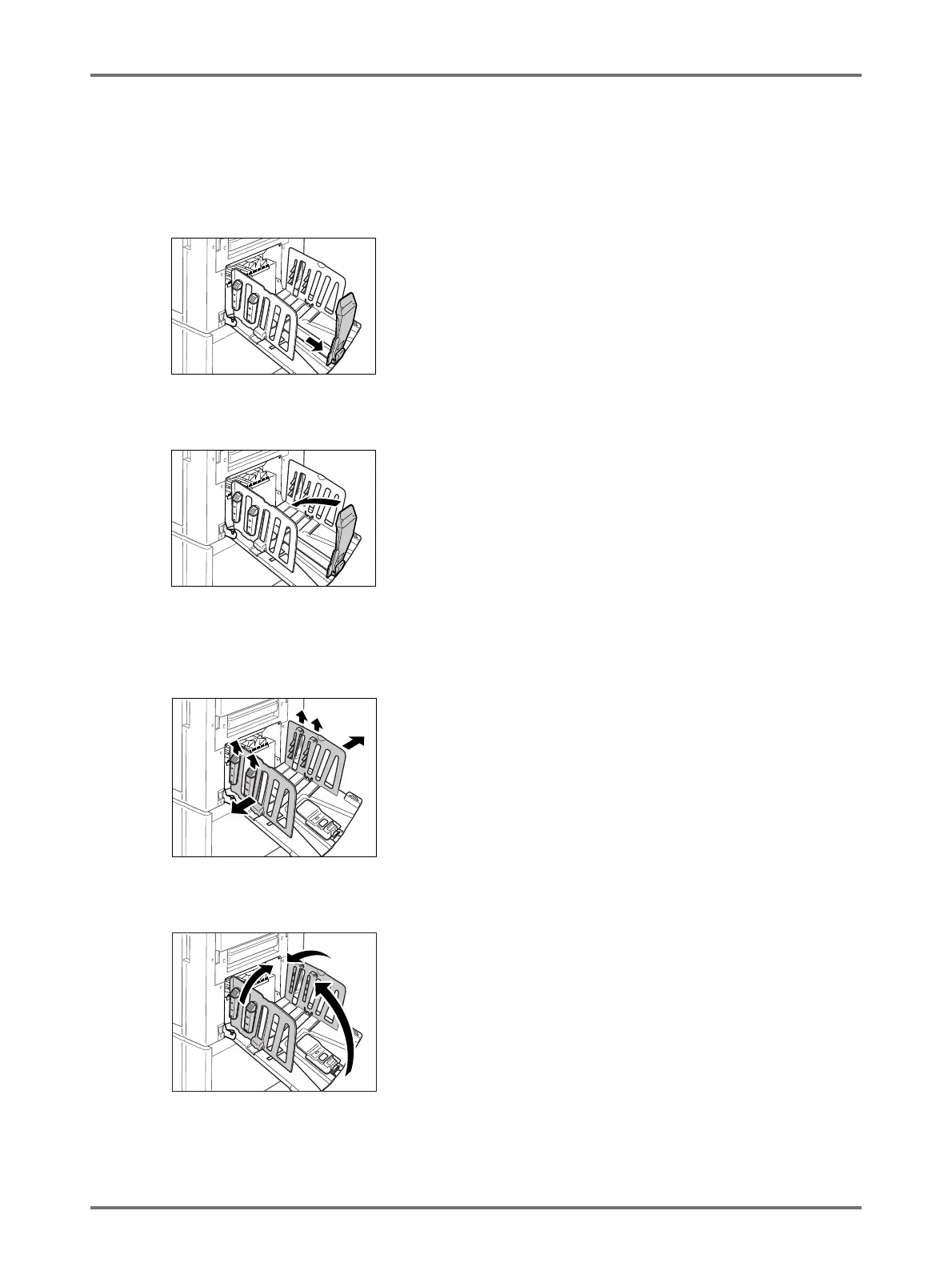
Closing the Paper Receiving Tray
Remove all printed copies and follow the steps below to
close the Paper Receiving Tray.
1) Slide the Paper Stopper to the edge of the Paper
Receiving Tray.
2) Fold in the Paper Stopper.
3) Pull up the Paper Arrangers, slide the Receiving
Tray Paper Guides to the left and right as far as
they will go.
4) Fold in the Receiving Tray Paper Guides.
5) Close the Paper Receiving Tray.



 To Next Page