Functions for Master-Making
Adjusting Photo Gradation [Tone Curve]
75
Adjusting Photo Gradation [Tone Curve]
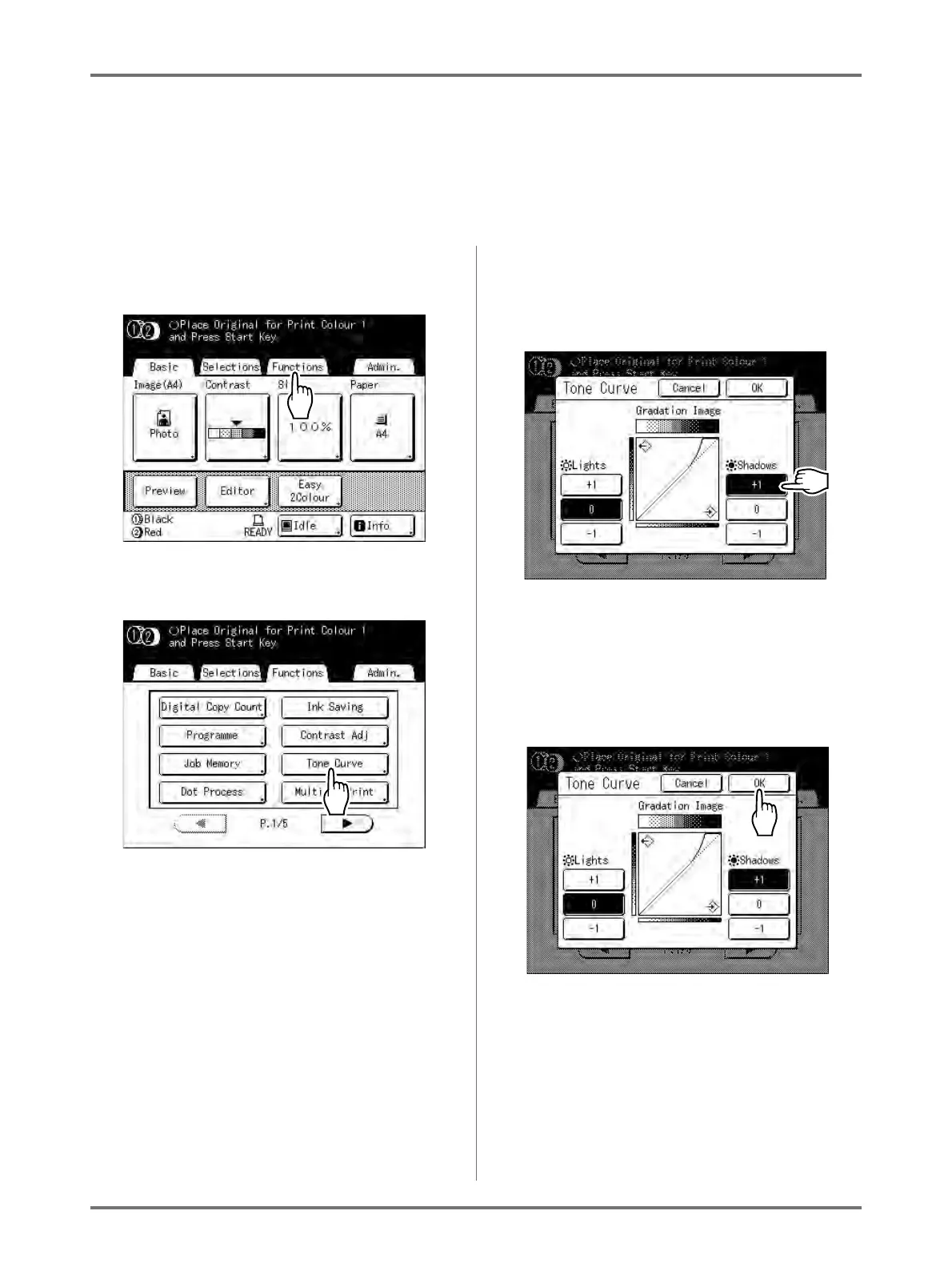
You can adjust the light and shadow portions of a photo by 3 tones respectively.
Important!:
• If the “Image” is set to “Line”, “Tone Curve” cannot be used.
1
Touch [Functions] on the Master
Making Basic Screen.
2
Touch [Tone Curve].
3
Touch the “Lights” and “Shadows”
adjustment buttons.
Use [+1] or [-1] to strengthen or weaken each
respectively.
• Lights: Adjusts the portion of the picture most
exposed to light.
• Shadows: Adjusts the portion of the picture
least exposed to light.
4
Touch [OK].



 To Next Page