Basic Operations
2-Colour Printing with 2 Originals
40
2-Colour Printing with 2 Originals
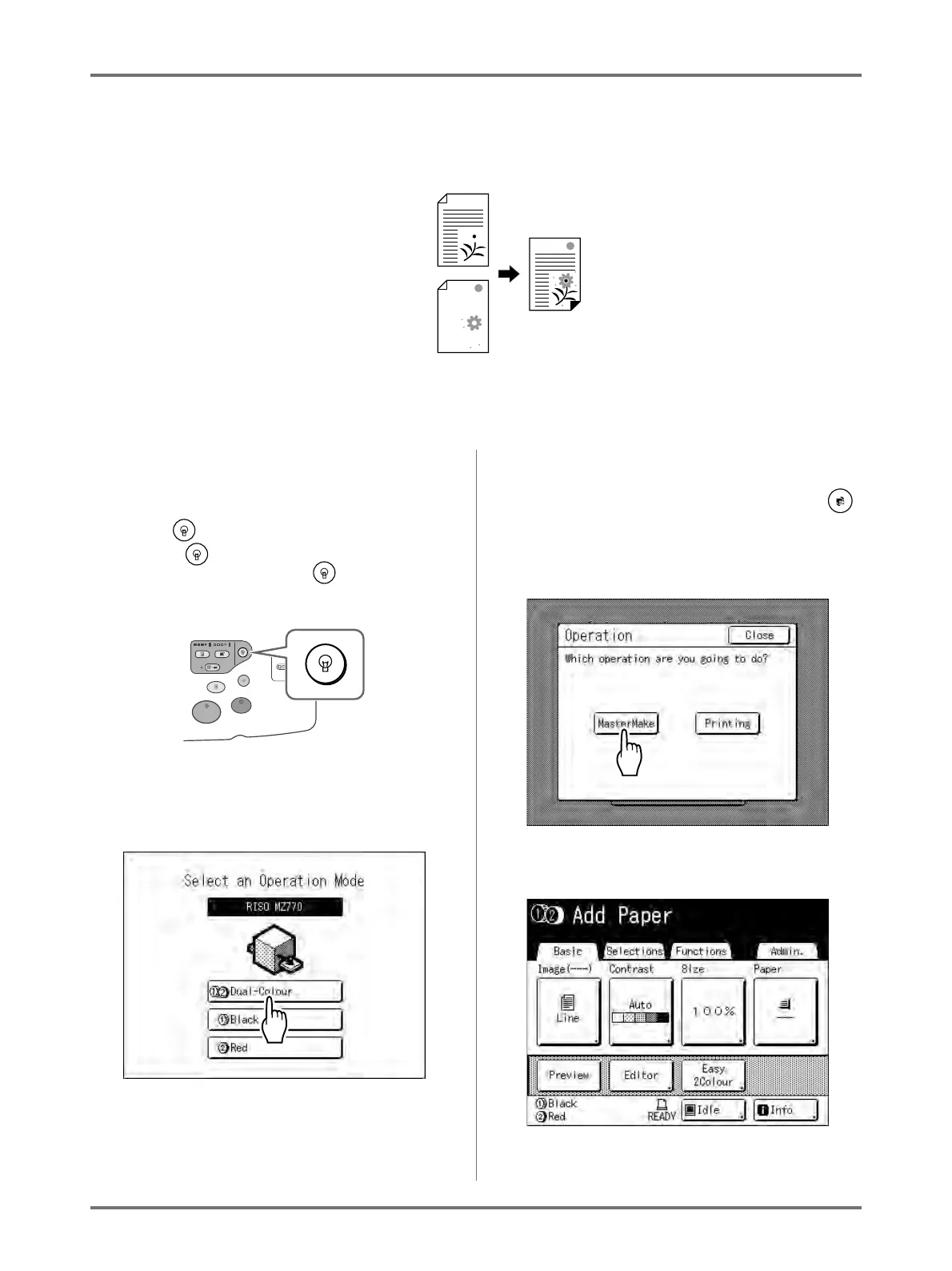
A total of 2 originals (For Drum 1, For Drum 2) are printed.
Important!:
• Use paper that is 182 mm × 257 mm (B5) or larger.
1
Turn the power ON.
Note:
• When the power is OFF, both the Display and
the key are off. Turn the power ON.
• If the key is lit, the machine is in Energy
Saving mode. Press the key to cancel
Energy Saving mode.
2
Selecting Dual-Colour Printing.
1) Touch [Dual-Colour].
Note:
• If a basic screen other than the dual-colour
printing screen is showing, press the
key to display the Mode Screen.
2) Touch [MasterMake] on the Operation
Selection Screen.
The Master Making Basic Screen appears.
Original for
Drum 1
Original for
Drum 2
Print Result



 To Next Page