Advanced Features
Using Job Memory Functions [Job Memory]
151
Storing Job Memory
1
Set various settings for a print job.
2
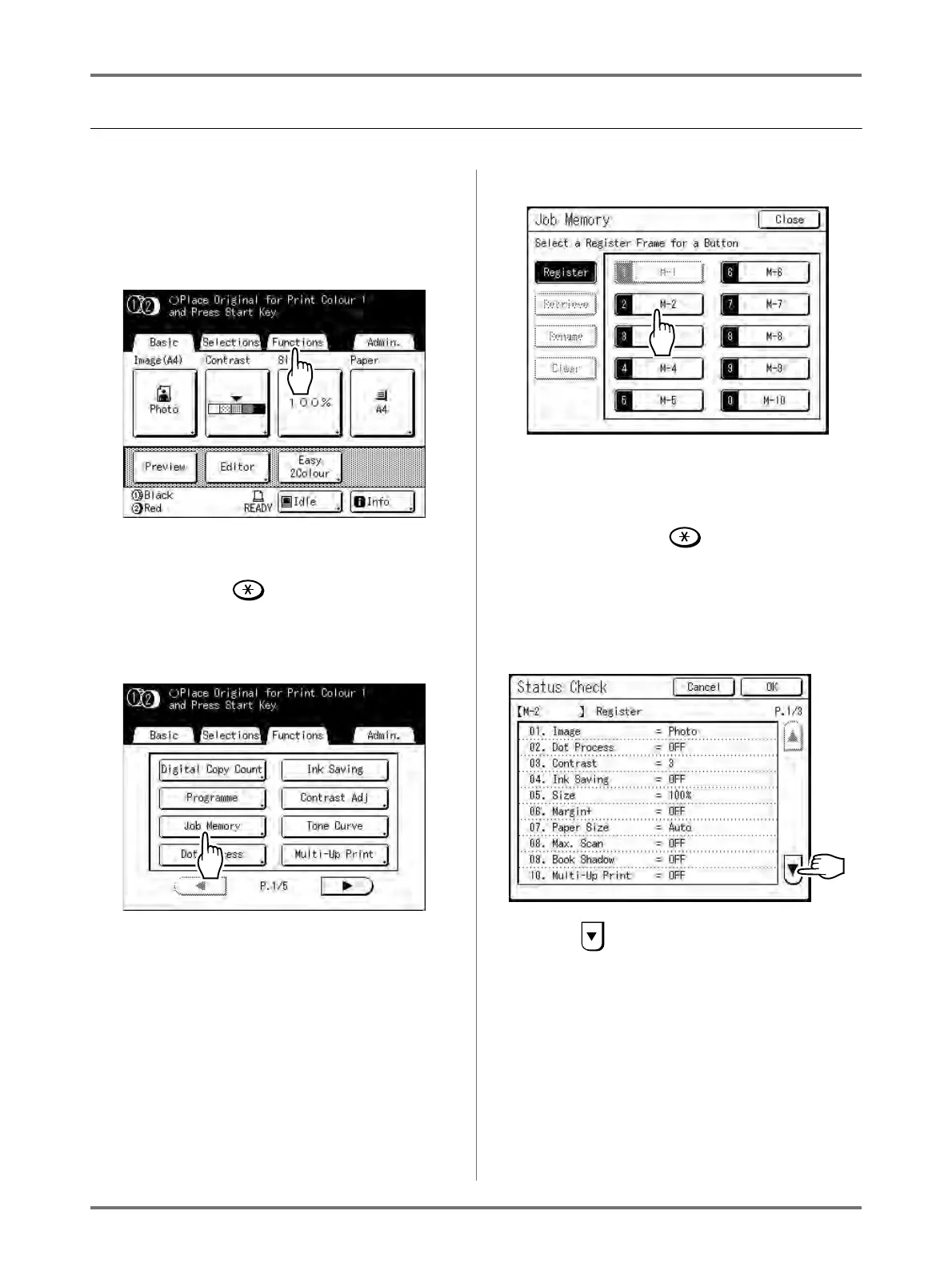
Touch [Functions] on the Master
Making Basic Screen.
Note:
• Job Memory screen can also be invoked by
pressing the key on the Print Quantity
Keys. Skip to step 4.
3
Touch [Job Memory].
4
Touch an unused button.
A button in solid lines is available.
Buttons already associated with another job set-
ting are greyed out.
Note:
• If you pressed the key to open the screen,
first touch [Register] then select an available
button.
5
Confirm settings.
Touch and scroll down to check all items.
Note:
• To change a setting, touch [Cancel] and start
over again. (Return to step 1.)



 To Next Page