Troubleshooting
When a Message Displays
281
A confirmation screen displays when done.
Press the key to approve selection.
Returns to the Basic Screen.
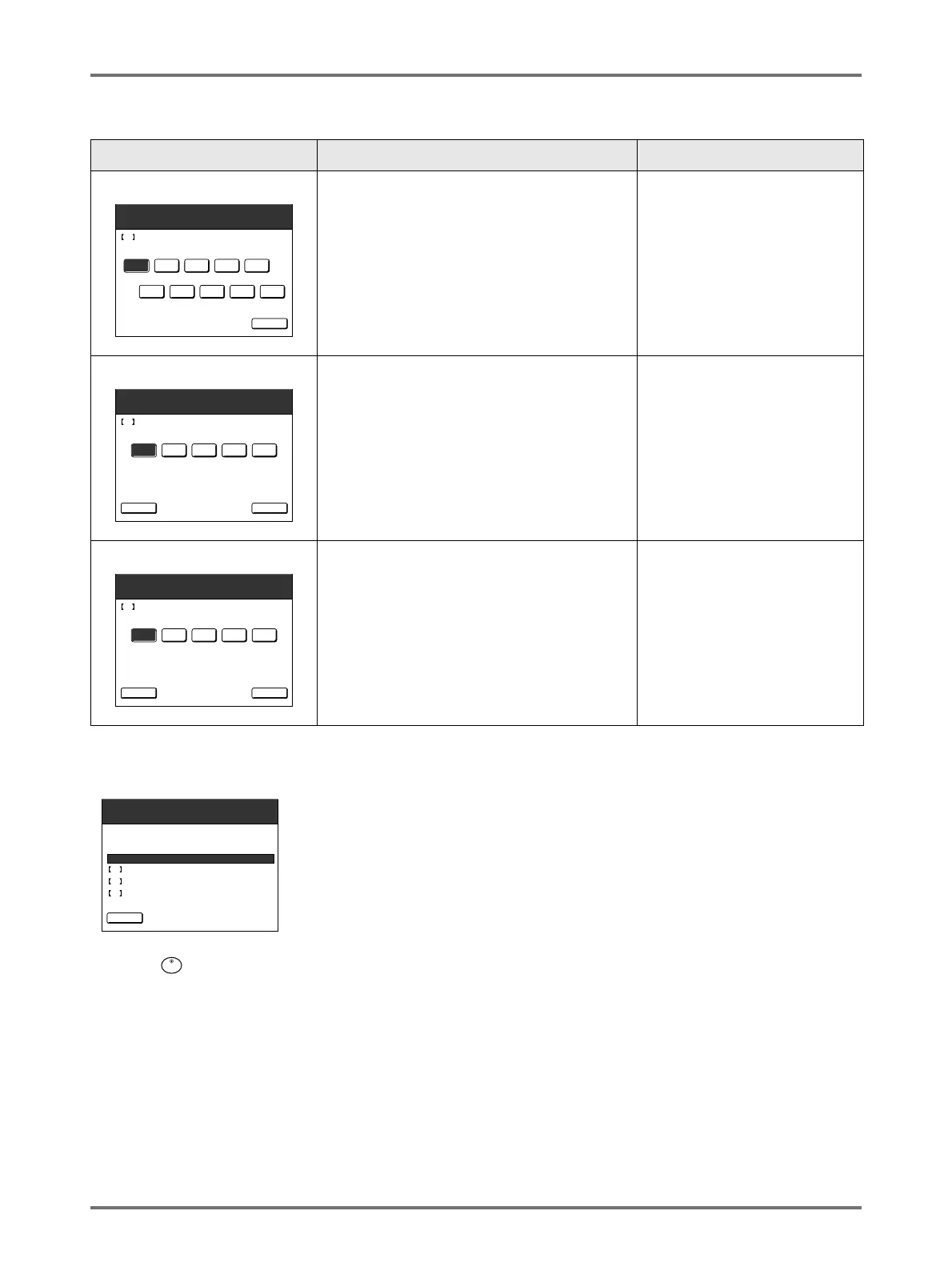
Screen Display Description Values
[H4] Master Density
Select the standard density to be applied
during creation of the master.
1 (Light) - 10 (Dark)
[H5] Print Density Fine Adjustment
Select a Print Density level to match the
master to fine-tune print result.
1 (Light) - 5 (Dark)
[H6] First Print Density Adjustment
Select a Print Density level of the first print to
match the master.
1 (Light) - 5 (Dark)
2 3 4 51
7 8 9 106
Consumables Information Input Wizard
Master Information Input
Next>
H4 Master Density
2 3 4 51
Consumables Information Input Wizard
<Back
Master Information Input
Next>
H5 Print Density Fine Adjustment
2 3 4 51
Consumables Information Input Wizard
<Back
Master Information Input
Next>
H6 First Print Density Adjustment
Confirm the input data shown below.
Press the START key if those set values are OK.
1
1
1
Item Value
Consumables Information Input Wizard
<Back
Master Information Input
H4 Master Density
H5 Print Density Fine Adjustment
H6 First Print Density Adjustment



 To Next Page