Storage and Scan Modes (Option)
Retrieving Stored Data and Printing [Storage Memory]
204
Retrieving Stored Data and Printing
[Storage Memory]
Retrieving Storage Data
1
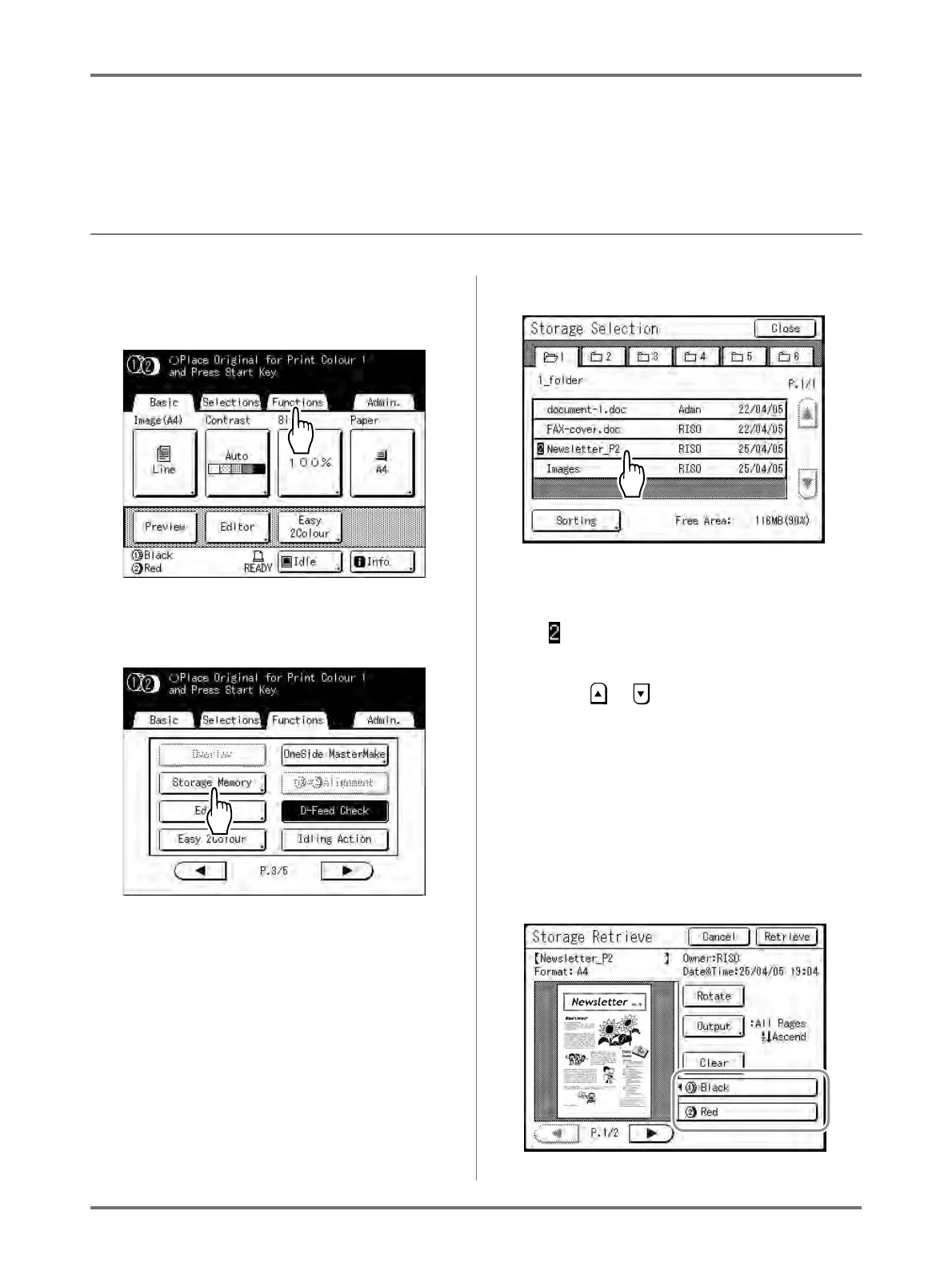
Touch [Functions] on the Master
Making Basic Screen.
2
Touch [Storage Memory].
The Storage Selection screen appears.
3
Touch the stored data to print.
If you are selecting data stored in a different
folder, touch that folder's tab.
Note:
• is displayed at the beginning of the data
name for 2-Colour originals.
• If the stored data is not shown on the screen,
touch or to display.
The Storage Retrieve screen appears.
4
Confirm the retrieved data.
Use the thumbnail to determine whether the
retrieved data is the data desired.
Note:
• For 2-Colour print data, you can switch thumbnails
using the colour name tab to the bottom right.



 To Next Page