Storage and Scan Modes (Option)
Converting Hard-copy to Stored Data (Scan Mode)
203
Specifying Paper Size
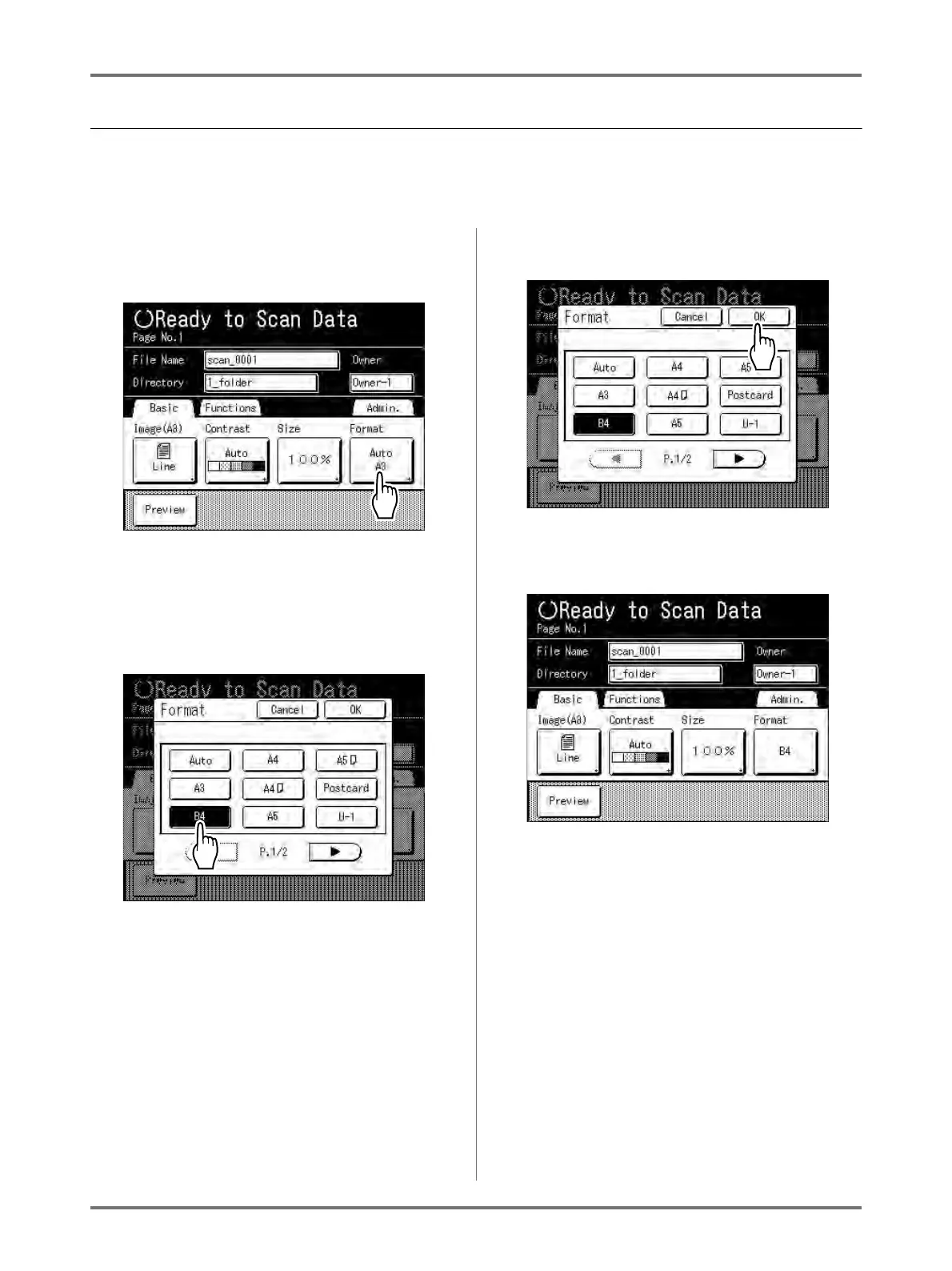
Specify the size at which to save the scanned original.
If the original is standard-sized, it will be saved as-is with [Auto].
If the original is custom-sized, use the Format screen to save at size that differs from the size of the original.
1
Touch [Format] on the Scan Basic
Screen.
The Format screen appears.
2
Touch the paper size button to be
set.
If you select [Auto], the same size as the original
will automatically be set.
3
Touch [OK].
The paper size is confirmed and the screen
returns to the Scan Basic Screen.



 To Next Page