Functions for Master-Making
Printing Side-by-Side on One Sheet [2 Up] [Multi-Up Print]
92
2 Up Operation
1
Select a colour mode.
Select 1-Colour or 2-Colour print.
Note:
•See )p.25 for how to select a colour mode.
2
Place an original and load paper.
• When 2-Colour printing with 2 originals )p.40
• When printing with 1 colour )p.59
Important!:
• Pay attention to the orientation of the original.
For “2 Up”, make sure to place the original as
the diagram demonstrates.
The same is true when using the ADF unit.
3
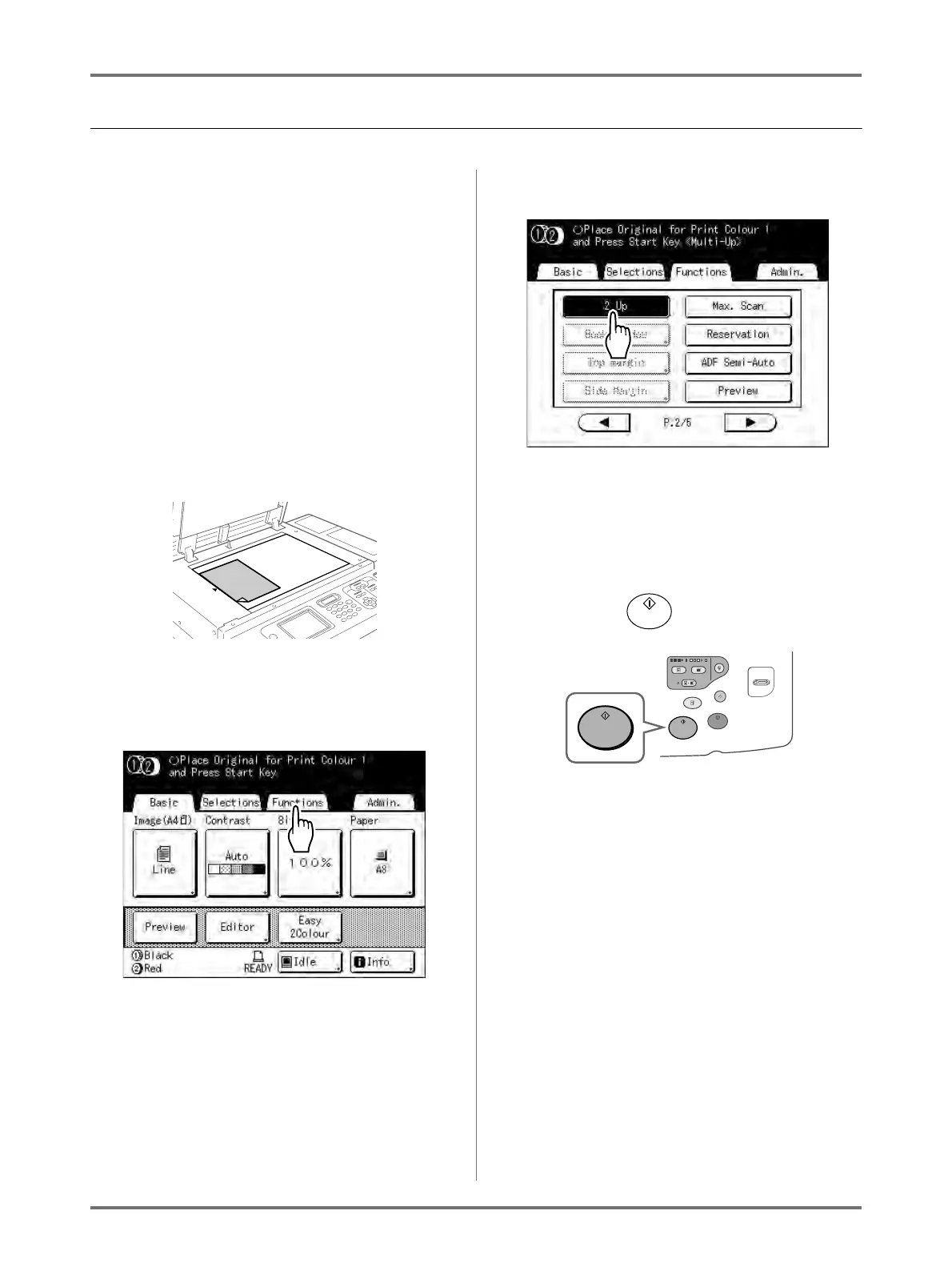
Touch [Functions] on the Master
Making Basic Screen.
4
Touch [2 Up].
5
Make necessary settings.
Make various settings as needed.
After this, please follow the same operations for
normally making a master and 1-Colour and 2-
Colour printing.
6
Press the key.
Starts scanning of the original.



 To Next Page