Advanced Features
Keeping Masters Secure After Printing
190
Keeping Masters Secure After Printing
After printing is completed, the master remains on the Print Drum. To protect confidential documents from unauthor-
ised duplication, use the Confidential feature to discard the master after printing. (i.e. “Confidential” function)
Used masters are held in the Master Disposal Box. The machine is equipped with a protection function to prevent the
master from being removed from the Master Disposal Box and leaked by any ill-intended third party.
“Protect” Setting
When the “Protect” setting is ON:
• When printing is complete, the “Confidential” function is activated to show the message to discard the master
remaining on the Print Drum.
• The Master Disposal Box is locked and cannot be removed while the machine is standby. (However, the Master
Disposal Box can be unlocked and removed if the master is jammed in the Disposal Unit or the Master Disposal
Box is full.)
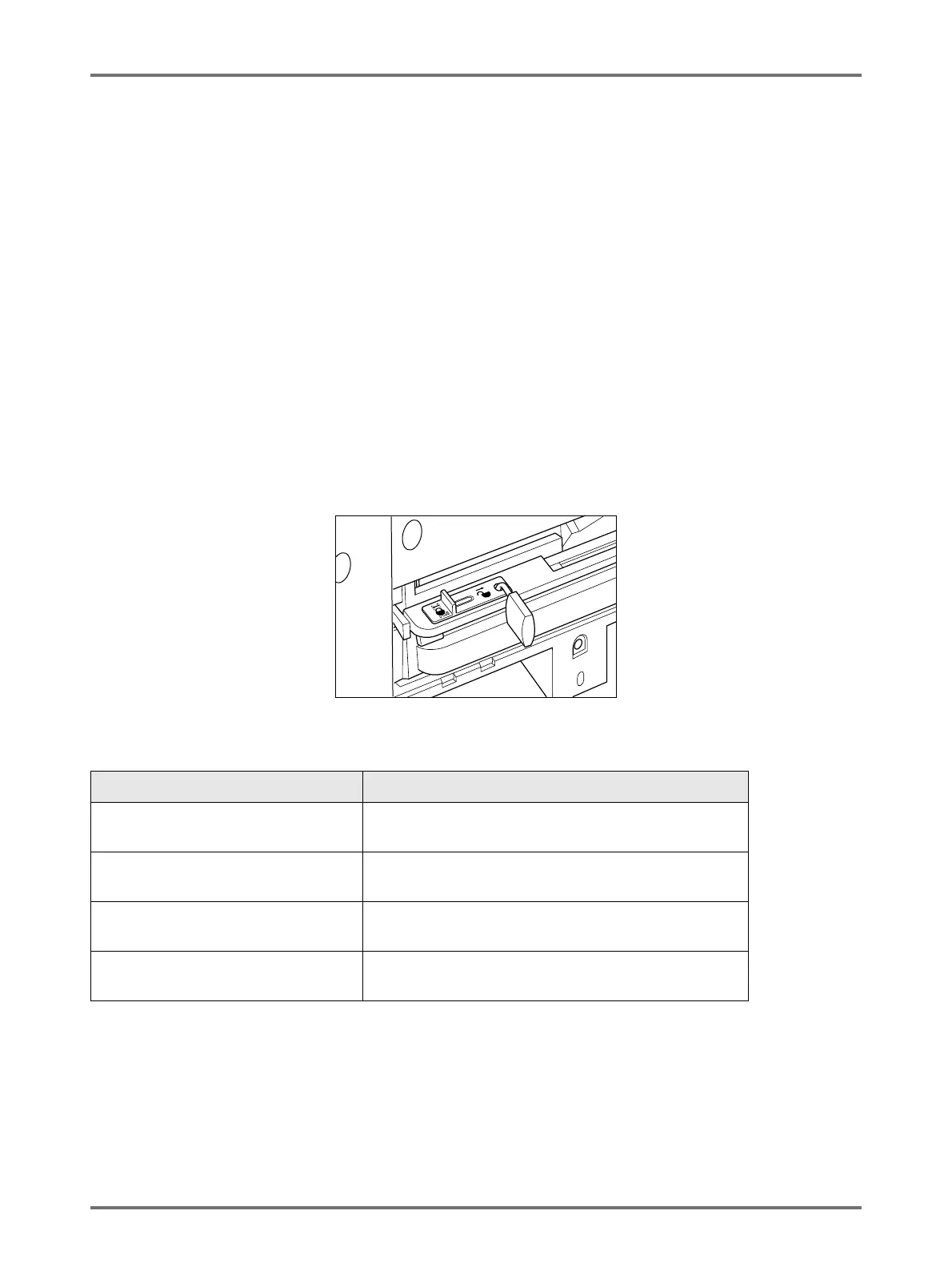
Locking the Master Disposal Box
To prevent any leak of master documents after printing, the Master Disposal Box can be locked with a padlock so that
no-one apart from the administrator of the machine can remove it. (Purchase an ordinary padlock whose loop will fit
through the hole, which is 7 mm wide.)
Status of Protect functions and restrictions
*1 The ordinary “Confidential” function is available.
*2 Disposal Unit errors may cause the lock to be released.
Status of [Protect] functions Restrictions
Protect: OFF
Padlock: No
No restrictions on printer access
*1
Protect: ON
Padlock: No
“Confidential” message is displayed
Master Disposal Box is locked
*2
Protect: OFF
Padlock: Locked
No “Confidential” message is displayed
Nobody but the administrator can dispose of the master.
Protect: ON
Padlock: Locked
“Confidential” message is displayed
Nobody but the administrator can dispose of the master.



 To Next Page