Storage and Scan Modes (Option)
2-Colour Printing with the Original and Storage Data [Stamp]
219
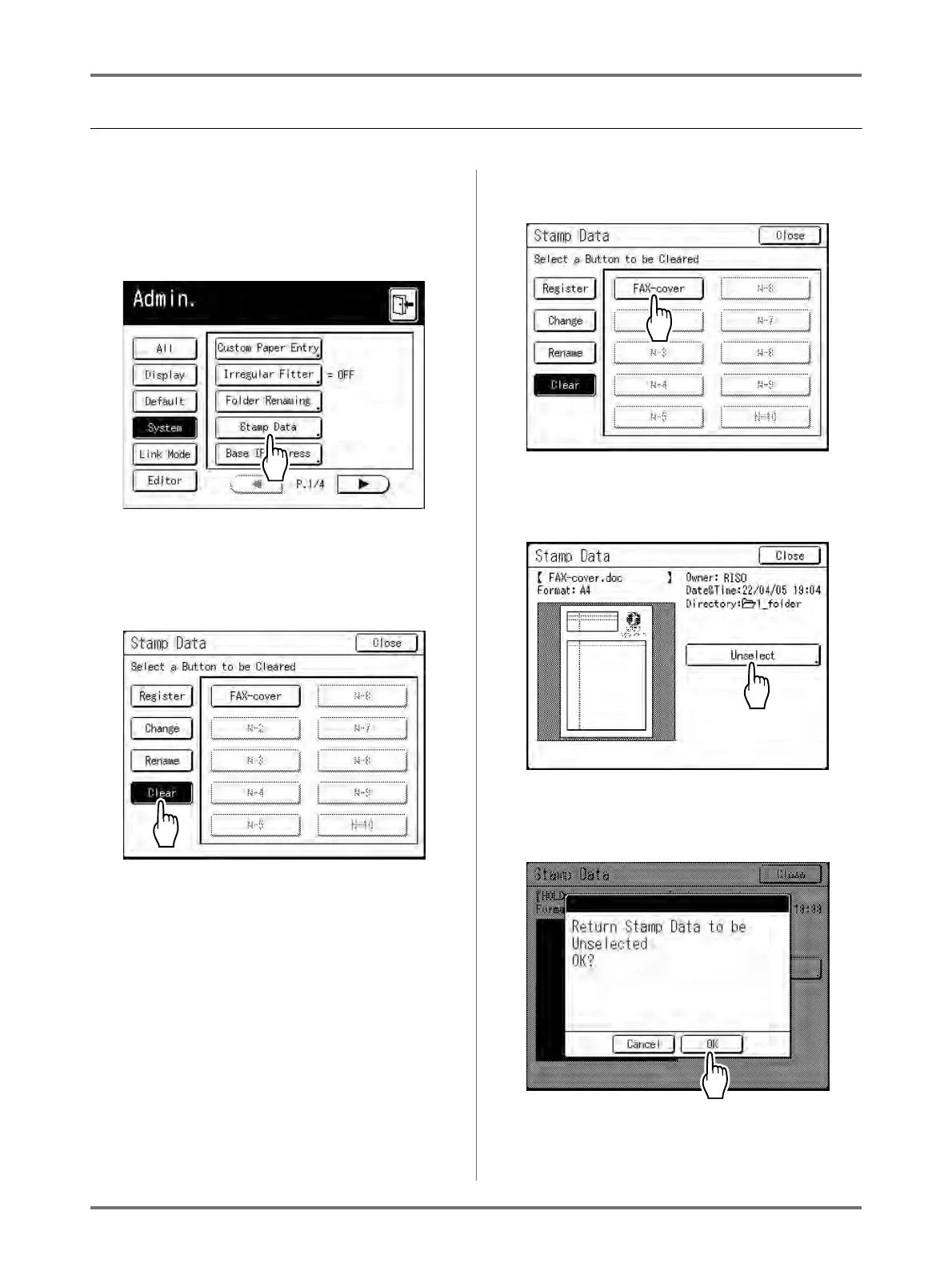
Deleting a Stamp Data
1
Touch [Stamp Data] on the Admin.
screen.
See )p.173 for operational details of the Admin.
screen.
The Stamp Data screen appears.
2
Touch [Clear].
3
Touch the button to delete.
4
Touch [Unselect].
5
Touch [OK].
Returns to Stamp Data screen.



 To Next Page