Maintenance
Cleaning
259
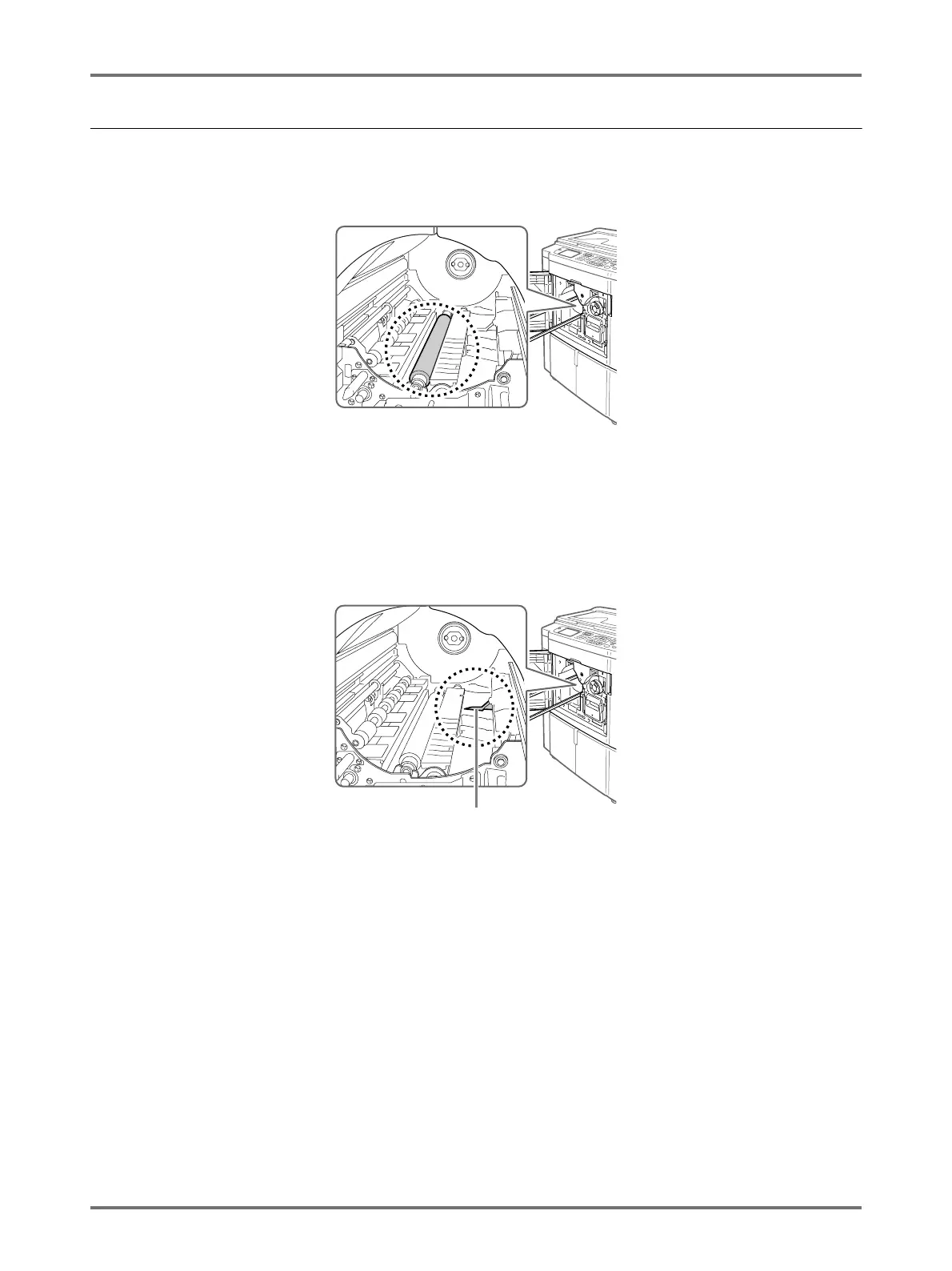
Pressure Roller
If the Pressure Roller, which presses print paper against the Print Drum, is stained, smudged strips may appear on
the back of copies.
If this happens, gently wipe the Pressure Roller with a soft cloth dampened with alcohol.
BCaution:
• Be sure to turn OFF power to the machine when cleaning the Pressure Roller.
• When putting your hand into the unit, do not touch the paper separation hook. The sharp tip of the hook can hurt
your hand.
• Ink may be left on the area near the Print Drum, so take care not to smudge your hands or clothes. Wash imme-
diately with soap if you should get ink on your hands, etc.
Separation Hook



 To Next Page