Advanced Features
Using Job Memory Functions [Job Memory]
155
Retrieving a Job Memory and Printing
1
Place an original and load paper.
When 2-Colour printing with 2 originals )p.40
When 2-Colour printing (Easy 2Colour) with 1
original )p.46
When printing with 1 colour )p.59
2
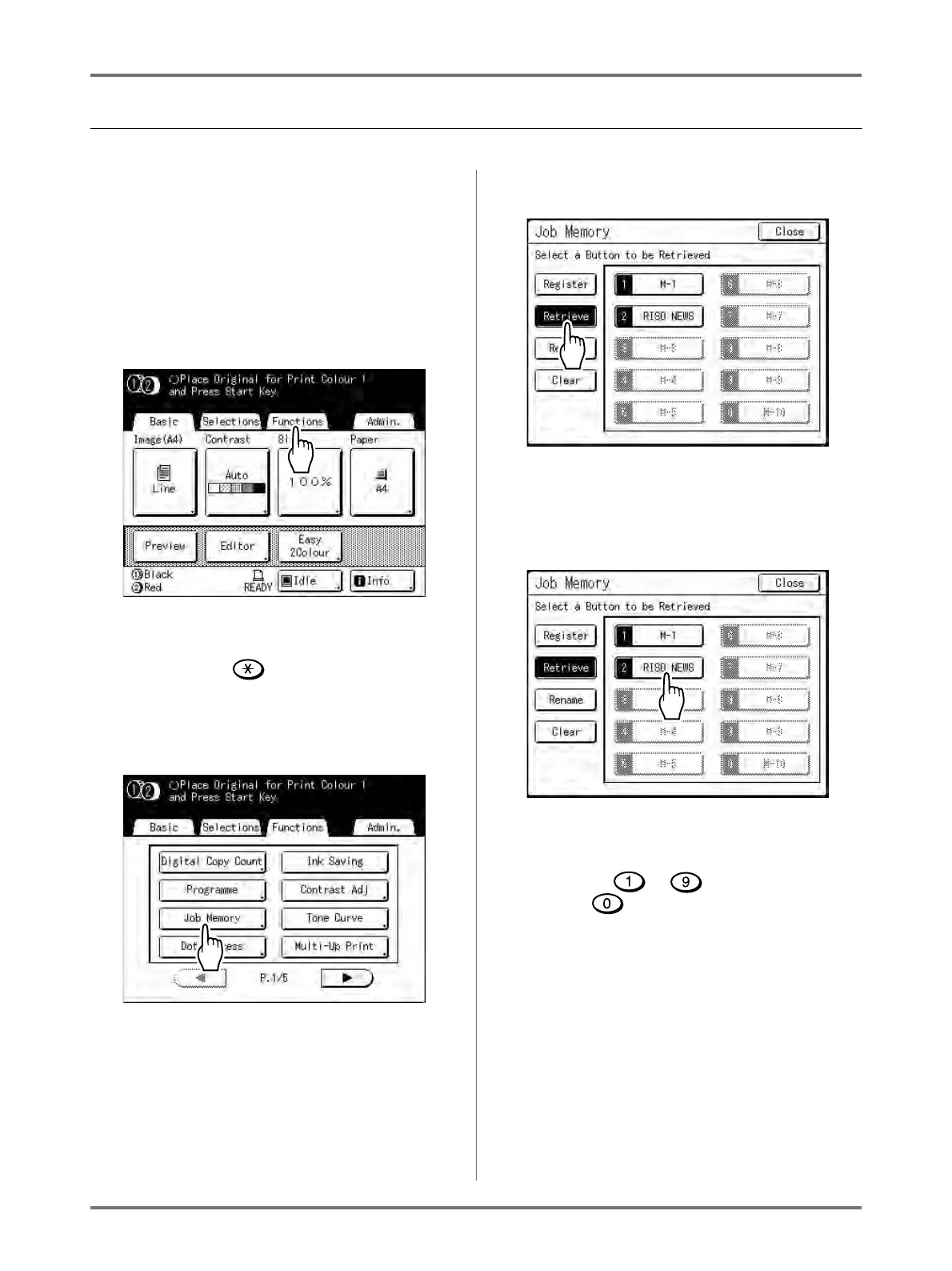
Touch [Functions] on the Master
Making Basic Screen.
Note:
• Job Memory screen can also be invoked by
pressing the key on the Print Quantity
Keys. Skip to step 4.
3
Touch [Job Memory].
4
Touch [Retrieve].
Greyed out buttons are not available (associated
with a job setting).
5
Select a Job Memory to retrieve.
Note:
• A job setting can also be retrieved using the
Print Quantity Keys.
M-1 to 9: to
M-10:



 To Next Page