Advanced Features
Automatic Sorting Into Groups [Programme]
144
Retrieving a Programme
Retrieve a stored programme and modify its settings.
1
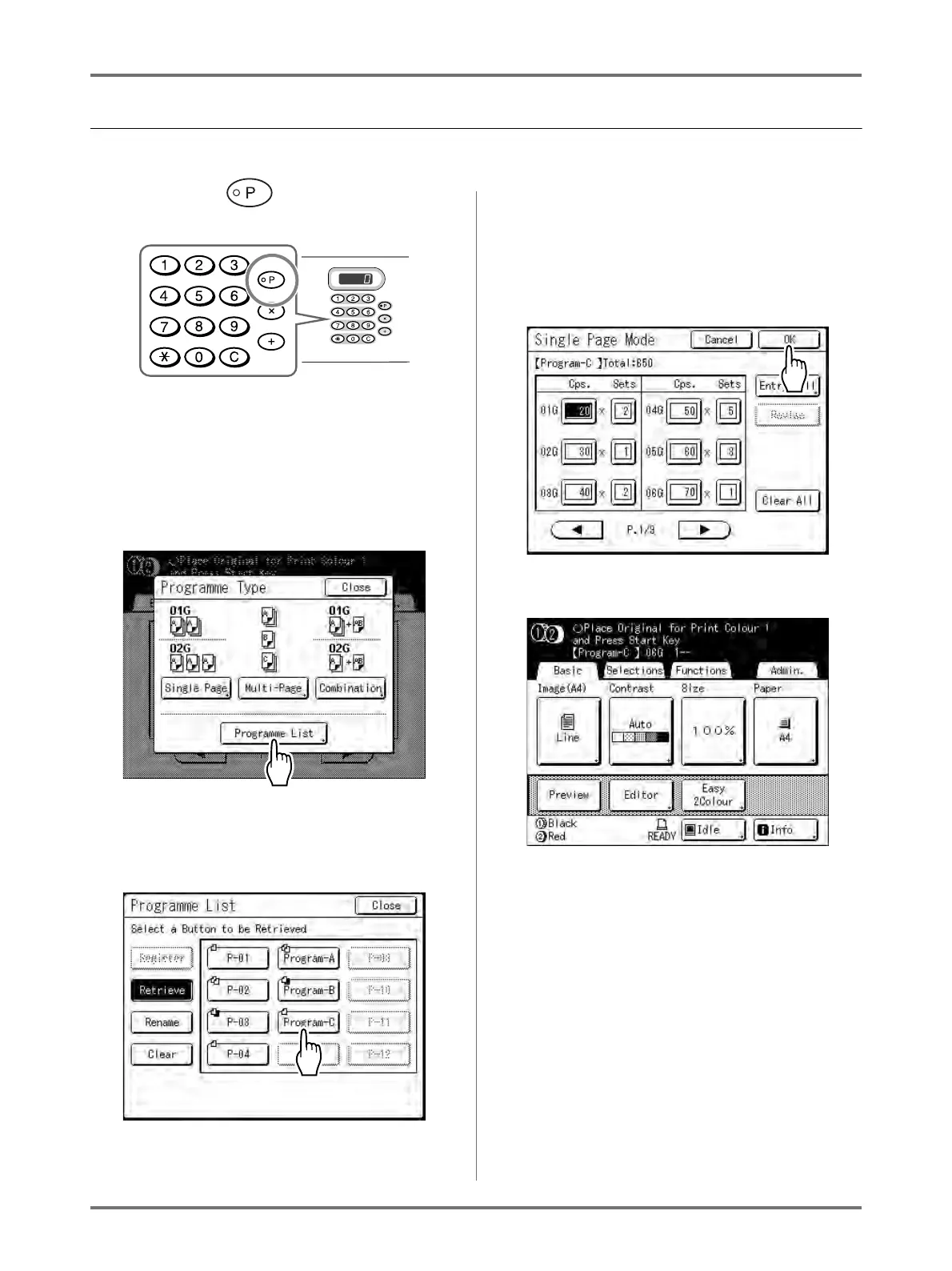
Press the key.
Note:
• Alternatively, from the Master Making Basic
Screen, touch [Functions] then [Programme]
to display the Programme Type screen.
2
Touch [Programme List].
3
Touch a button to select a Pro-
gramme to retrieve.
Note:
• When printing with 1-Colour, the “Combination”
programme cannot be retrieved.
4
Touch [OK].
The following screen appears.
Returns to the original screen. Ready to print
using the retrieved programme.



 To Next Page