Functions for Master-Making
Printing from Bound Documents [Book Shadow]
85
1
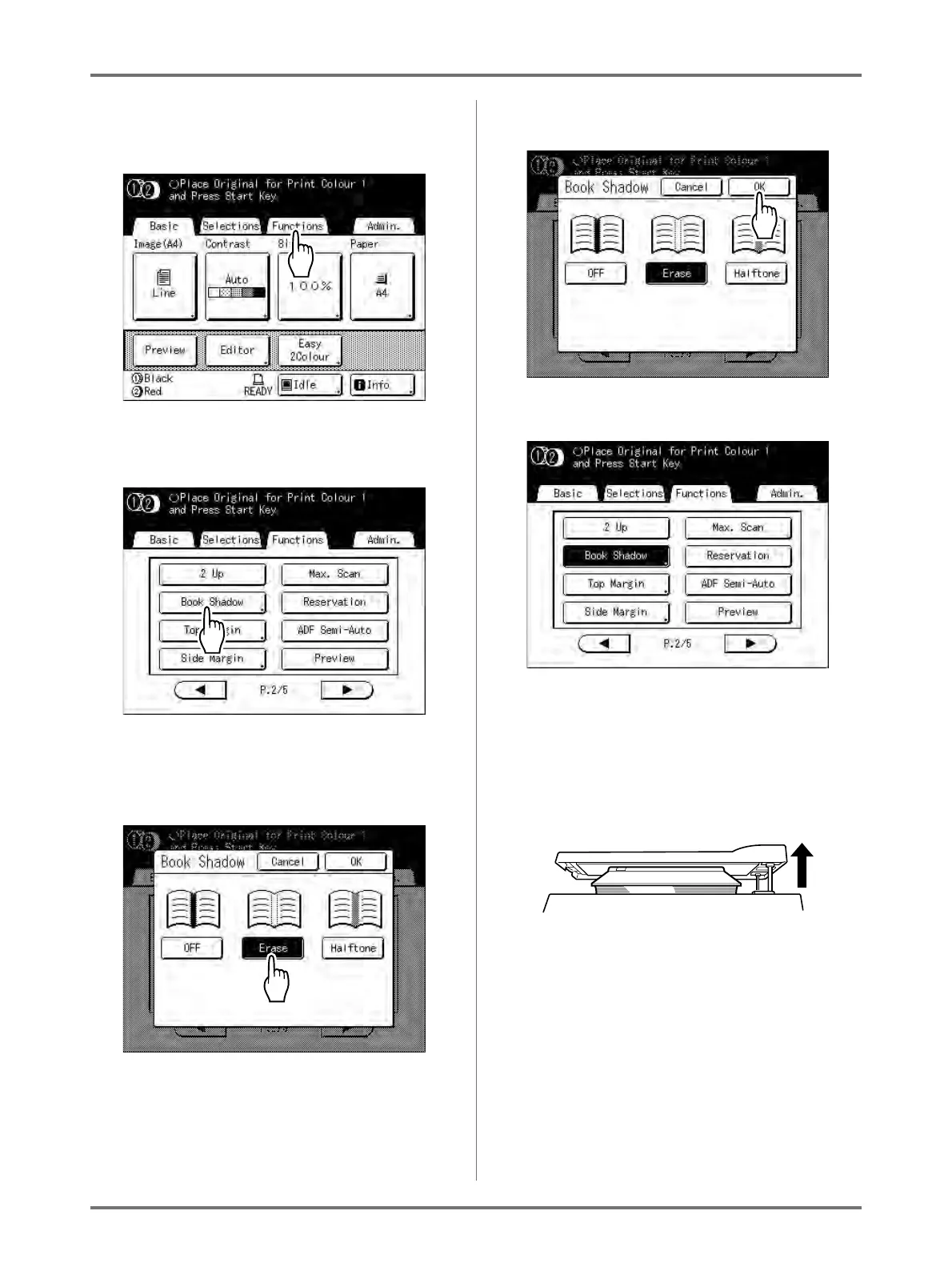
Touch [Functions] on the Master
Making Basic Screen.
2
Touch [Book Shadow].
3
Touch the shadow processing
method.
• [Erase]: Erases shadows near the centre and
around the original.
• [Halftone]: Photo processes the centre
shadow for a natural feel and deletes shadows
that it can around the original.
4
Touch [OK].
The following screen appears.
Returns to the Functions screen. Book Shadow
setting is updated.
Note:
• If you are scanning a thick book such as an
encyclopedia, raise the hinge of the platen
glass cover and press down for best results.



 To Next Page