Functions for Printing
Adjusting the Print Position [Print Position Adjustment] [1=2 Alignment]
117
Note:
• If both drums were adjusted separately, it is
adjusted to match the position of the last-
adjusted drum.
Tip:
Making Fined Adjustments to the Print Posi-
tion
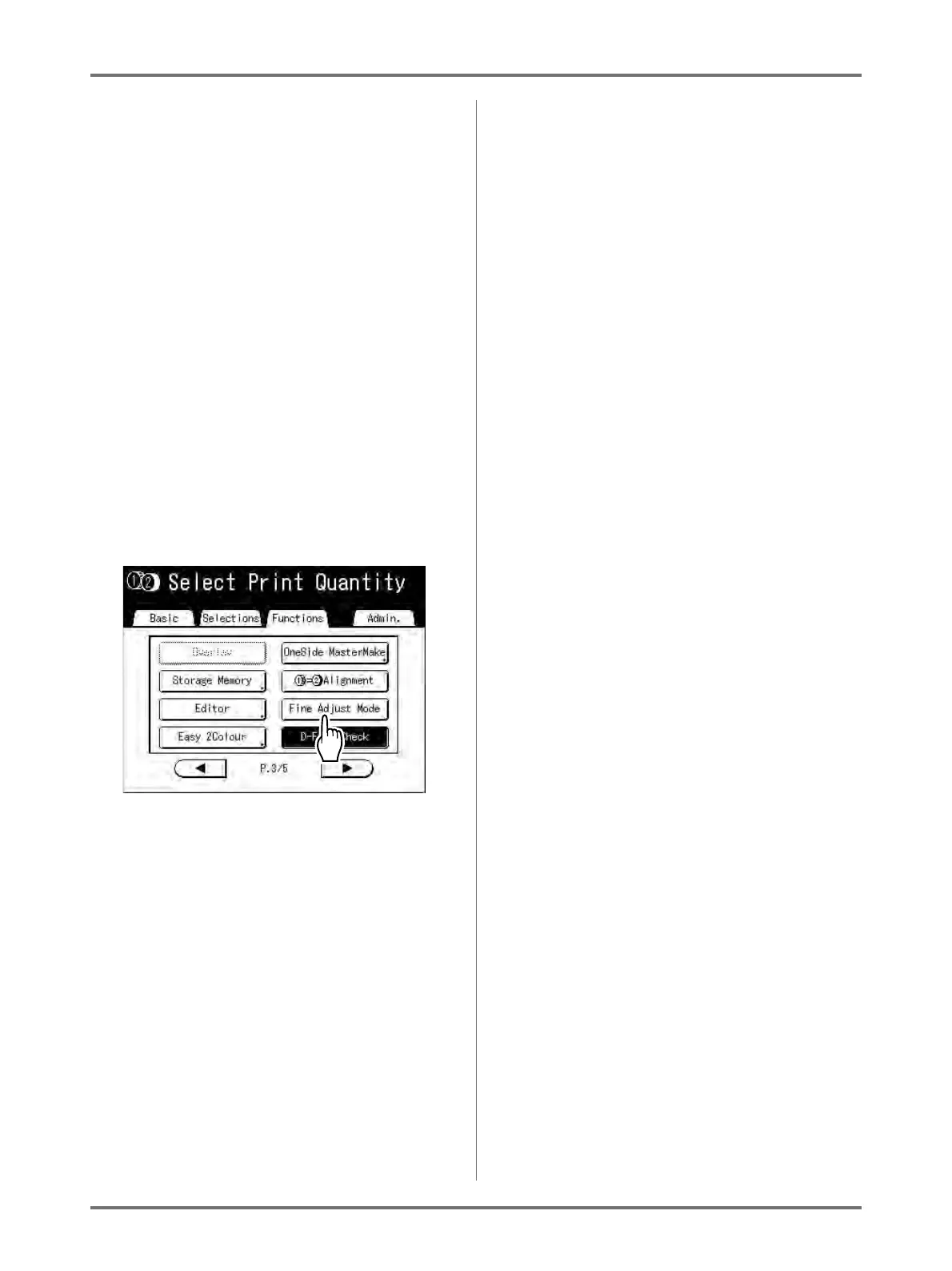
If the settings are such that “Fine Adjust Mode”
can be set, the print position can be finely
adjusted in 0.1 mm increments (the normal incre-
ment is 0.5 mm).
Note:
If you want to use “Fine Adjust Mode”, please con-
tact your dealer (or service/maintenance pro-
vider).
[Fine Adjust Mode] is displayed on the Functions
screen if “Fine Adjust Mode” can be used.
If you press and highlight (in b/w) [Fine Adjust
Mode], “Fine Adjust Mode” is activated and you
can make print position adjustments in increments
of 0.1 mm. The increments return to 0.5 mm when
set to “OFF”.


 To Next Page