When using a Linked Printer (sold separately)
Printing Scanned Original from a Linked Printer [Link Mode]
230
5
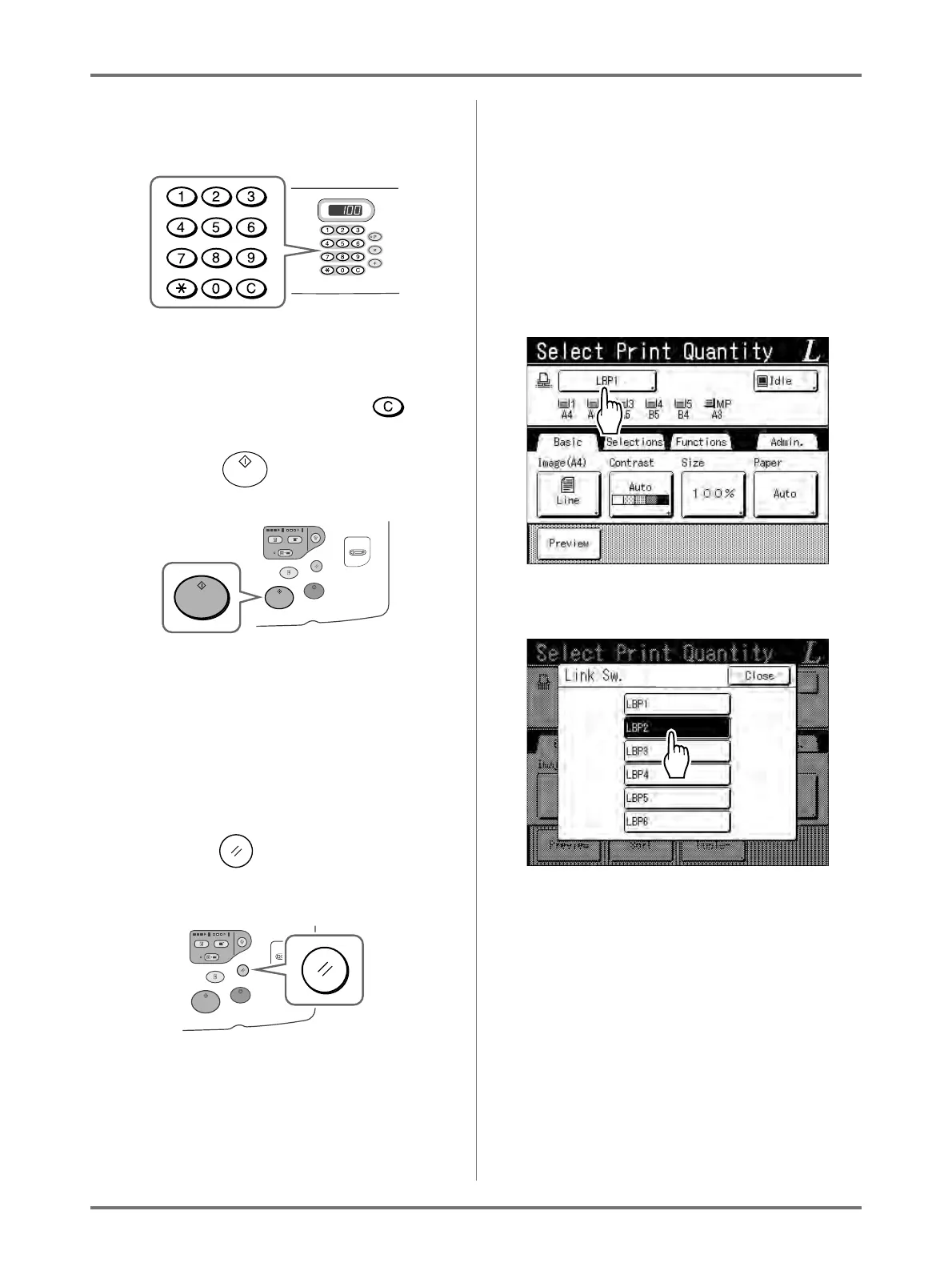
Enter the number of copies using the
Print Quantity Keys.
The number is displayed on the Print Quantity Dis-
play.
Note:
• To change the number, press the key,
then re-enter the correct number.
6
Press the key.
The scan of the original begins.
The scanned original data is sent to the Linked
Printer, and the specified number of copies is
printed from the Linked Printer.
Note:
• The current settings can be stored in Job Mem-
ory for future retrieval of the same settings.
)p.150
7
Press the key when the print job
is complete.
The setting returns to its default value.
Tip:
When multiple Linked Printers are connected
to the network
When multiple Linked Printers are connected to
the network, output device can be selected as
needed.
To output to another Linked Printer, follow the
steps below:
1) Touch [Printer Name] in the Link Basic
Screen.
2) Select the Linked Printer to print from.
Note:
• If a Linked Printer is experiencing an error,
that device is not available to be selected.
• If an error occurs on the selected Linked
Printer while in Link Mode, the Link Sw.
screen opens. Reselect another Linked
Printer currently available for printing.
For information on purchasing additional
Linked Printers, contact your dealer (or
authorised service representative).



 To Next Page