Troubleshooting
When a Message Displays
271
The original is jammed in the ADF unit (option).
For Auto Document Feeder DX-1
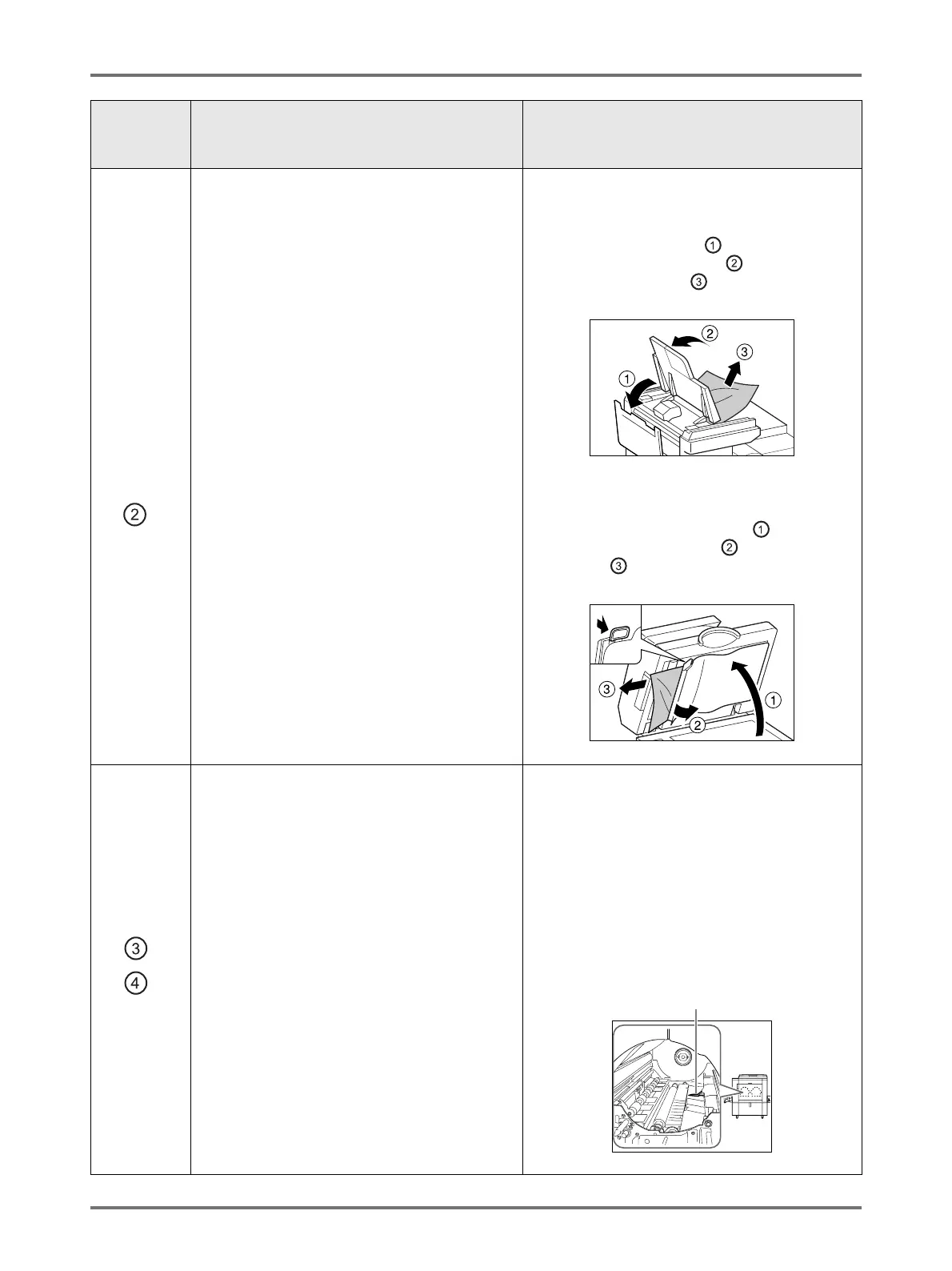
Removing originals jammed in the duplex
document carrier
Open the ADF Cover ( ), and raise the
document tray as shown ( ).
Pull out the original ( ).
Removing originals jammed in the original
receiving unit
Lift the Platen Cover Pad up ( ), pull the
release lever toward you ( ), and pull out the
original ( ).
Paper is jammed in the Print Drum area.
1) Pull out the Print Drum.
)p.250
2) Remove the jammed paper.
3) Return the Print Drum in place.
4) Touch [OK].
BCaution:
• Be careful not to touch the separation hook
when putting your hands inside to remove
paper. The edge of the separation hook is
sharp and can cause injury.
Area
Indicated/
Blinking
Possible Cause Action
Separation Hook



 To Next Page