Troubleshooting
Troubleshooting
287
Paper gets jammed in the Auto
Document Feeder DX-1
(option).
Paper is caught in the Auto Document
Feeder DX-1.
Follow the steps below to remove the
jammed paper.
Important!:
• Take care not to touch the roller inside
the unit. It may cause smudges on the
original or a paper jam.
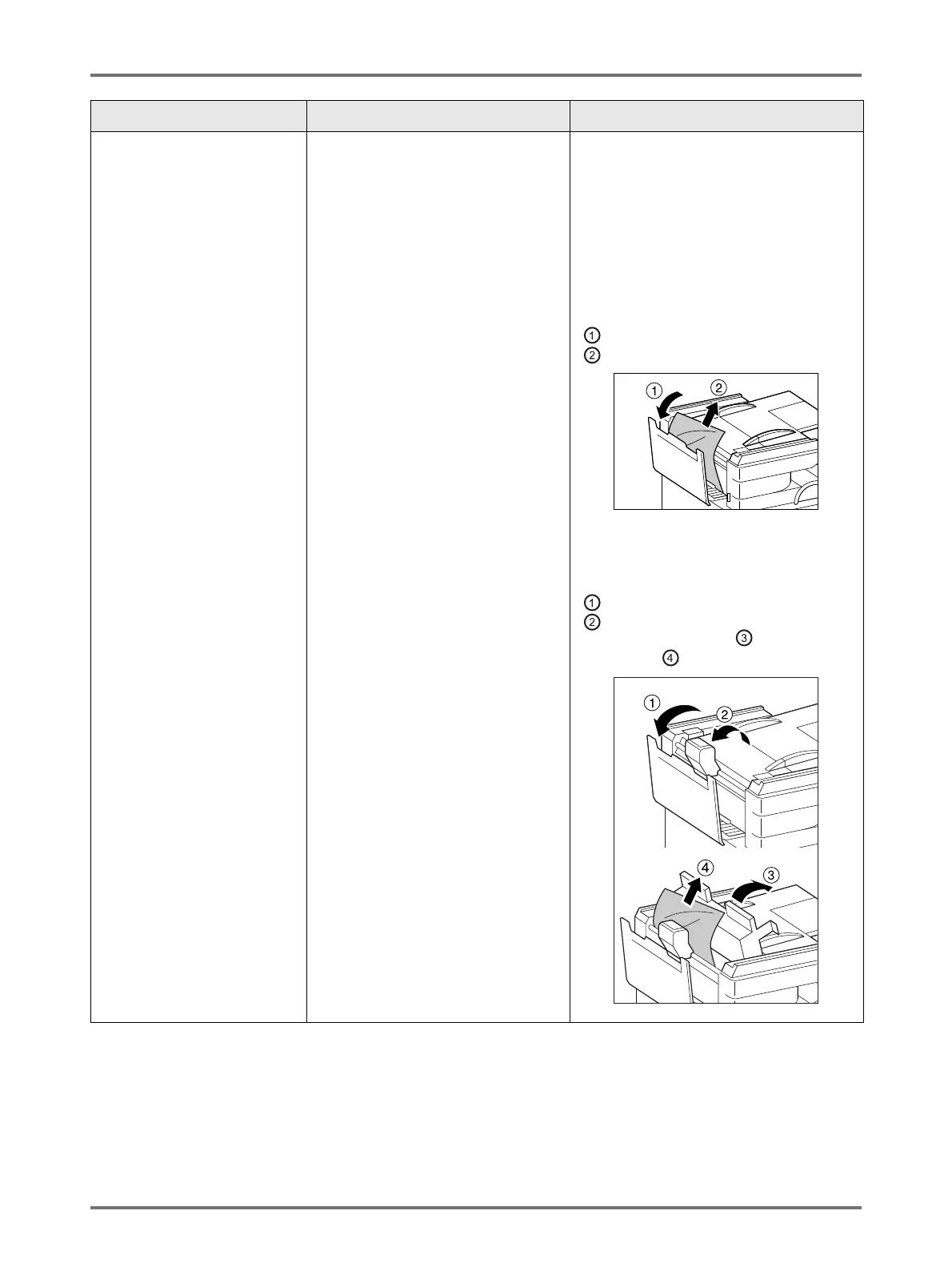
Removing originals jammed in the
document carrier
Open the auto document feeder cover
( ), and raise the feed roller as shown in
().
Removing originals jammed in the
document carrier
Open the auto document feeder cover
( ), and raise the feed roller as shown in
().
Open the inside cover ( ), and pull out
the original ( ).
Problem Possible Cause Action



 To Next Page