Functions for Master-Making
Printing Side-by-Side on One Sheet [2 Up] [Multi-Up Print]
96
6
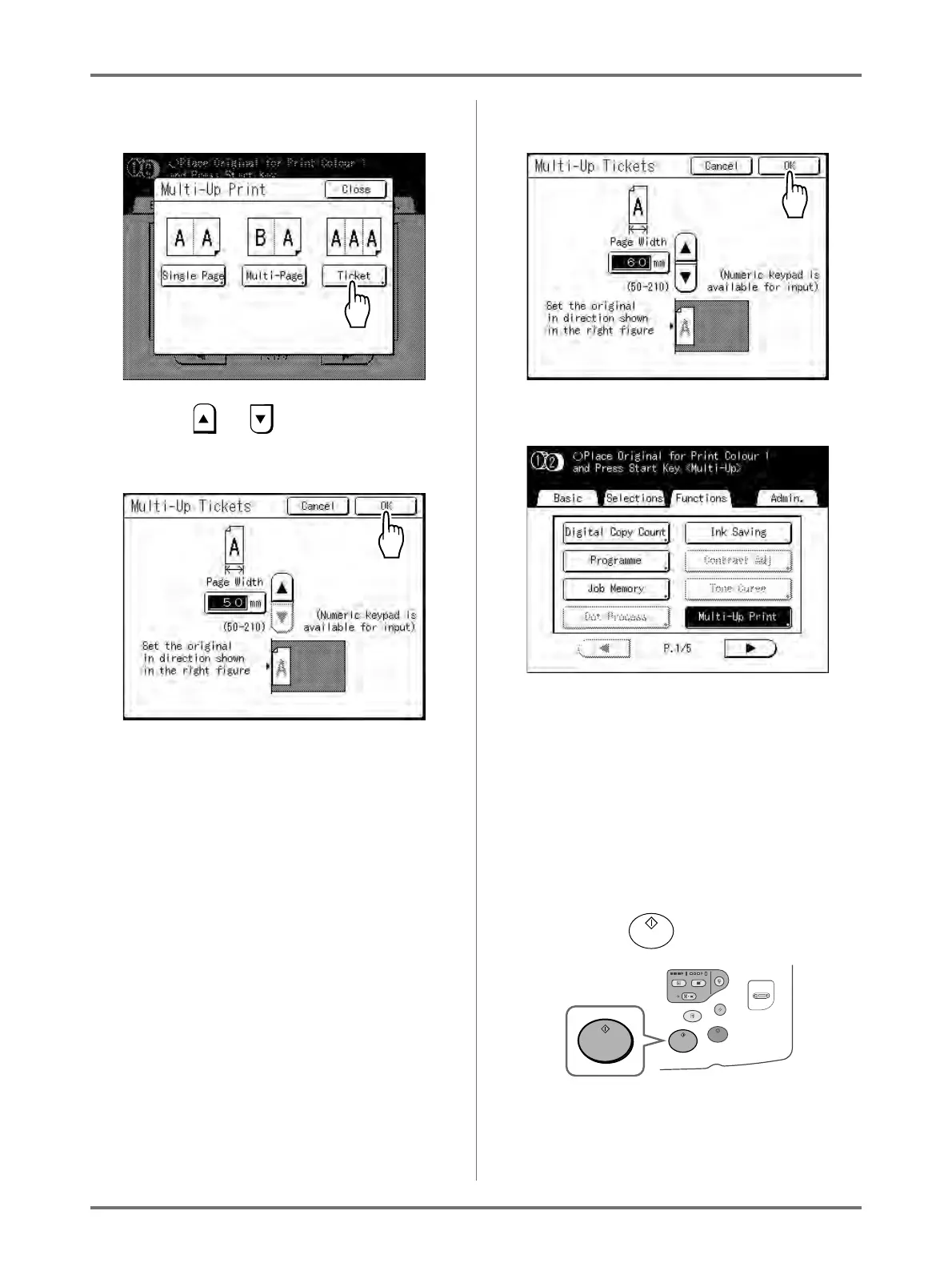
Touch [Ticket].
7
Touch or to specify the short
edge size of the original (the width).
Important!:
• If you have enlarged/reduced size in step 9
(setting print functions), be careful about the fol-
lowing points.
• Specify the ticket width after enlarging/reduc-
ing.
• If you magnified the size, make sure that the
bigger size does not exceed the specified
“Page Width” or the short edges of the print
paper.
• When magnifying, make sure to prepare paper
that fits the enlarged size.
8
Touch [OK].
The following screen appears.
Returns to the Functions screen. Multi-Up Tickets
setting is updated.
An error will occur in the following instances.
Following the instructions on the screen.
• An original is not set
• Paper is not set
• The correct size paper is not set
9
Make necessary settings.
Make various settings as needed.
10
Press the key.
Starts scanning of the original.
For 2-Colour printing, place the original for Drum 2.
After this, please follow the same operations for
normally making a master for 1-Colour and 2-Col-
our mode.



 To Next Page