Vista 5 M3 Digital Mixing System
4-88 GC Operation
Document generated: 28.08.13
SW V4.9
4.4.6.1.7 FaderGlow
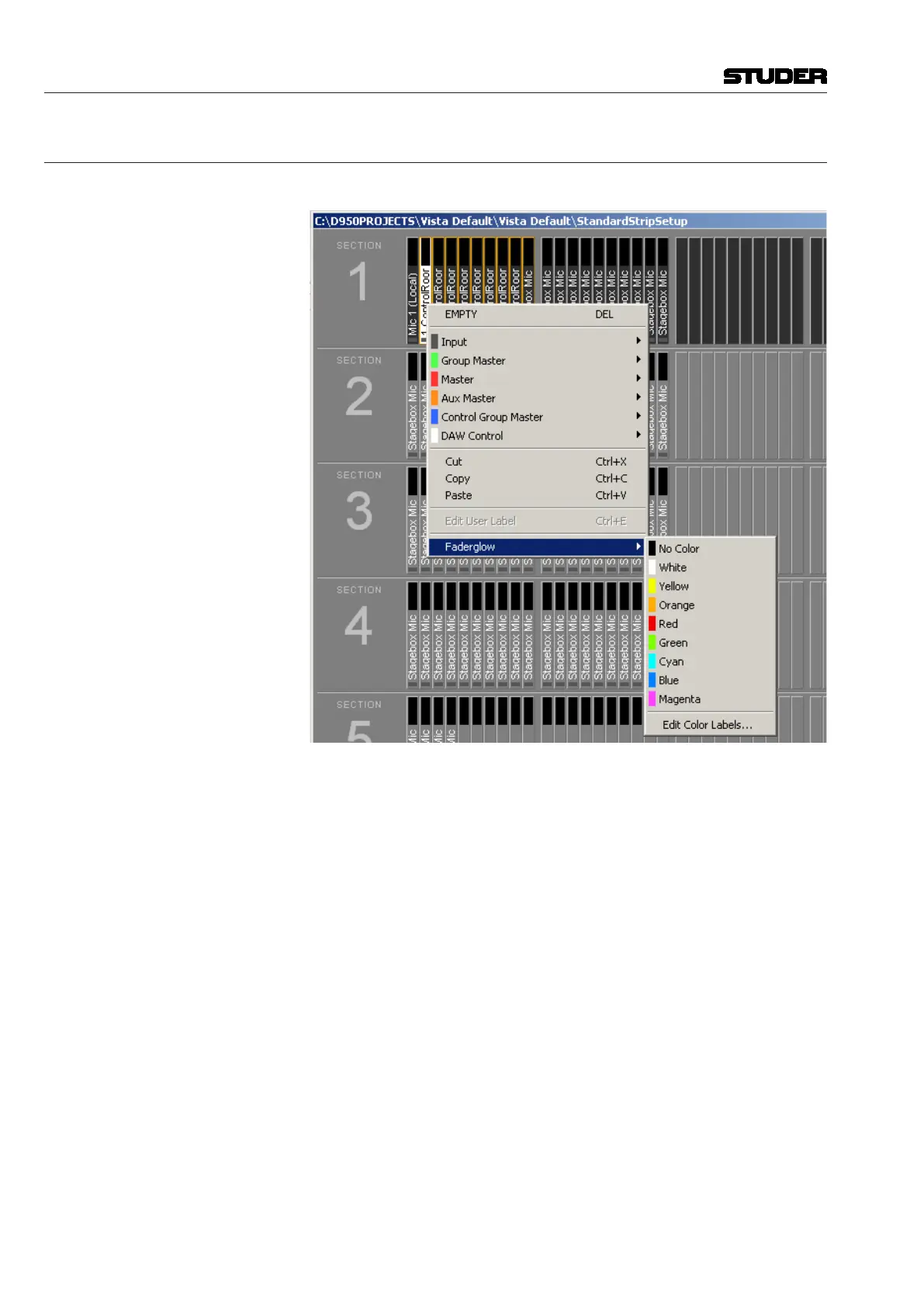
The FaderGlow color assignment is performed in the strip setup as well.
After a right-click on the desired channel, click on the ‘Faderglow’ item; a list
will drop down offering the eight available colors and ‘no color’, i.e. Fader-
Glow switched off. In order to give the channels within the same FaderGlow
color group a label, click on the ‘Edit Color Labels’ item. A menu with label
entry fields for every FaderGlow color will open up.
The FaderGlow
setup is saved as a part of the Strip Setup, allowing different
operators who might alternately mix a show having their own, personal color
setup.
Note The red fader glow colour is already used by the graphic EQ function. If you
intend to use the graphic EQ, red should not be assigned to channels other-
wise.



 To Next Page