Vista 5 M3 Digital Mixing System
Desk Operation 2-19
2.6.6 Option (Spare Keys)
CUT
MIDI IN
Update
VCA/Mute
CUT
MIDI OUT
Update
Snapshot
Toggle
Blackout
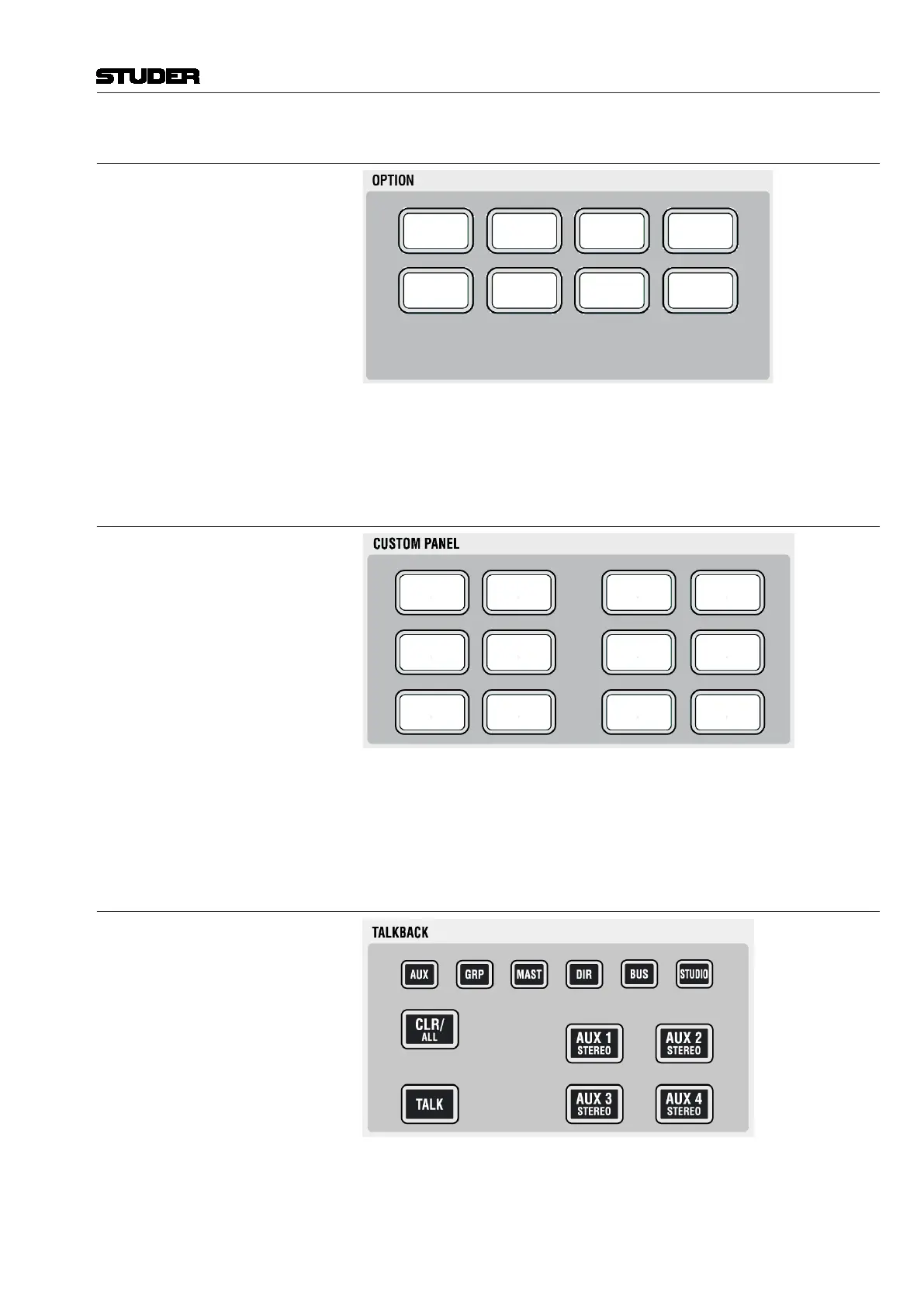
This area contains spare keys for future functions and/or options. Key #3 is
currently used to switch on the desk lights again after a ‘blackout’ event within
the theatre cue list.
2.6.7 Custom Panel Keys
GP
1
GP
2
GP
5
GP
6
GP
3
GP
4
Mix On Read
Write
Touch
Record
Touch
Hold
Clear
Touch
The block of six keys on the left-hand side is controlling the GPIO’s which
are wired to the d-type connector on the rear of the console. The six keys on
the right-hand side are used by the Vista application SW; they are currently
operating the six most important buttons of the ACU (automation control
unit - used in dynamic automation mode).
2.6.8 Talkback Control
TALKBACK Whenever TALK is pressed, the signal from the internal talkback microphone
is fed to the corresponding group.
Note: The talkback signal is inserted directly before the output interface of the
core. If signals are routed internally to some other destinations, the talkback
will not harm them.
Document generated: 28.08.13
SW V4.9



 To Next Page