Vista 5 M3 Digital Mixing System
Parameters 3-3
Document generated: 28.08.13
SW V4.9
3 VISTONICS™ PARAMETERS
3.1 Introduction
The desk can show different audio controls on the Vistonics screens. The
controls differ in type of graphical viewing, shapes, and colors. If required,
they are grouped together with frames in order to give the user maximum
information without the need to read text on the display. The view of the
audio controls can be changed either globally for the whole console, or locally
within one channel.
For details on selecting the different functions please refer to chapter 1.1.1.
3.2 View Change
3.2.1 Global View Change
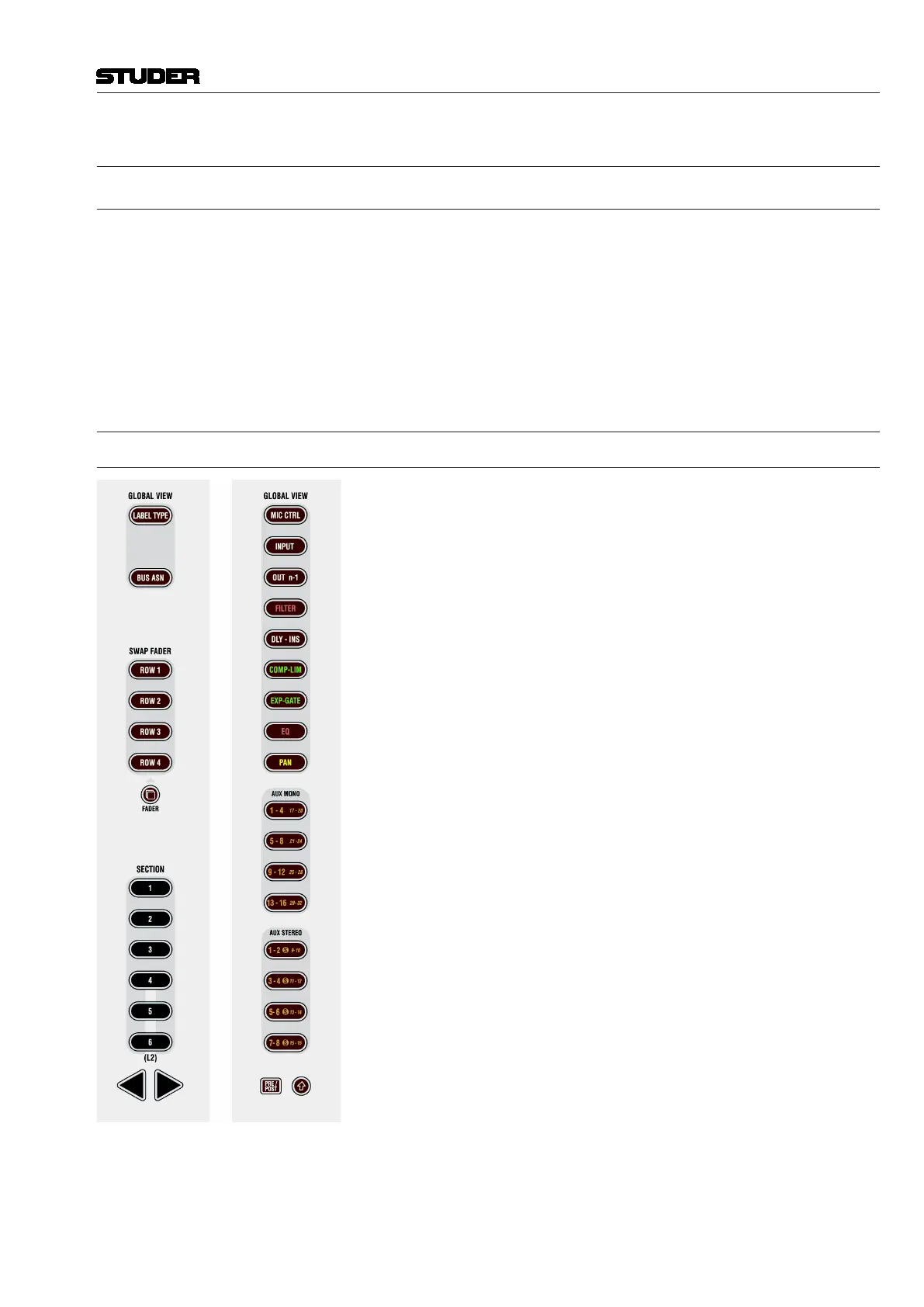
When pressing one of the keys in the GLOBAL VIEW areas, the view of the
whole desk is changed. (The control bay remains with its own view unless
‘Follow’ is active.) Each channel strip will show parameters on up to four
rotaries and their associated key. Only one global view key can be active at
a time.
Some views will not cover all four rotaries, depending on the function (e.g.
a 2-channel pan covers only the bottom rotary) or DSP configuration (e.g. if
only 3 mono AUX buses are configured). After a view is activated, the cor-
responding key is lit. When this key is pressed again, all previous views (i.e.,
the ones other than the currently pressed global view key) will be blanked. So
the selection of parameters can be done in a quite flexible way. When press-
ing AUX MONO 1-4 followed by PAN, the result will be AUX 1-3 on rotaries
1 through 3, and pan on rotary 4. When pressing PAN a second time, rotaries
1 through 3 are blank and pan will still be displayed on rotary 4.
No rule without exceptions:
• Forselecting mono or stereo AUX views beyond 16, the key (Shift)
must be active.
• WhenthePRE / POST key in the fader bay’s GLOBAL VIEW area is active,
the AUX views change to pre-/post-fader selection.
• Asaspecialglobalviewchange,theGLOBAL VIEW: BUS ASN key lets the
EQ, Dynamics and Pan curves on the lower part of the TFT display disap-
pear and shows all bus assignments instead (see chapter 3.3.11). Pressing
GLOBAL VIEW: BUS ASN again makes the curves reappear.



 To Next Page