Vista 5 M3 Digital Mixing System
5-56 AutoTouchPlus
Document generated: 28.08.13
SW V4.9
5.8.4 Touch Record + Touch Hold
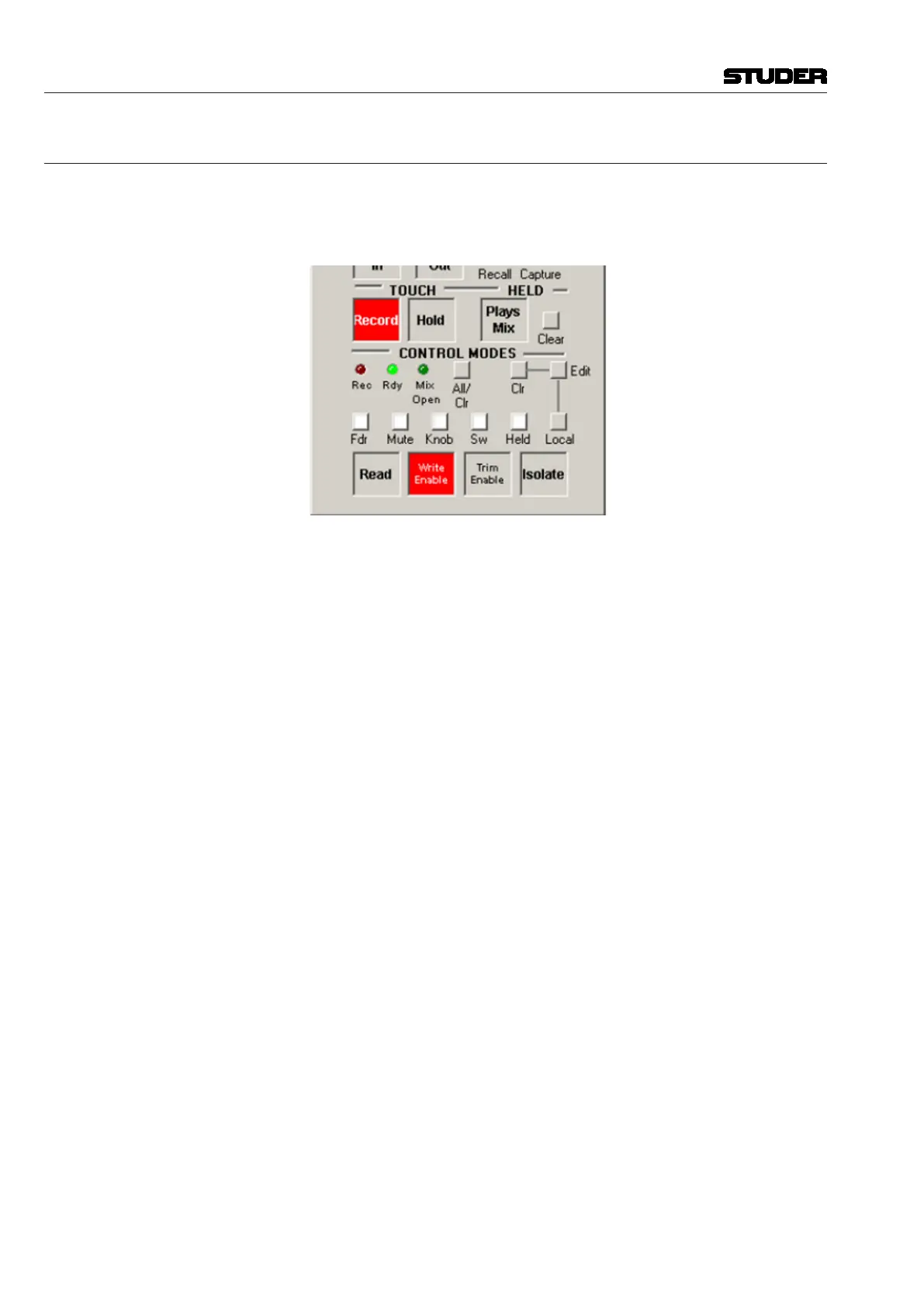
TOUCH – Record and TOUCH – Hold can be used together to create a
condition where controls will change to RECORD (if currently enabled) or
AUDITION (if currently in READ) when touched and stay in that mode when
released.
With both TOUCH – Record and TOUCH – Hold engaged, touching a
control will change it from its current state to the next mode available and
then will ‘hold’ that mode (remember, when TOUCH – Hold is activated,
the Touch event is registered by the system and the Un-touch event is sup-
pressed).
When released, a control in RECORD will not punch-out and change back to
ENABLE, it will stay in RECORD. Likewise a control in AUDITION will
not revert to READ when released.
TOUCH–Record + TOUCH–Hold With both TOUCH – Record and TOUCH – Hold engaged, Touch events
perform the following functions when dynamic controls are in the Control
Modes indicated (remember Un-touch events are suppressed):
• READ:TouchwillchangetoandstayinAUDITION.
• WRITEENABLE:TouchwillchangethecontrolfromWRITEENABLE
to WRITE RECORD and stay in WRITE RECORD when released.
• TRIMENABLE:TouchwillchangethecontrolfromTRIMENABLEto
TRIM RECORD and stay in TRIM RECORD when released.
• ISOLATE:Touch/Un-toucheventsofIsolatedcontrolsarenotrecognized
by AutoTouchPlus.
<Option> • With<ReadSafe>checkedintheMiscOptionspage(seechapter 5.22.7),
AUDITION mode is defeated for controls in READ, and only written
values will be heard.
• TheACU window TOUCH – Record and TOUCH – Hold buttons
may be overridden by checking options in the <Master Panel Overrides>
section of the Master Panel Options page (see chapter 5.22.5). Faders
and Encoders can have TOUCH – Record and TOUCH – Hold set to
<ON>, <OFF>, or to follow the ACU window <Follows Panel>. TOUCH
– Record and TOUCH – Hold for Switches can also have <ON> and
<OFF> overrides or be set to follow the ACU window <Follows Panel>
• TheUn-touchfunctionofeitherTOUCH – Record and TOUCH – Hold
may be changed by using the ISO (AUTO MODE) modifier key. For details,
refer to chapter 5.8.6.



 To Next Page