Vista 5 M3 Digital Mixing System
5-10 AutoTouchPlus
Document generated: 28.08.13
SW V4.9
5.2.2 Automation Keys on the Vista 5 M3 Desk
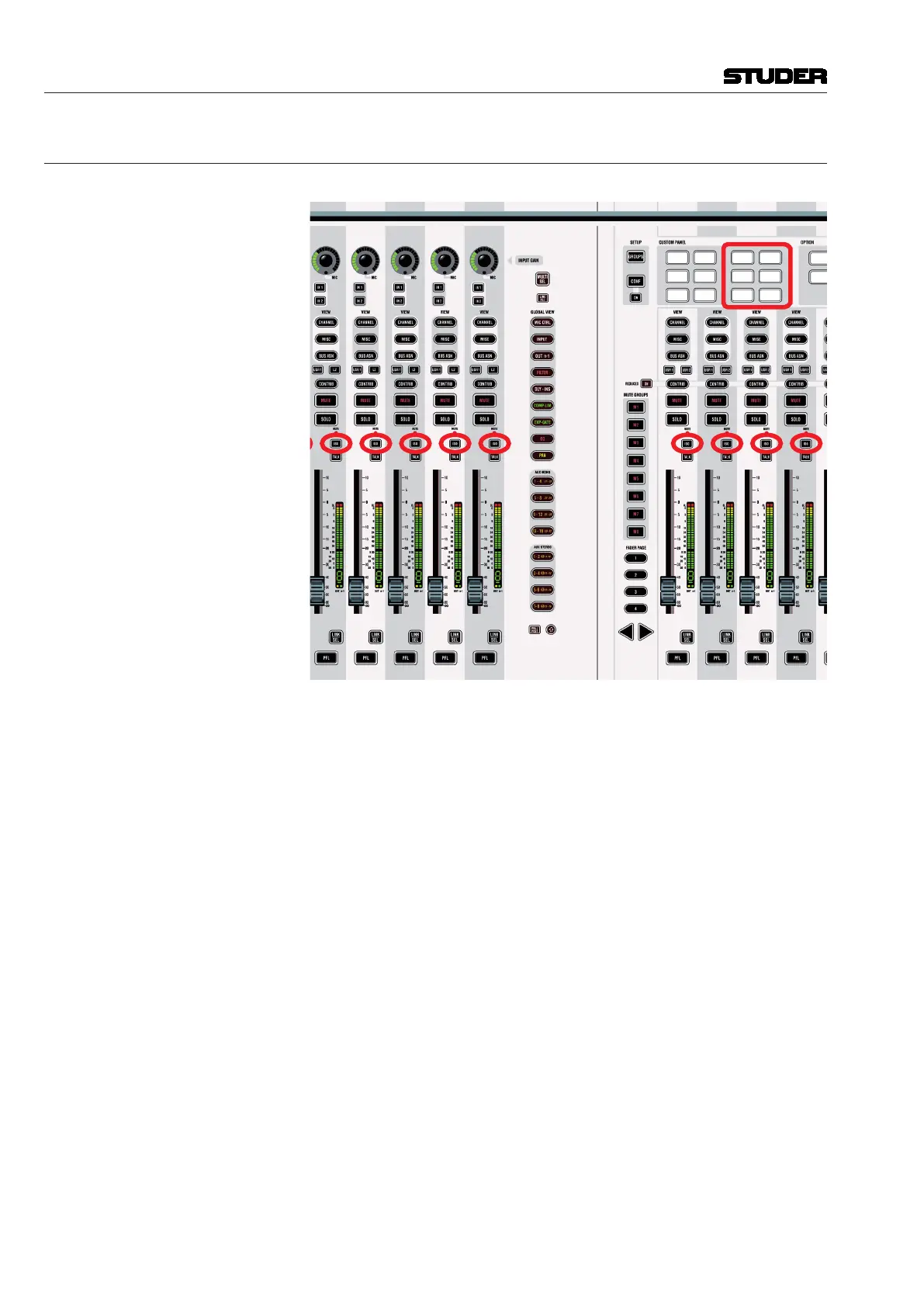
Desk Controls The controls used for automation on the Vista 5 M3 desk are marked below:
GP
1
GP
2
GP
5
GP
6
GP
3
GP
4
Mix On Read
Write
Touch
Record
Touch
Hold
Clear
Touch
ISO (AUTO MODE) Toggles between different automation modes: READ, WRITE, TRIM, ISO-
LATE. As a standard, only the objects selected in the ‘preselector area’ of the
ACU window (e.g. FADER) are toggled, but not the whole channel.
This key has also the important function to suppress the detection of a physical
touch or un-touch of any objects. It is therefore possible to modify a value
without putting the object into ‘held’ mode. Or – vice versa – it is possible
to physically un-touch an object while that the automation doesn’t detect the
un-touch (object is still considered as ‘held’). For this reason the ISO (AUTO
MODE) key is sometimes also referred to as ‘modifier key’.



 To Next Page