Vista 5 M3 Digital Mixing System
5-42 AutoTouchPlus
Document generated: 28.08.13
SW V4.9
5.7.2 Write
Write Enable is the primary data recording mode of the system. Controls
in Write Enable are armed for recording and those in Record will write
changes to a new Mix Pass.
Write Enable Rules Record Off:
• Write Enable: The control acts the same as if it were in Read (replaying
the mix Read data), but is armed to go into Record.
- A new Mix Pass is not generated unless Record is engaged.
Record On:
• Record: The absolute value (level) of the control is written into a new
Mix Pass.
- Read mix values are overwritten.
- At the end of a pass in which at least one control was in Record, a
new Mix Pass is generated based upon the Active Mix Pass and the
newly recorded data.
Note Record is a destructive mode in regard that previously written data is over-
written. However, mix data is never lost because a new Mix Pass is generated
at the end of every Record pass. All Mix Passes are retained in the Mix Tree
unless purposely deleted.
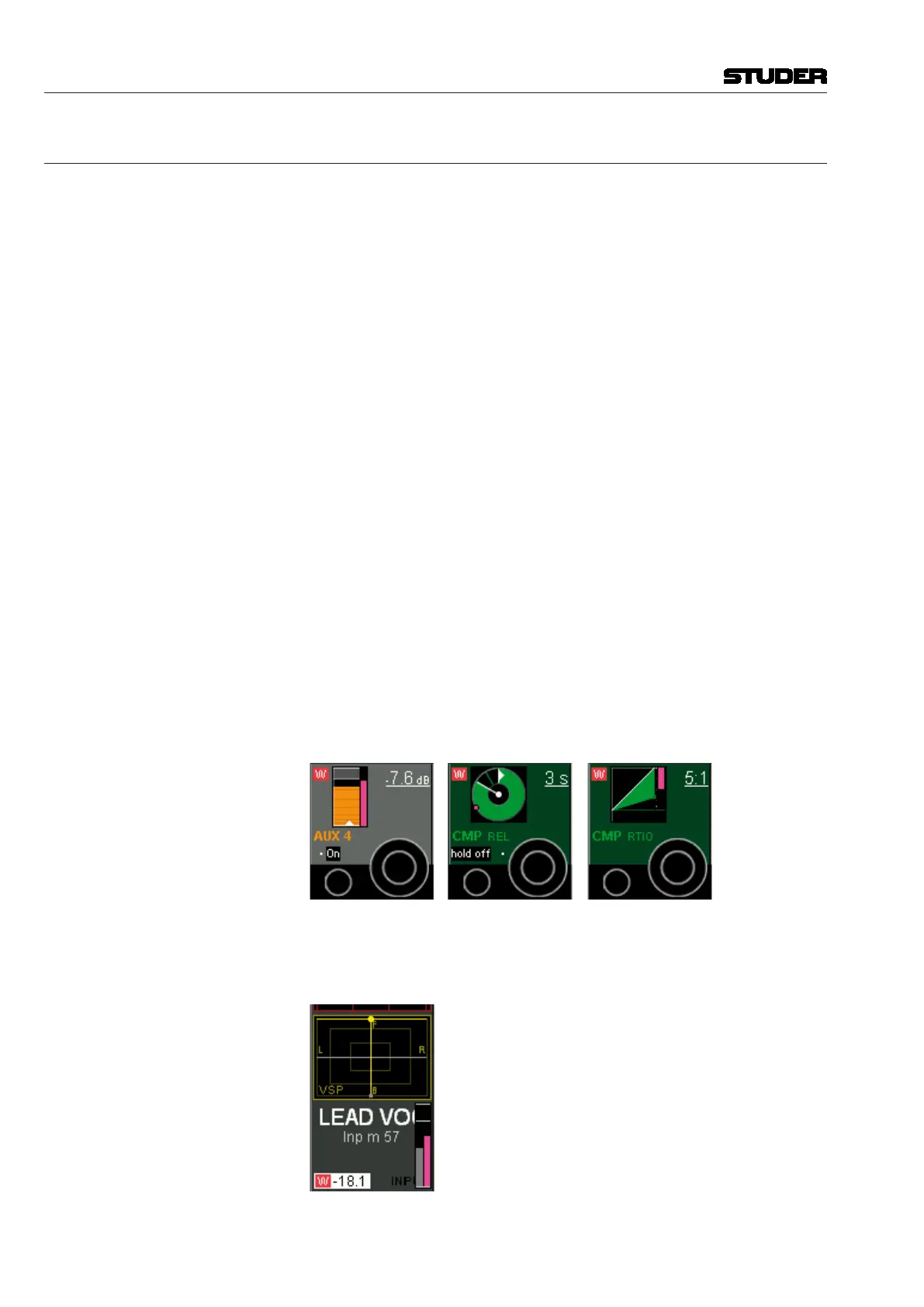
The Vistonics concept allows displaying the current and replay values of
rotary and fader controls in a very clear and comfortable way.
Rotary Values Current and replay value of the rotary control: If the current value is different
from the one within the last mix pass, a pink colored element indicates the
value of the last mix pass, while the main display is indicating the current
value.
Fader Values Current and replay value of the fader: If the current value is different from
the one in the last mix pass, a pink colored element indicates the value within
the last mix pass, while the main display is indicating the current value.



 To Next Page