Vista 5 M3 Digital Mixing System
2-24 Desk Operation
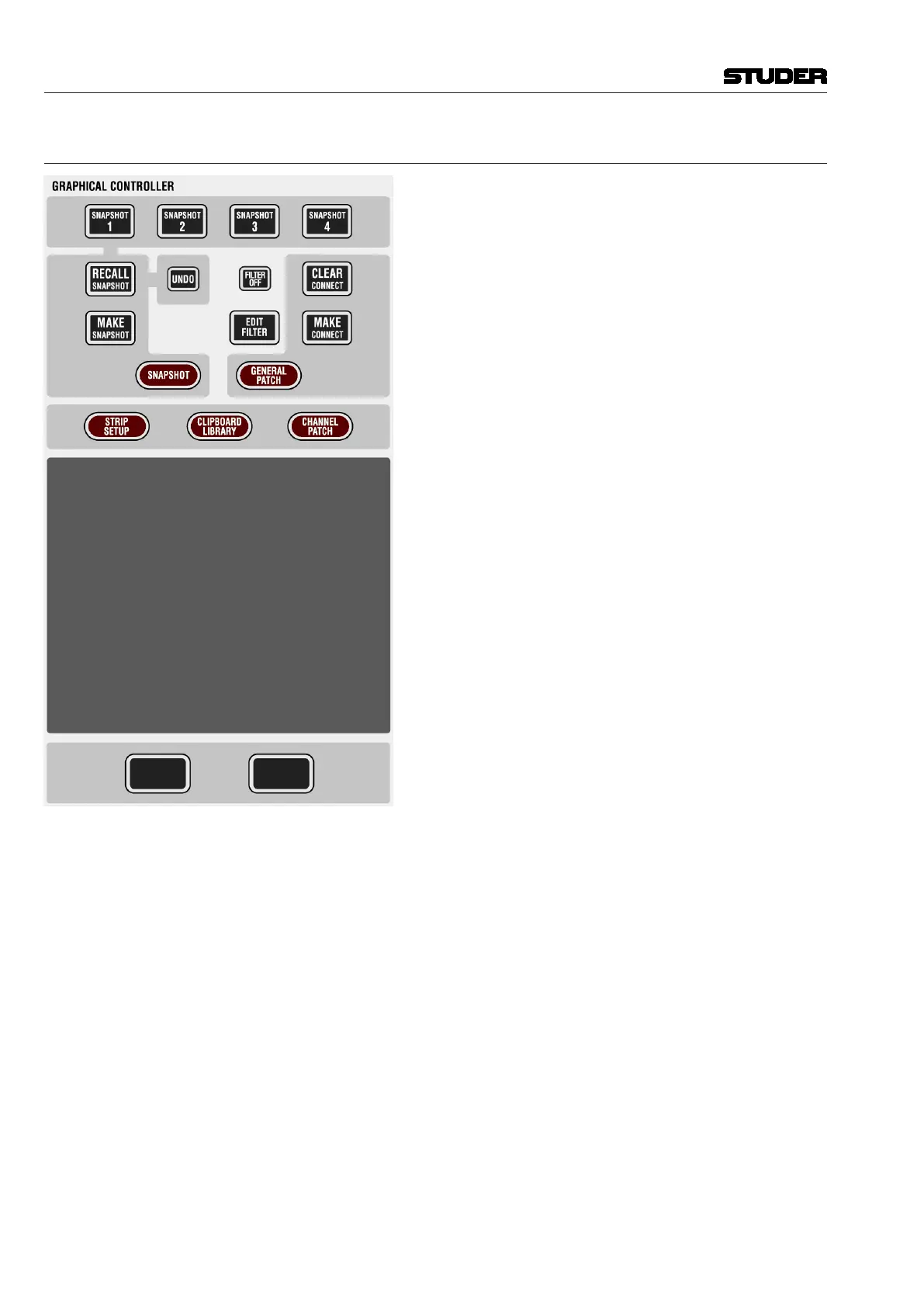
2.6.10 GC Shortcut Keys
SNAPSHOT 1...4
A snapshot contains all audio settings including patching and
labels.
These keys allow four snapshots to be saved and recalled
without making use of the Graphic Controller screen.
• Making a snapshot:
Press and hold MAKE SNAPSHOT, then press one of the
SNAPSHOT 1...4 keys. This will program this key with the
current audio settings.
• Recalling a snapshot that has been programmed on one of
the SNAPSHOT 1...4 keys:
Press and hold RECALL SNAPSHOT while pressing one
of the SNAPSHOT 1...4 keys. This will recall the snapshot
instantly, if warning mode is not active (see description of
the ‘Options’ menu on the Graphic Controller.)
• Preview of a snapshot that has been programmed on one
of the SNAPSHOT 1...4 keys:
Pressing one of the four keys will activate a preview of that
specific snapshot and illuminate it. Values in the previewed
snapshot that are different from the current console settings
will be visible on the Vistonics
®
modules using magenta-
colored indicators. This preview function can also be
activated momentarily or latching.
MAKE / RECALL SNAPSHOT
Pressing and releasing MAKE SNAPSHOT will create a snap-
shot with an automatically generated name, listed in the
Graphic Controller. Filtering may be applied upon recall of
the snapshot. See shortcut keys (chapter 4.4.4.5).
MAKE / CLEAR CONNECT
If the general patch window is opened on the Graphic Control-
ler, these keys will make or clear a patch connection at the
intersection of the red lines.
FILTER OFF This key switches all currently active snapshot filters temporarily off. After
de-activation the filter settings are back and they need not be re-defined.
EDIT FILTER, STRIP SETUP, SNAPSHOT, CLIPBOARD LIBRARY, GENERAL PATCH, CHANNEL PATCH
These shortcut keys will open the corresponding windows on the Graphic
Controller.
Document generated: 28.08.13
SW V4.9



 To Next Page