Vista 5 M3 Digital Mixing System
AutoTouchPlus 5-63
Document generated: 28.08.13
SW V4.9
5.9 Global Record
Controls can be ‘punched in and out’ on a global basis. Global punch-ins and
punch-outs are accomplished in one of three ways:
1.
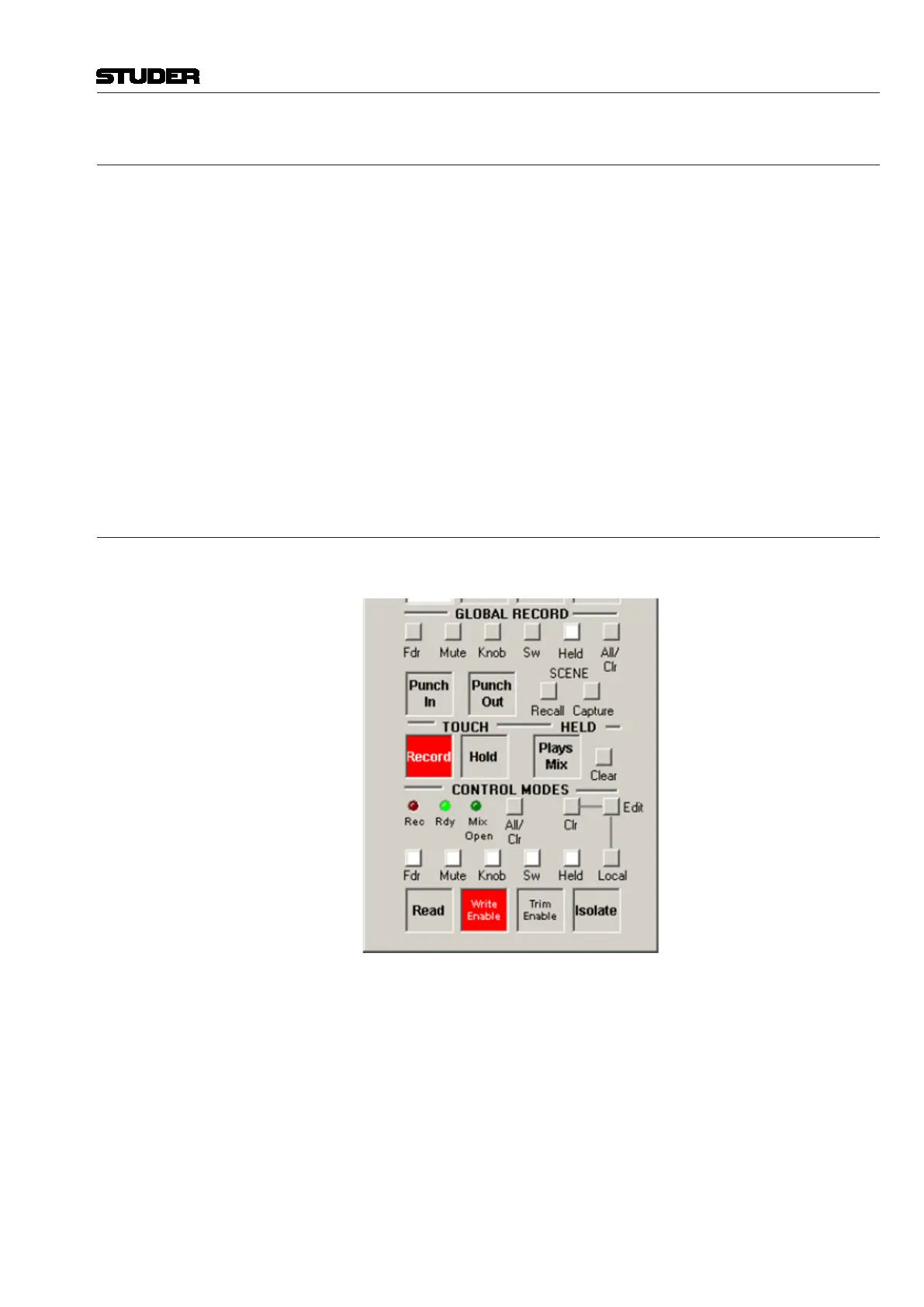
Manually: Using the Punch In and Punch Out activator buttons in the
GLOBAL RECORD section of the ACU window
2. Automatically: Enabling the Write Zone and Punch In/Out in the ‘Auto-
Touch Plus’ window of the Graphical Controller (GC). Refer to chapter
5.9.4, Auto Punch-In/Out.
3. Automatically via a GPI input (refer to chapter 5.9.5).
Conditions If no controls of the type chosen of the GLOBAL RECORD preselector are
enabled, Global Punch In has no effect. Likewise, if no controls of the type
chosen of the GLOBAL RECORD preselector are in record mode, Global
Punch Out has no effect.
Note Individual controls can be punched in and out independently of the GLOBAL
RECORD functions. This is done locally on the channel strip.
5.9.1 Preselectors
Preselectors Regardless of the punch method used, the GLOBAL RECORD preselectors
determine which controls are affected when a global PUNCH-IN occurs.
Multiple preselectors may be active at a time. Any and all combinations are
allowed. Preselectors will illuminate when active.
The following describes the control classifications as defined by the GLOB-
AL RECORD preselectors:
• Fdr (Fader): The fader of all channel types
• Mute (Mute): The Mute of all channel types
• Knob (Encoders): All continuous rotary type encoders. This does not
include knobs that control ‘selectors’, such as pan format or phase inver-
sion.
• Sw (Switches): All switches (keys) and selectors (keys and knobs)
• Held (Held Controls): All
controls that are currently in a ‘Held’ status.
(This could be any combination of faders, mutes, switches, and encoders).
Refer to chapter 5.8.3.



 To Next Page