Vista 5 M3 Digital Mixing System
Desk Operation 2-9
2.4 Global Views
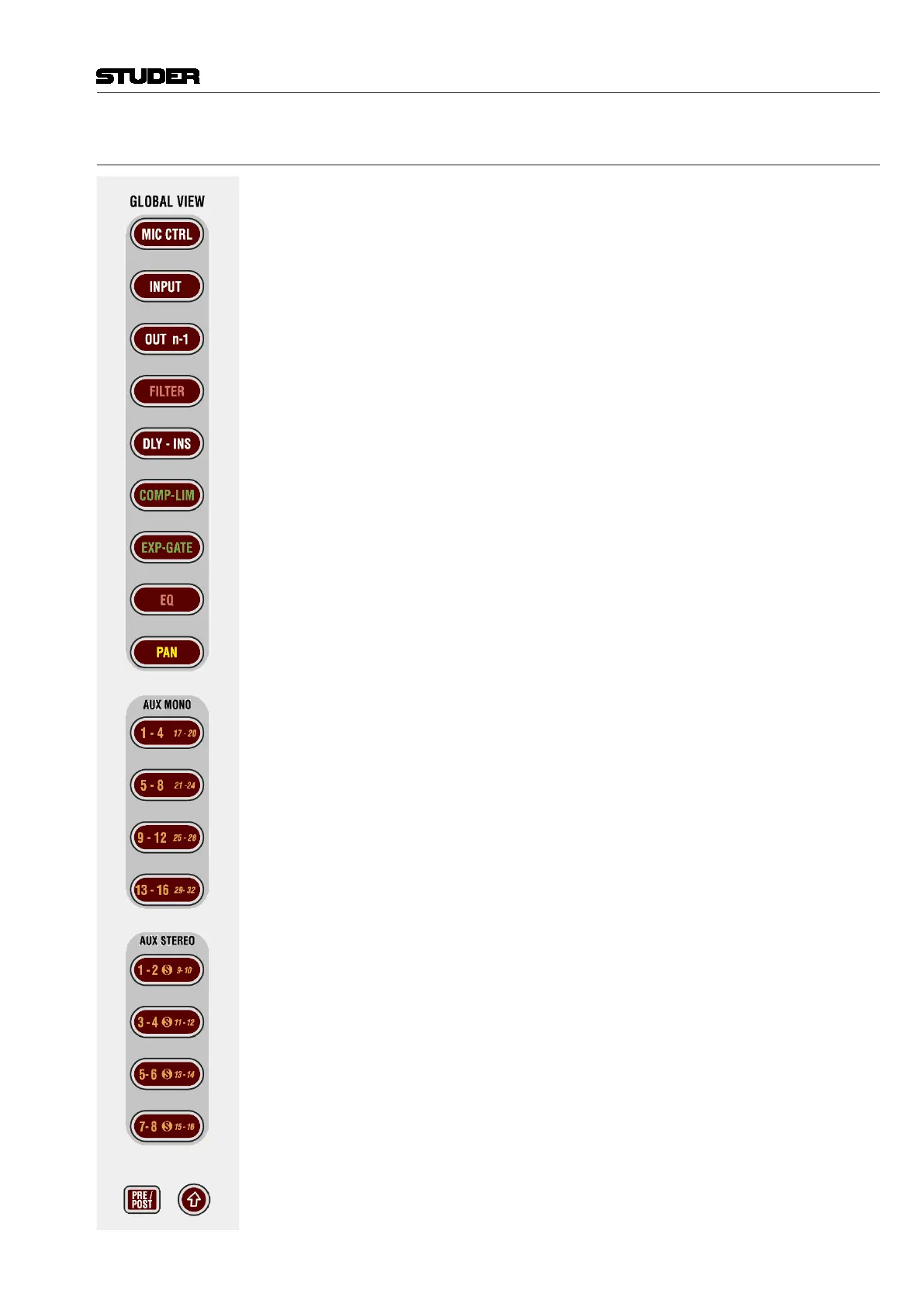
These keys allow changing the view on the fader bays or across the whole
console if FOLLOW is active on control bay. If the control bay is not in
FOLLOW mode, these keys will only change the views on the two fader bays.
The different views will only cover the rotary controls that are necessary to
display the corresponding function. The others will still show their previous
function. However, pressing GLOBAL VIEW... a second time will blank all
other rotary controls.
Example: AUX 1-4 are shown on rotary controls 1-4. The user presses
GLOBAL VIEW: FILTER, and the rotary controls 1-2 will now show the input
filters (rotary controls 3-4 are still showing AUX 3 and 4). When the user
presses GLOBAL VIEW: FILTER again, the rotary controls 3-4 will be blanked.
GLOBAL VIEW: MIC CTRL
GLOBAL VIEW: INPUT (gain)
GLOBAL VIEW: OUT n-1
GLOBAL VIEW: FILTER
GLOBAL VIEW: DLY - INS
GLOBAL VIEW: COMP - LIM
GLOBAL VIEW: EXP - GATE
GLOBAL VIEW: EQ
GLOBAL VIEW: PAN
GLOBAL VIEW: AUX MONO ...
GLOBAL VIEW: AUX STEREO...
PRE / POST – AUX View Modifier
When auxiliaries are shown on the rotary controls, they have an on/off key
next to the rotary control. By pressing the PRE / POST modifier key, the key
next to the AUX rotary control will change its function to pre-/post-fader.
(Shift)
Changes the meaning of the GLOBAL VIEW: AUX... keys to select the upper
half of auxiliaries: AUX MONO 17-32 or AUX STEREO 9-16.
Note: When pressing GLOBAL VIEW: EQ while the (Shift) key is active,
there is an alternate EQ view. Then the four rotaries will show only the two
mid bands, but allow access to frequency and gain setting.
Also, if Shift is active, pressing the local views ‘VIEW CHAN’ and ‘VIEW
MISC’ will exclusively show all auxiliaries of the corresponding channel.
Therefore it is possible to see up to 40 mono and 20 stereo auxiliaries of a
channel when pressing MISC and CHANNEL on a channel strip. This is useful
when working with large numbers of auxiliary and matrix buses.
Document generated: 28.08.13
SW V4.9



 To Next Page