Vista 5 M3 Digital Mixing System
GC Operation 4-149
Document generated: 28.08.13
SW V4.9
4.7.7.7 Alternate Signal to N–X Outputs (CUE)
The new N–X bus type allows defining an ‘alternate N–X bus assignment’.
It is possible to select any console channel (or multiples) to be the alternate
N–X output signal. This signal is activated by the ALT n-1 key on the channel
strip. This can be done only if the owner channel’s fader is closed.
If you don’t want to use normal console channels to be the alternate signal,
feel free to configure simple input channels not used otherwise during the
production. Such a channel can be the ‘alternate cue signal’ source for all
N–X buses – or you can define a different alternate source for each N–X bus
separately.
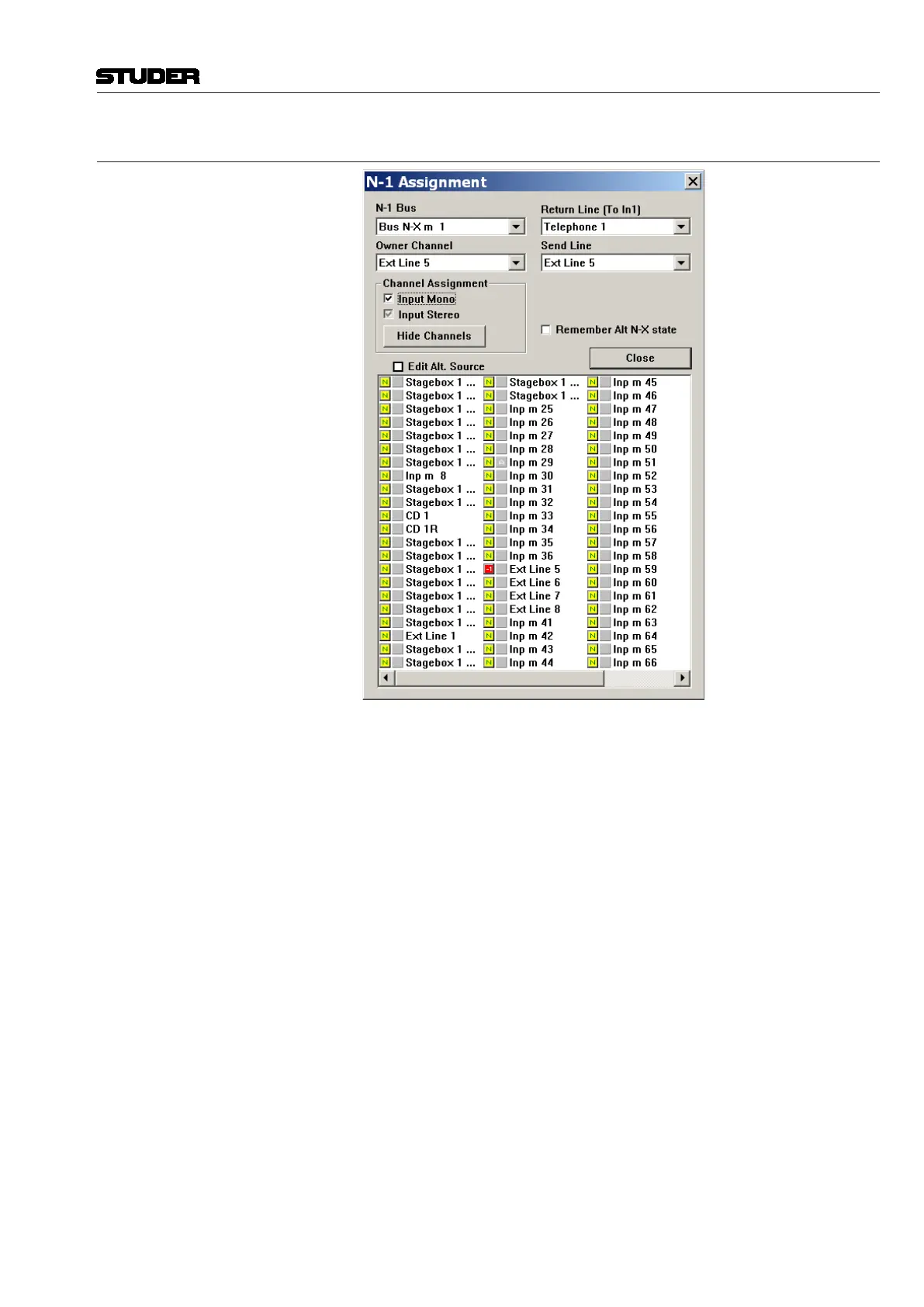
Set-up an ‘alternate N–X signal’ for a specific N–X bus:
• Openthe ‘Option: N–1Assignment’menu in the GraphicalController
screen
• SelecttheN–Xbusyouwanttodefinethealternatesignalfor
• ChecktheEdit Alt. Source checkbox
• Selectanychannel(ormultiple)tobethealternatesignalsourceforthe
selected N–X bus (their pre-fader signal will be used that can be weighted
with the ‘N–1 send level’ to form the alternate signal for this N–X bus).
Note To avoid having to repeat this process too often, such a setup may be saved
in a snapshot or preset to be used at any time by all operators.



 To Next Page