Vista 5 M3 Digital Mixing System
5-64 AutoTouchPlus
Document generated: 28.08.13
SW V4.9
Note If no preselectors are active, then no controls will be punched-in or out.
All / Clr • Permitschangingallpreselectorsatonce:
- If one or more preselectors are active, then clicking All / Clr clears all
of the preselectors.
- If no preselectors are active, then ALL preselectors get active.
- Clicking All / Clr followed by a click on Punch In or Punch Out
will bypass the preselector and select all controls.
5.9.2 Manual Punch-In/-Out
The manual Punch In and Punch Out activators are located in the GLOB-
AL RECORD section of the ACU window. As described above, the controls
to be punched in and out are chosen using GLOBAL RECORD preselectors
and then manually ‘punched in and out’ of Record using the Punch In and
Punch Out activator buttons.
Punch In / Punch Out Activators • Punch In: Clicking Punch In puts the preselected controls on all
channels into RECORD (if enabled). As with Control Mode entries, the
controls affected are filtered by the preselectors that are currently active.
• Punch Out: Clicking Punch Out takes the preselected controls on all
channels out of RECORD (if enabled). As with Control Mode entries, the
controls affected are filtered by the preselectors that are currently active.
Note Whenever any control is in RECORD the Punch In and Punch Out buttons
are lit.
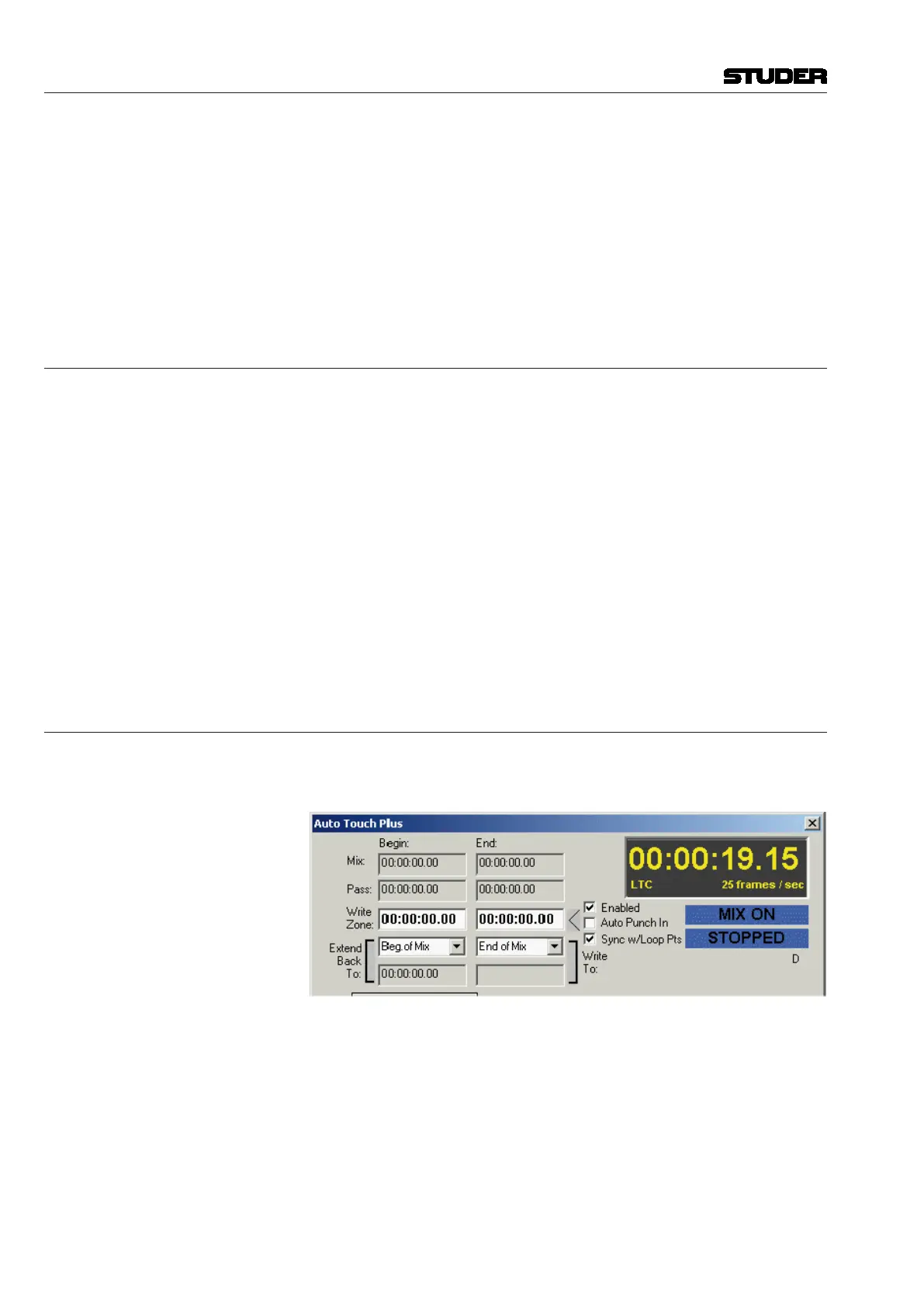
5.9.3 Write Zone
The Write Zone is a region between two user-specified timecode locations.
When the Write Zone is enabled, recording may take place only within that
timecode region.
Write Zone Functions When Write Zone is enabled, the following conditions are in place:
• Recordislockedoutbeforethe Write Zone - Begin Time.
• Recordislockedoutafterthe Write Zone - End Time.
• Recording is allowedonlybetweenthe Write Zone - Begin and End
Time.
• Any controlsinRECORD will punch-out atthe Write Zone - End if
timecode is played through the End Time (with or without Auto Punch
In engaged).
• IfAuto Punch In is engaged, enabled controls will punch-in at the Write
Zone - Begin Time if timecode is played through the Begin Time.
Enabling the Write Zone The Write Zone is enabled by checking the ‘Write Zone Enabled’ box in



 To Next Page