Vista 5 M3 Digital Mixing System
GC Operation 4-7
Document generated: 28.08.13
SW V4.9
4.2 The GC Screen
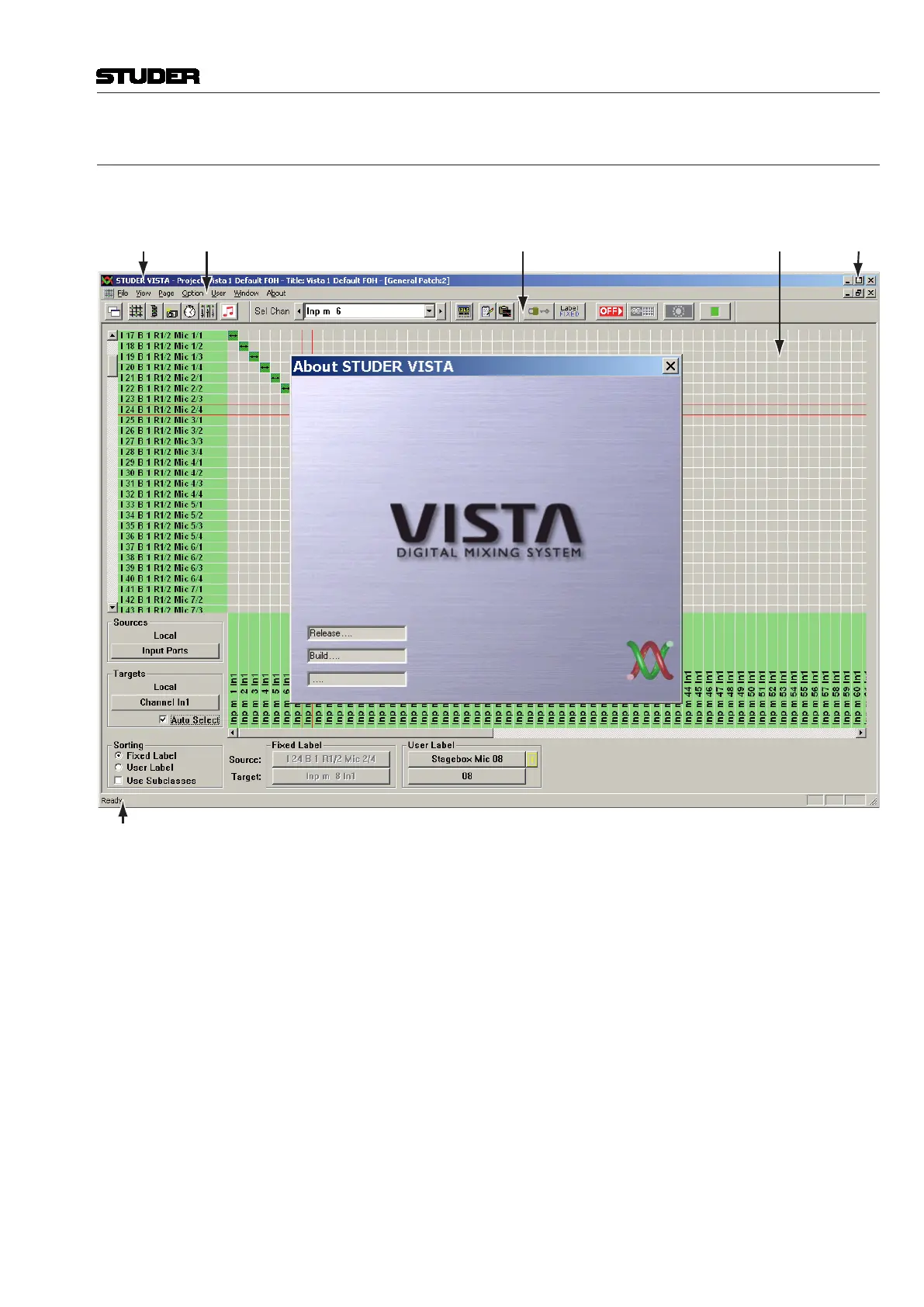
Upon starting the GC for the first time, the screen will look similar to this:
Main
Window
Controls
WorkspaceToolbar
Status Bar
Menu BarTitle Bar
Please note the most important parts of the screen:
• TheMenu bar, allowing access to all the Vista’s functions. Refer to chapter
4.6;
• TheToolbar, containing various short-cut icons for the most important
functions;
• TheStatus bar, displaying system information and short on-line help
information;
• TheWorkspace, where you will open the Main GC pages and do other
useful things;
• TheVista Logo Splash, which will disappear a few seconds after the start;
• TheMain Window Controls (minimize, maximize/window mode, quit).



 To Next Page