Intensity, Frequency-depending and echo Pan modes, Simulation algorithms
for several surround microphone types (HRTF, ORTF, AB, Sphere), Simu-
lation of Virtual Rooms with Room Size Control, Ambiance & Absorption
Controls, Variable Source Distance.
Functions for Stereo Channels Only:
Input MS Mode Bal Phase MS/XY decoding matrix, stereo mode (Normal, LL, LR, Reverse, Mono),
input balance and phase switch L, R, LR.
Dir Stereo direction control.
Dir Width Stereo direction with stereo width control 0...200%.
Upmix Upmix panner for insertion of a stereo signal into a surround mix.
Meter Correlation Level meter function, switchable to channel input or after fader, with addi-
tional correlation display for optimum mono compatibility of stereo signal.
Functions for 5.1 Surround Channels:
Input Selector PreAmp Ctrl 3-way input selector, with a control interface for pre-amplifiers (D21m only).
Input HPF/LPF & Gain Variable high-pass and low-pass filters, channel gain ±24 dB.
Input Mode Pan 5.1 For positioning a 5.1-channel surround signal into a surround mix.
Delay 700 ms VariabIe audio delay 0...700 ms.
4-Band EQ Notch Fully parametric 4-Band EQ with Bell/Shelving switch in the LO and HI
bands, Constant Q/Constant Range switch in the HI-MID and LO-MID bands,
with additional Notch filter.
(Standard) Dynamics Full dynamics section with Compressor, Limiter, Expander, Gate, Lookfor-
ward circuit and Auto Make-up gain, Sidechain with HP/LP Filter.
Direct Out Direct Channel Output
Meter Level meter function, switchable to channel input or after fader.
6.4.3.3 Add / Edit Buses
Add New Buses Double-click on ‘new bus’ in the bus area
Edit Buses Double-click on an existing bus type in the bus area
Assign/Deassign Buses Double-click on the ‘On/Off’ button, where the corresponding channel and
the bus are crossing. All channels of the selected type will have access to all
buses of the selected type if the button is set.
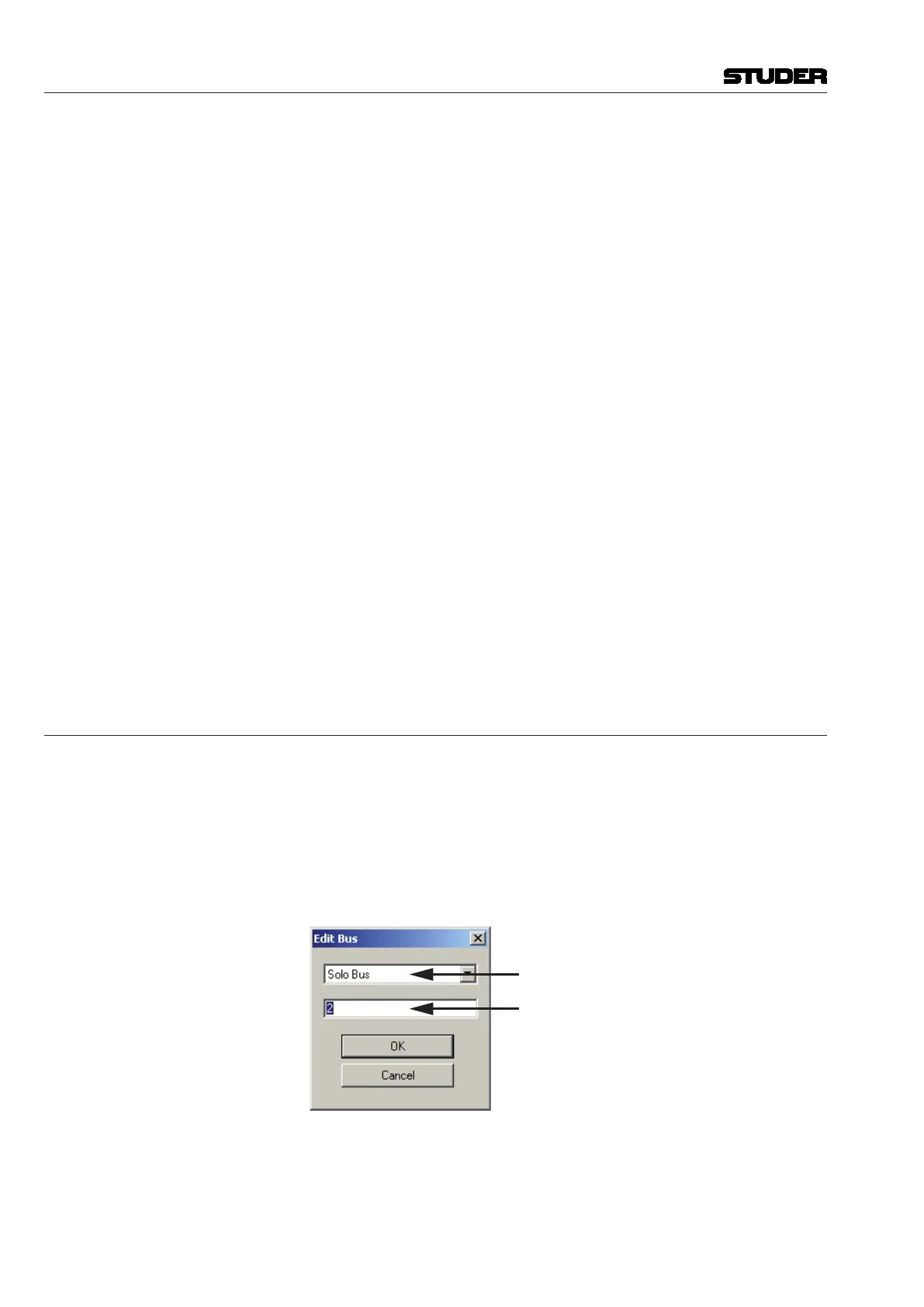
Both the Add and the Edit actions will open the ‘Edit Bus’ dialog box that
allows editing all the entries for new or existing buses.
Select Bus Type
Enter Number of Buses
Vista 5 M3 Digital Mixing System
6-26 Session Conguration
Document generated: 28.08.13
SW V4.9



 To Next Page