Vista 5 M3 Digital Mixing System
Desk Operation 2-33
2.7 Fader Bay Details
2.7.1 Channel Control
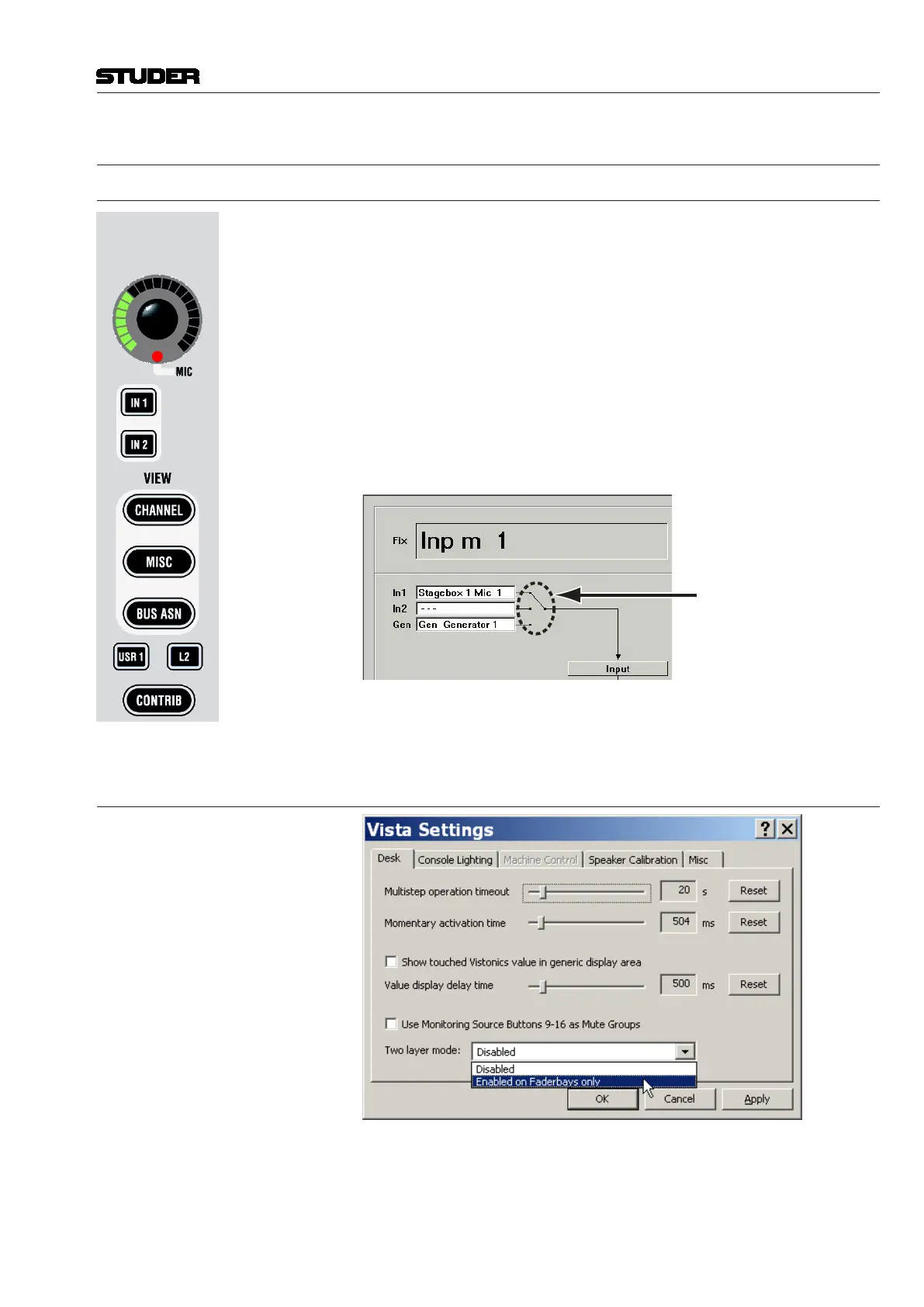
Rotary Control If a Studer microphone preamplifier is connected, the analog gain will be
controlled before the analog/digital converters. Otherwise the rotary control
will adjust digital input gain. In any case, further control is available on the
Vistonics
®
module. The control of a Studer microphone preamplifier is indi-
cated by a small red MIC LED at the bottom of the rotary control.
IN1, IN2 Input Selector. Each channel has three patch points available (the patch is
viewable on the Graphic Controller screen, chapter 1.2.1). Input 3 is patched
to the internal generator’s output by default, but can be changed by the user
at any time. Only In1 and In2 can be switched directly from within each
channel strip. In order to activate In3 (Generator), the user must click on the
input switch area of the Channel View window within the graphic controller
screen, as shown below.
Click here
L2 (Layer 2 switch) If two-layer mode is enabled, this key switches to view the
lower layer of the two.
2.7.1.1 Two-Layer mode
By activating ‘Enabled on Faderbays…’ in the Option - Vista Settings menu,
the virtual desk may be reduced from six to three sections. The previous sec-
tions 4...6 now serve as a second (lower) layer of the console.
Document generated: 28.08.13
SW V4.9



 To Next Page