Vista 5 M3 Digital Mixing System
Parameters 3-9
Document generated: 28.08.13
SW V4.9
3.3.2 Pre-Amp Remote Control
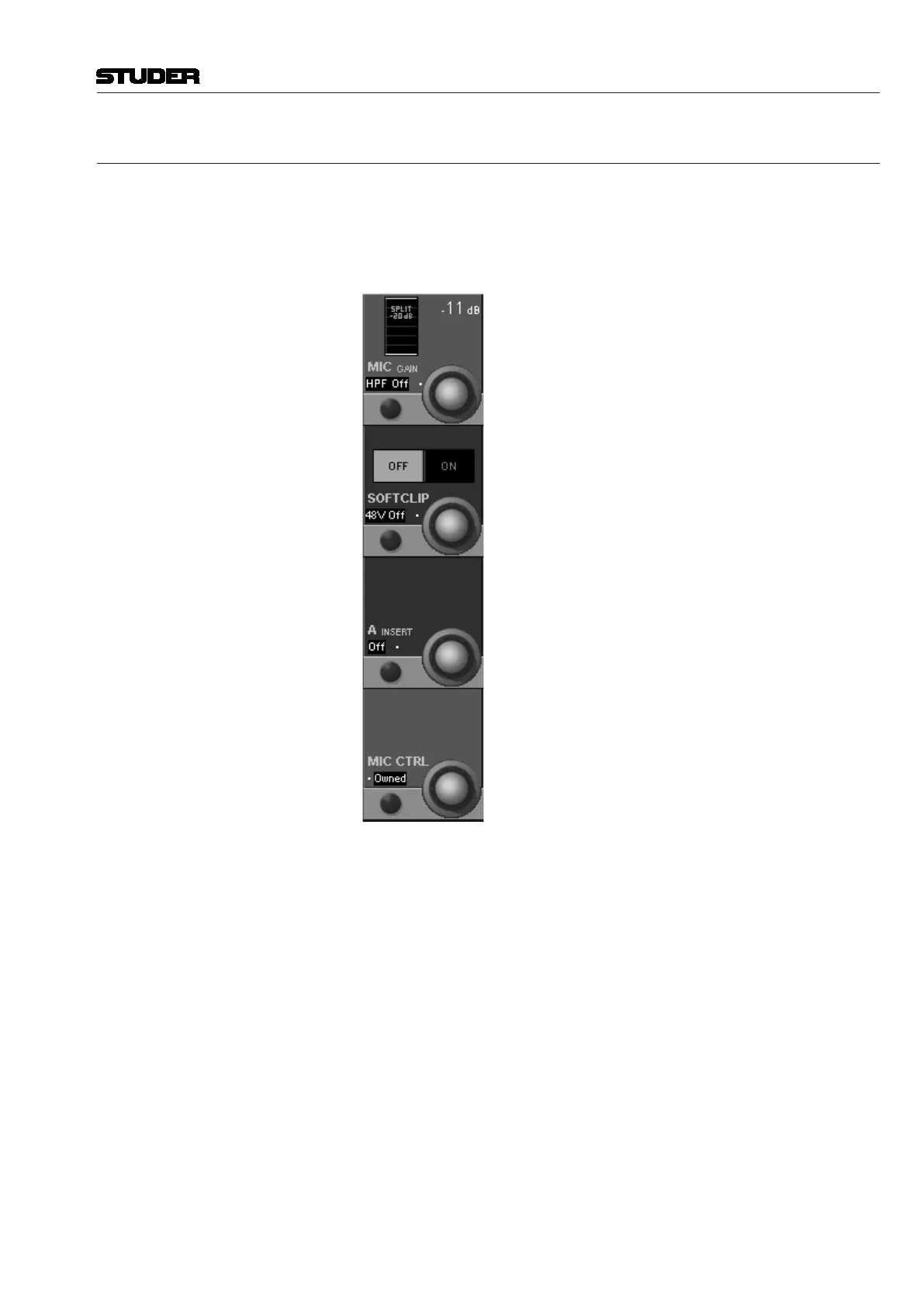
Press GLOBAL VIEW: A / D CTRL.
Various analog functions of the D21m mic/line input cards can be remote
controlled. On the 5.1 surround input channels these controls are linked for
all six legs of the surround signal. All mic/line cards provide an active split
output for each microphone channel.
MIC GAIN Gain setting in steps of 1 dB, within a –26 through +60 dB range (depending
on the current nominal level and headroom settings). The display indicates the
gain applied to signals passing through the microphone pre-amplifier card.
HPF On/Off Analog low-cut filter for the microphone-level input, with a fixed cutoff
frequency of 75 Hz and a slope of 12 dB/octave is available.
SOFT CLIP On/Off A soft clip function is available on all channels and can be activated individu-
ally. This ‘analog limiter’ may prevent nasty clipping noises in case the audio
level should be too high. We recommend activating this function during live
productions, since audio is not influenced below about –6 dB
FS
.
48 V On/Off Toggles phantom power on/off for the microphone input.
A INSERT On/Off (Not supported by transformer-balanced microphone pre-amplifier cards
A949.0447). An analog insert point is made available by inserting an optional
analog insert card. Its send output is always active at line level, and the return
path may be activated by the corresponding switch on the console.
MIC CTRL Free/Other/Owned Toggle switch for remote control of the analog mic/line input parameters. In
case of I/O sharing operation this switch is also used for the mic takeover
procedure (refer to chapter 8.3).



 To Next Page