Vista 5 M3 Digital Mixing System
GC Operation 4-93
Document generated: 28.08.13
SW V4.9
4.5 Second Level: The Toolbar Functions
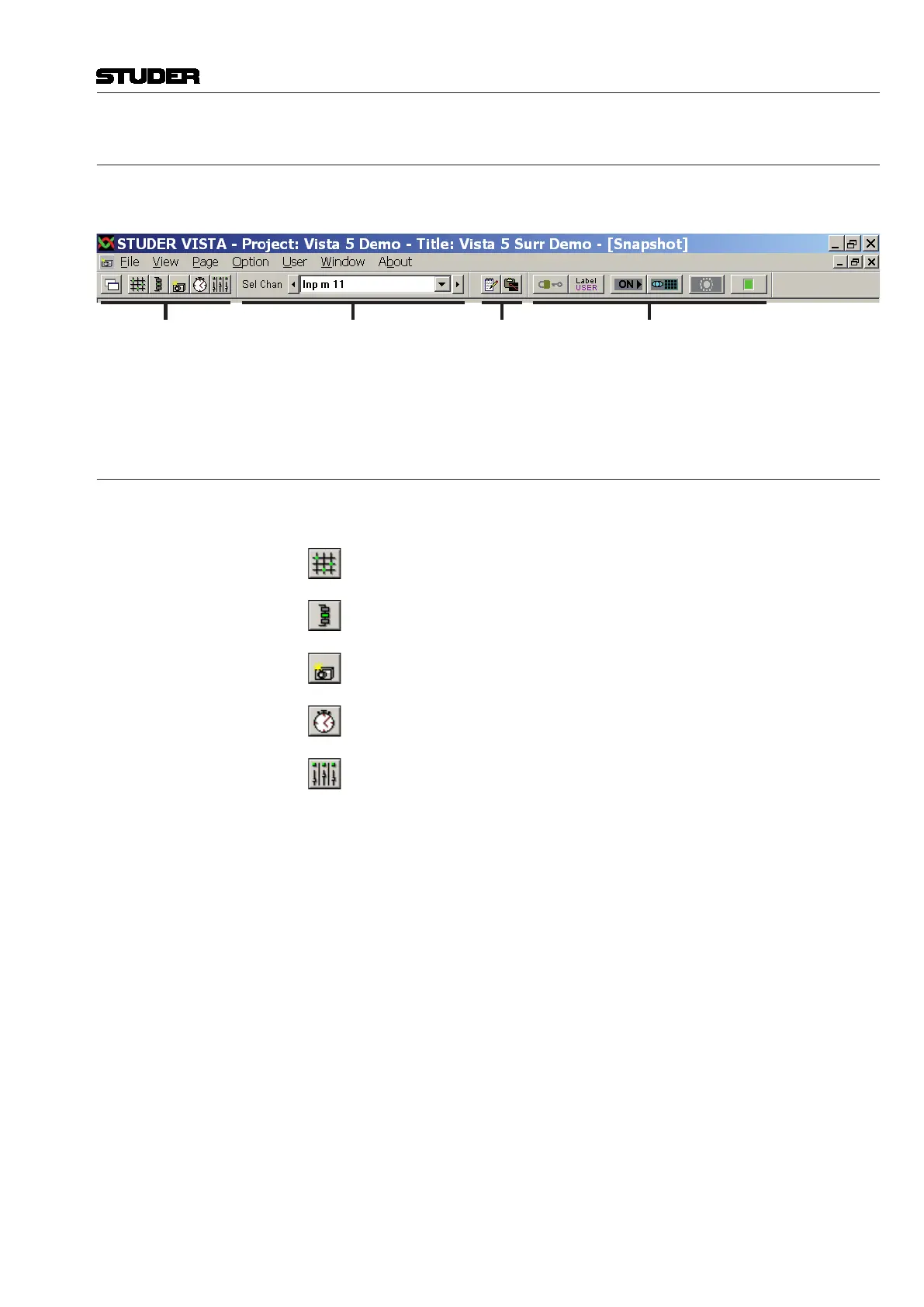
The toolbar contains a number of short-cut icons for the most important Vista
system functions. There are four individual parts of the toolbar:
Page Selection Channel Selection Tools System Functions
Each of the toolbar parts can be switched on and off individually. The easiest
way to do so is the View menu, item ‘toolbar’ (refer to chapter 4.2.1).
4.5.1 Page Selection
There are five main graphical controller pages, each of them dealing with a
different Vista operating function:
General Patch
Clicking here brings up the General Patch page (also refer to chapter 4.4.2).
Channel Patch
Clicking here brings up the Channel Patch page (also refer to chapter 4.4.3).
Snapshot
Clicking here brings up the snapshot page (also refer to chapter 4.4.4).
Cue List
Clicking here brings up the Cue List page (also refer to chapter 4.4.5).
Strip Setup
Clicking here brings up the Strip Setup page (also refer to chapter 4.4.6).
If multiple-page display is selected, this will only affect the currently selected
page.
Tip The graphical controller’s main pages can also be called up as follows:
• Fromthepagemenu,byclickingontheappropriatemenuitem;
• Usingfunctionkeys on the control surface keyboard – which is probably
the fastest way.



 To Next Page