Vista 5 M3 Digital Mixing System
1-14 Introduction
Document generated: 28.08.13
SW V4.9
1.2.1 GC Screen Examples
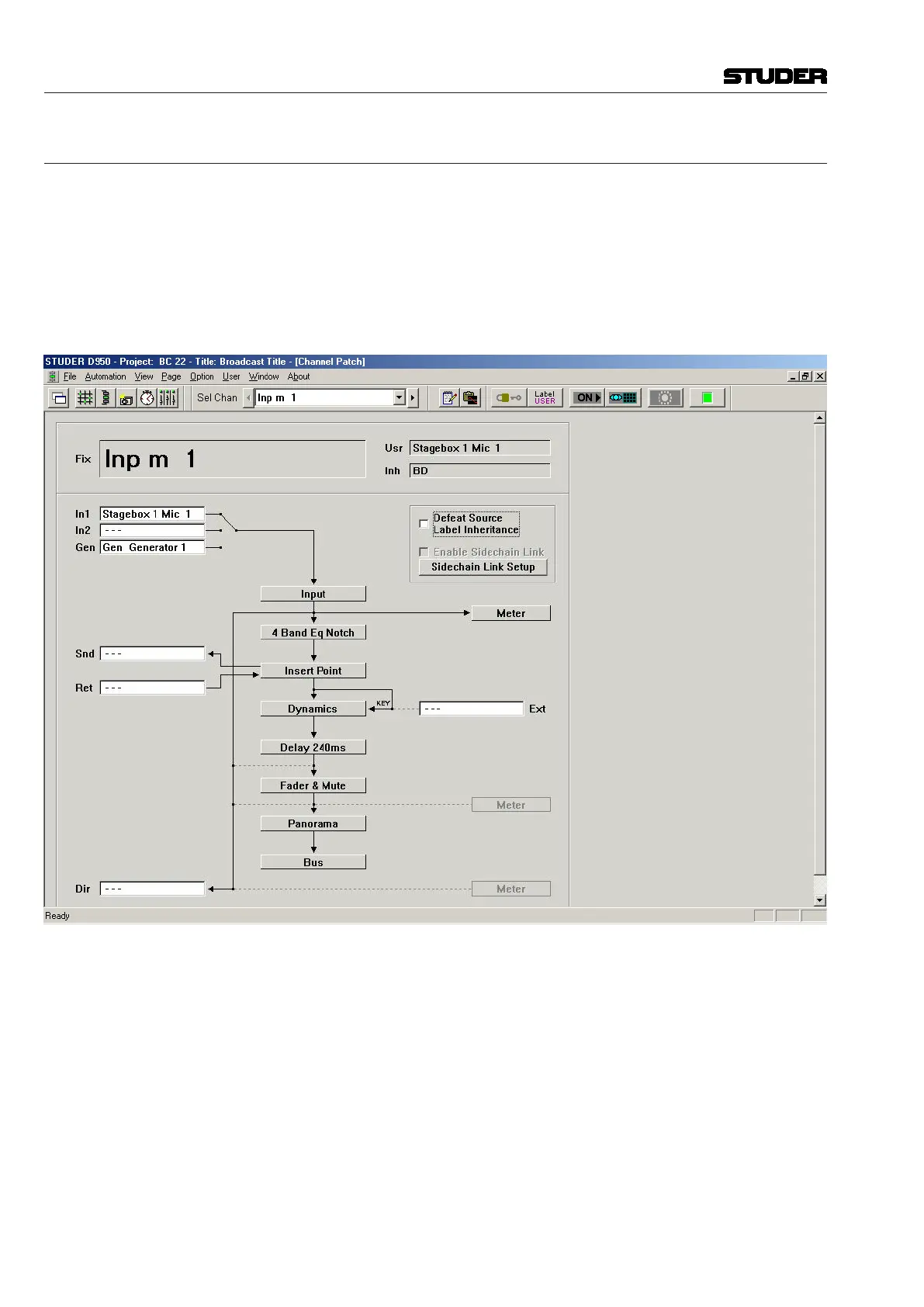
Internal Routing Matrix Control The Channel Patch screen is an audio path-oriented view for controlling the
routing of a particular channel, and is used to set up the sequence of channel
processing blocks (EQ, Insert, Delay, etc.) and metering locations within the
signal path, as well as defining the direct out signal. This screen also displays
the connections made to the channel’s various inputs and outputs. By double
clicking on one of these display boxes the system will go directly to the
associated connection in the General Patch. The Channel Patch also includes
labeling and dynamics link facilities.



 To Next Page