Vista 5 M3 Digital Mixing System
5-74 AutoTouchPlus
Document generated: 28.08.13
SW V4.9
5.10.3 Glide
AutoTouchPlus provides extensive Glide functions. Glide determines how
the new data transitions to old data and vice versa. The behavior of the Glide
functions are determined by the specified Glide Time and the enabled Glide
options.
Glide allows Record Data to transition to and/or from Read Mix Data over a
user-specified period of time. Controls can ‘glide’ from their Record values
back to their Read Mix values at the desired Write To: location. Unlike many
other automation systems, controls can also Glide from the Read Mix value
to the Record values at the desired Extend Back To: location.
Real-time/Post Process Glides Glide operations may take place in real-time or as a post Record pass process.
Refer to the Write To: or Extend Back To: paragraphs above.
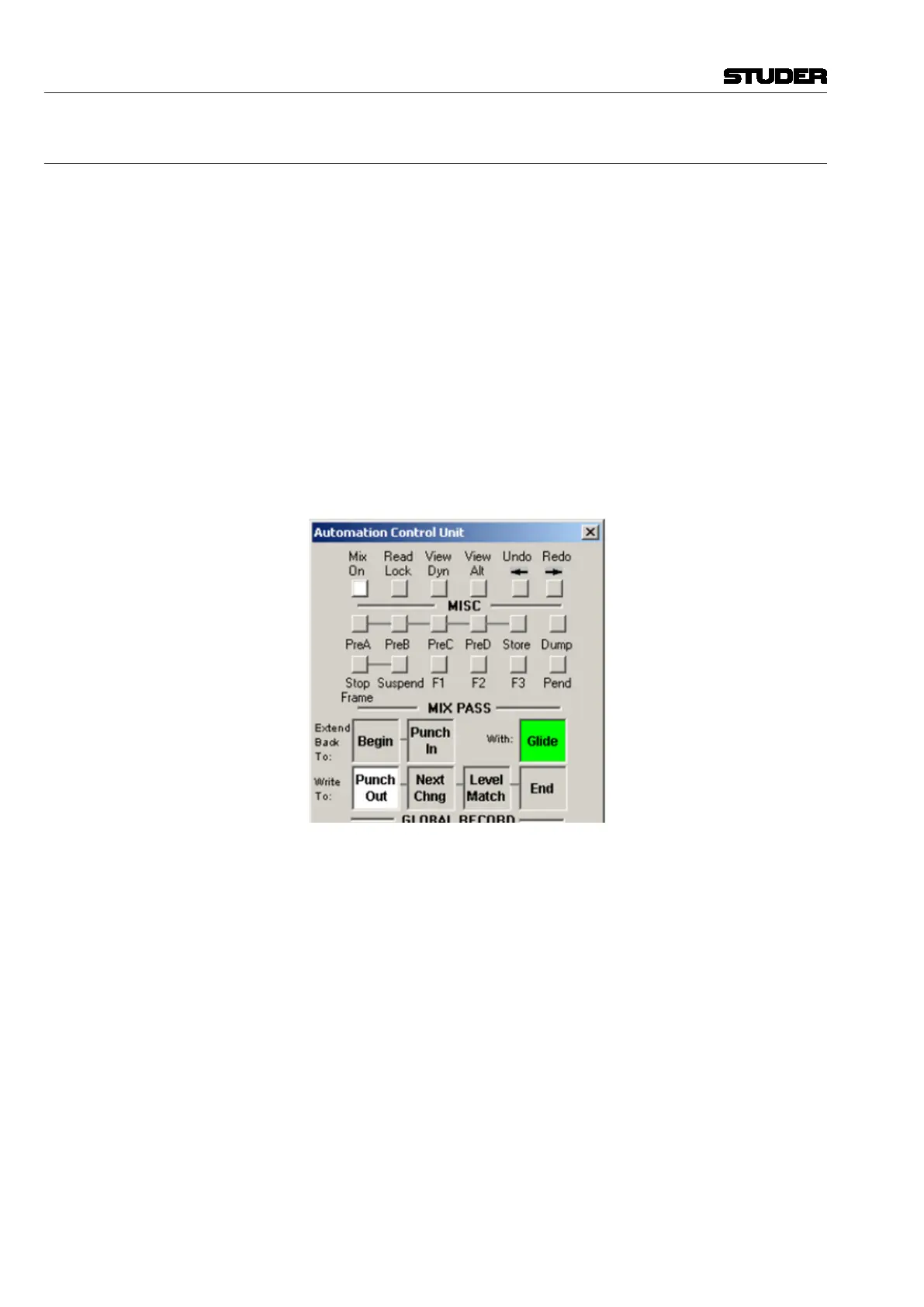
Glide functions are engaged by clicking the Glide button in the Mix Pass
section of the ACU window. When Glide is active the Glide button will il-
luminate.
Note If no Glide Options are selected in the Glide Options page, then no glide
functions will take place within the system even if the Glide button is active.
Glide Behaviors Glide can be set to operate before or after the Write To: transition points
<Option>. Glide will always operate after the Extend Back To: transition
points when enabled.
Glide behaviors at transition points are described below:
• Glide After Transition Point:
- Write To: At the Record Data-to-Read Mix Data transition, Glide
functions will start at the transition point and continue until the Read
Mix Data values have been restored. Glide will take place after the
Punch out, Next Change or Fixed End location (if possible).
- Extend Back To: At the Read Mix Data-to-Record Data transition,
Glide functions will start at the transition point and continue until the
Record Data values have been reached. The Glide will take place after
the Punch In or Begin location.



 To Next Page