Vista 5 M3 Digital Mixing System
2-44 Desk Operation
2.11.1 Screen Layout
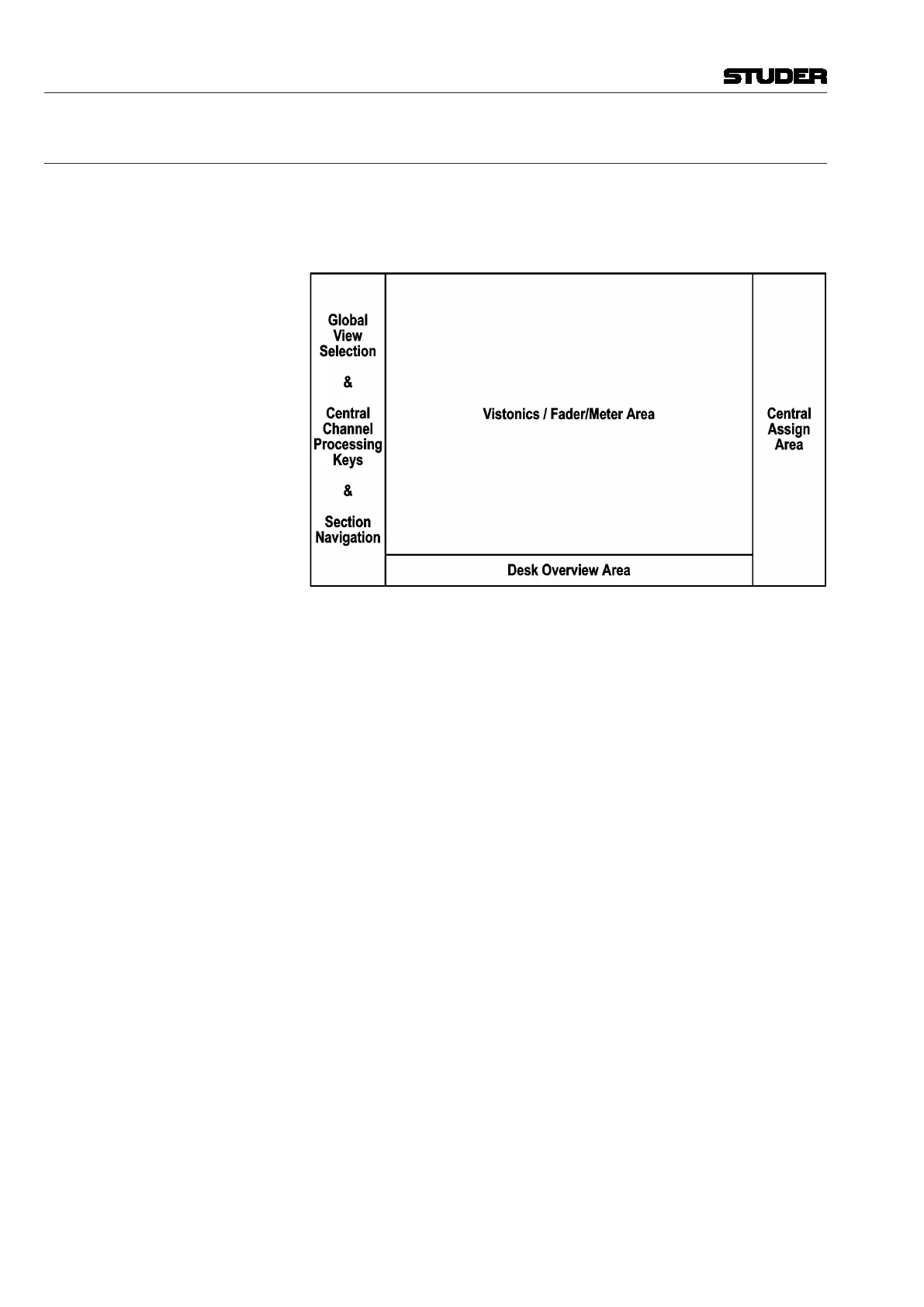
Since the Vistonics screen picture already uses 1024 × 768 pixels and addi-
tional space is required at the sides of and below the Vistonics screen area,
the screen resolution should be at least 1440 × 900 pixels in order to display
the complete Virtual Vista screen.
The space below the Vistonics screen area (desk overview area) is used to
display a downsized overview of a virtual desk with up 72 faders. This is the
maximum possible desk size so that all possible titles can be viewed with the
original strip setup and desk layout.
The area to the left of the Vistonics screen area shows the global view selec-
tion as well as central channel processing buttons (as used in Vista 5). Section
navigation is at the bottom of this part. It will change depending on whether
a fader bay or a control bay is currently selected.
On the right side of the Vistonics screen area a central assign fader strip is
shown. It will change, too, depending on whether a fader bay or a control bay
is currently selected.
The online/offline editor cooperates with Vista 5 (32 or 42 faders) as well
as with the modular Vista 7, Vista 8 and Vista 9. For space considerations,
mostly the Vista 5 operating concept is used.
Document generated: 28.08.13
SW V4.9



 To Next Page