Vista 5 M3 Digital Mixing System
Desk Operation 2-43
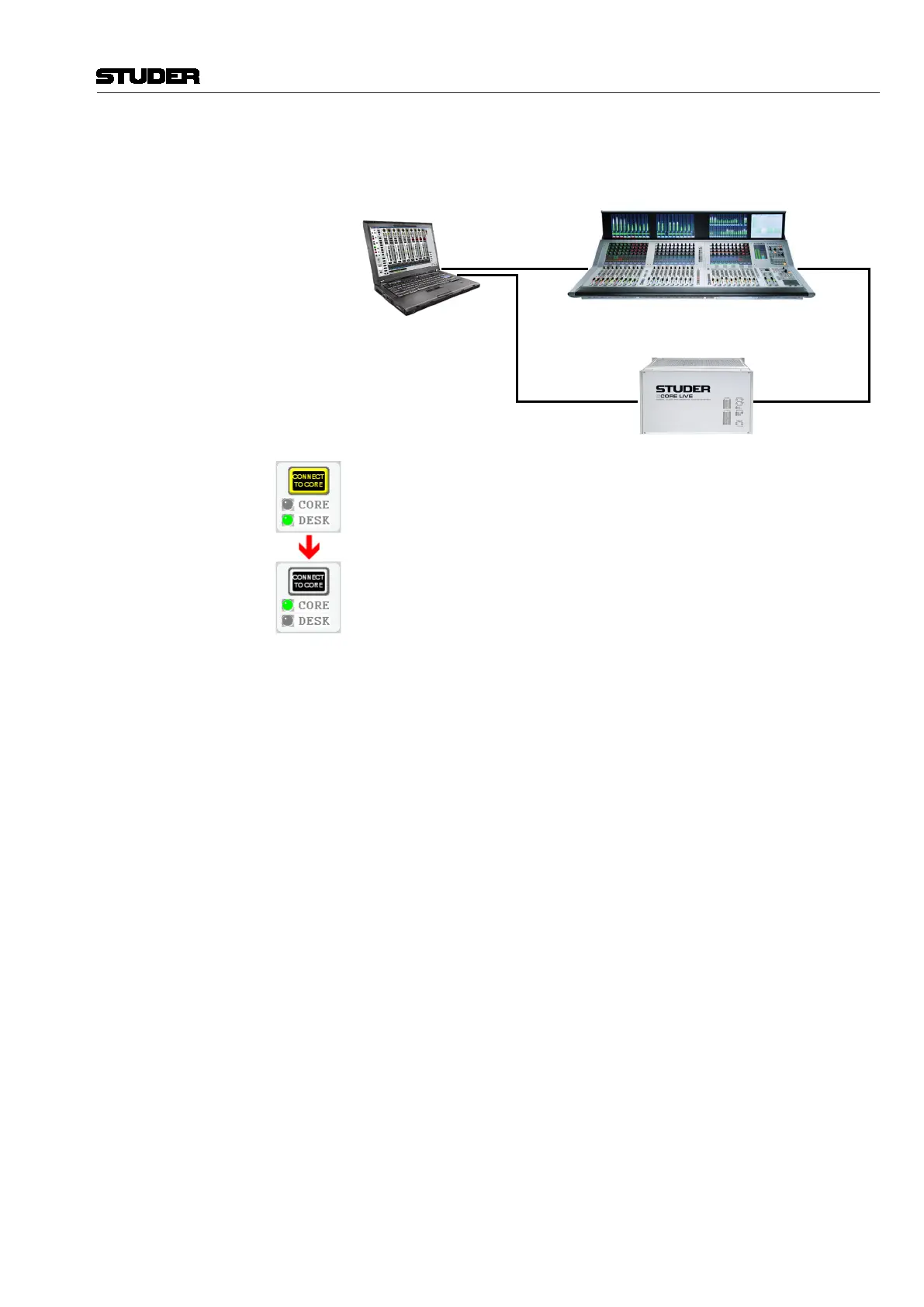
Online, With Desk/Core Takeover Virtual Vista can connect to the core only if there is a second network connec-
tion from the Virtual Vista computer to the second port of the SCore Live’s
bridge card.
PrimarySecondary
Bridge Port 1
Bridge Port 2
Should the desk fail, e.g. due to a power loss, the online editor can be used to
continue the session. This can be thought of as an additional failsafe scenario.
In such a case, the CONNECT TO CORE button can be used for taking over
direct control of the core. By turning yellow, it indicates that the takeover
process has been started.
However, since only one Vista instance can be used at a time, in such a case
the Vista desk is disconnected from the core. Therefor using the CONNECT
TO CORE button is recommended only if the desk can no more be operated.
Notes The online editor has no access to monitoring facilities except PFL/Solo.
Clicking PFL or Solo on a channel in the online editor will feed the selected
signal to the PFL output of the desk.
After a takeover, Virtual Vista always starts in the same (static or dynamic)
operating mode that was used to start the console. In dynamic mode, however,
operation is much more convenient with the touch-sensitive desk controls.
Virtual Vista only has a limited range of applications in dynamic mode, such
as entering/editing labels.
Document generated: 28.08.13
SW V4.9



 To Next Page