Vista 5 M3 Digital Mixing System
5-24 AutoTouchPlus
Document generated: 28.08.13
SW V4.9
5.5 File Management
Mix File Structure There may be multiple mixes within each Title. Each Mix has its own name
and a folder in which its files are kept. There is one Mix Tree for each Mix.
A Mix Tree is a collection of Mix Passes, along with a Mix Tree file. Each
Mix Tree and its files are kept in the Mix Folder. This really eliminates clutter
within the Title folder because no matter how many Mix Passes are stored,
they are all within their own separate folder.
Mix File Organization The files and folders created and used by AutoTouchPlus are identified as
follows:
• TheMixtreedatabasefilehasan.mtextension(filename.mt);
• Each MixPassendsin the pass number witha.mixextension(file-
name-004.mix);
• Thefolderthatthemixtreefileandmixpassfilesresidesinisthename
of the mix (filename).
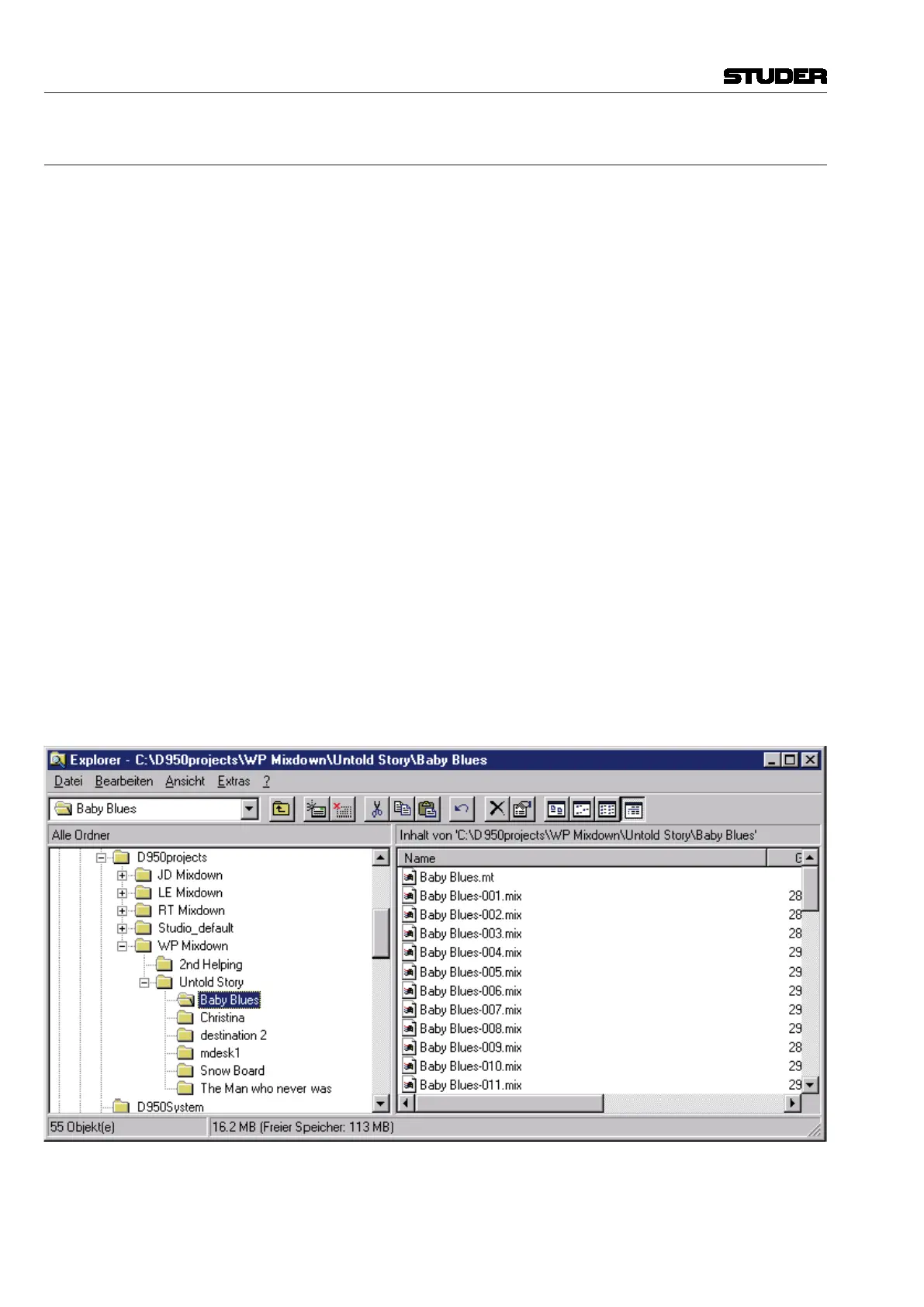
The following example shows the file structure for a Mix named ‘Baby Blues’:
D950Projects (Main projects folder)
---WP Mixdown (Project folder)
-----Untold Story (Title folder)
--------Baby Blues (Mix folder)
-----------Baby Blues.mt (Mix tree)
-----------Baby Blues-001.mix (Mix passes)
-----------Baby Blues-002.mix
-----------Baby Blues-003.mix
-----------Baby Blues-004.mix
-----------Baby Blues-005.mix
etc.



 To Next Page