Vista 5 M3 Digital Mixing System
Desk Operation 2-15
2.6.3 Control Room Monitoring
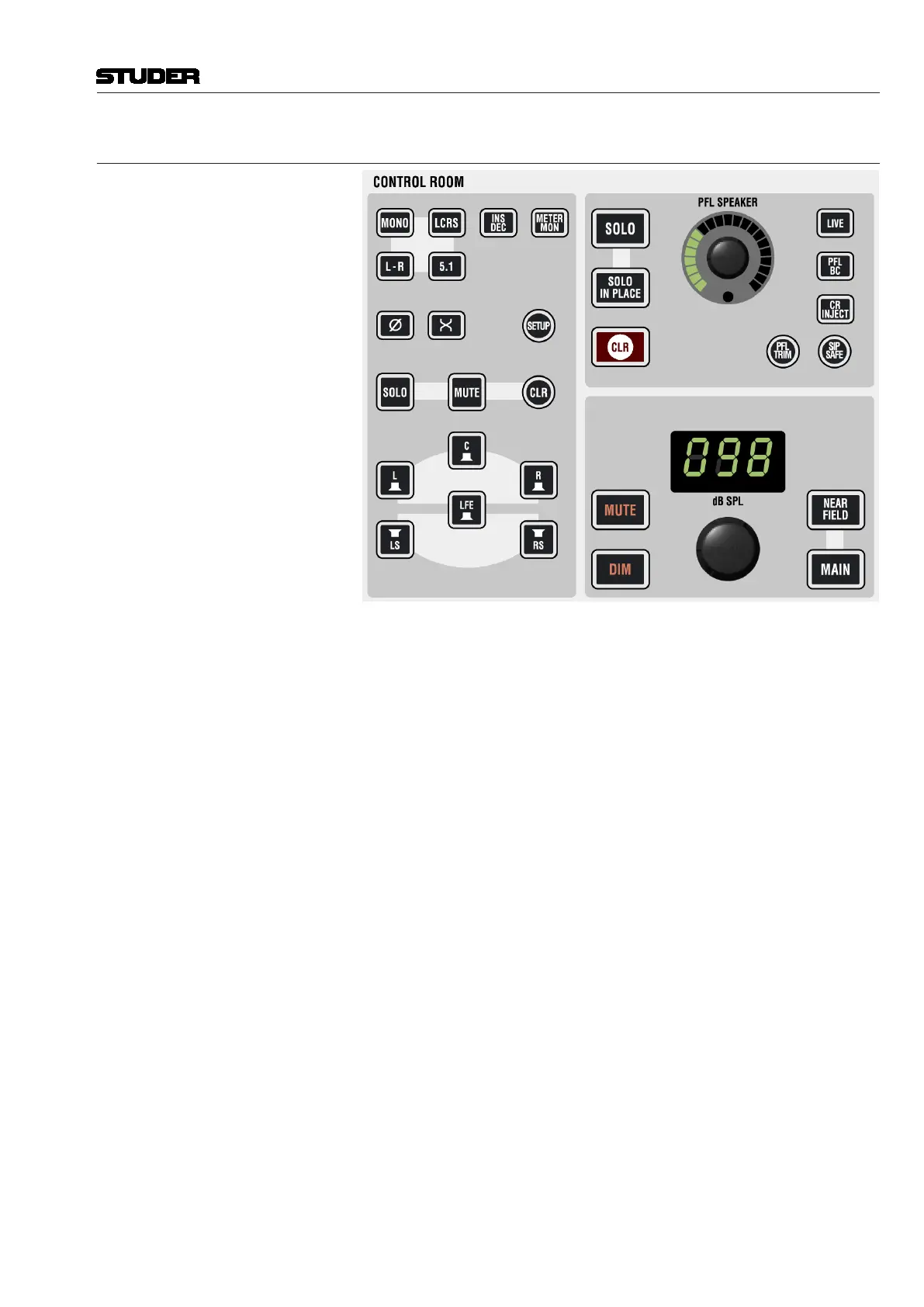
MONO, L-R, LCRS, 5.1 Selects the control room monitoring format. The monitoring section hosts a
5.1-to-two-channel downmixer. When L-R is active and the selected monitor-
ing source delivers a 5.1 signal, the six channels get downmixed automatically
to two channels. The way this downmix is done can be set in a dialog box
on the graphic controller screen. This screen becomes visible by pressing the
SETUP button.
The MONO setting will sum the left and right monitor speaker signals.
Ø, X Phase inversion on left channel, and left/right channel swap for mono or two-
channel stereo mode.
INS DEC Inserts the encoder/decoder chain into the monitoring path. Inputs/Outputs
can be found on the rear of the desk. This function needs to be activated in a
.ini file on the system at installation time. Edits may only be done by educated
Studer service personnel.
METER MON Makes the monitor meters indicate the monitored signal instead of the pre-
assigned signals.
L, C, R, LS, RS, LFE These keys act as solo or mute keys for each speaker being currently active,
depending on the monitoring format selection. The mode is pre-selected by
the SOLO and MUTE keys on the right. It is also possible to clear all pressed
keys with the circular CLR key next to MUTE.
SOLO, SOLO IN PLACE These keys define the mode the console is in when pressing SOLO on a chan-
nel strip. It can be either SOLO (post-fader listening incl. pan), or SOLO IN
PLACE (solo by muting all channels but the selected one, masters and other
defined channels; destructive mode). Pressing SOLO for several seconds
allows adjusting the solo offset level applied in the monitoring whenever a
Document generated: 28.08.13
SW V4.9



 To Next Page