Vista 5 M3 Digital Mixing System
5-152 AutoTouchPlus
Document generated: 28.08.13
SW V4.9
Mode Enable sets non-selected to READ
Normally you can use the preselectors in combination with the CONTROL
MODES activators to set various control types into different Control Modes.
For example, you could select Fdr (only) and click Write Enable, and the
faders will all go into Write. You could then click Clr and Knob, and then
click Trim Enable, and the knobs will be in Trim, while the faders are in
Write. This is very flexible and useful, but if you want to ensure that only
specific controls are in a specific mode (like making sure that the Faders are
in Write and everything else is in Read), you would have to select all the
preselectors (or click the All / Clr button) followed by a click on Read. Then
select Fdr and click Write Enable. However, when this option is set, you
are always assured that when you click a CONTROL MODES activator, all
controls NOT active on the preselectors will be set to Read when the selected
controls are set to the activator mode. For example, if only Fdr selected on
the preselector and the Trim Enable activator is clicked, it is assured that
every control other than faders will automatically be set to Read mode.
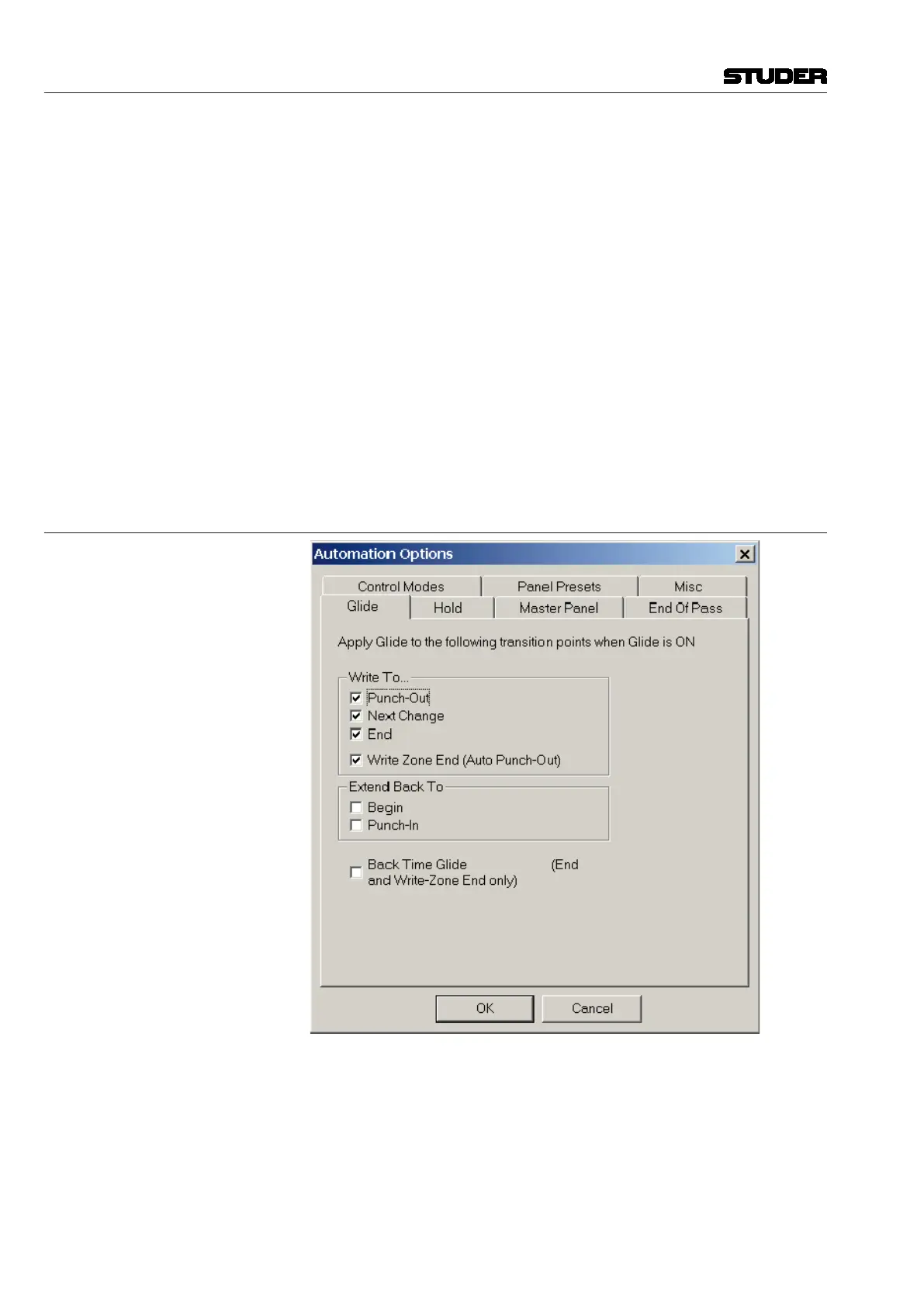
5.22.3 Glide
Write To... When a control is punched out of Record into Read the control will glide
from the punch out value to the Read mix value over the time period as set
by the Glide Time setting. The system attempts to recalculate the glide vec-
tor after each frame, so an attempt is made to have the actual glide duration
match the set glide time as closely as possible. However, if the Read data
is approaching the gliding control quickly, the glide duration may be shorter
than the actual setting. In no cases will the time be longer. This behavior is
consistent with good mixing practice.



 To Next Page