Vista 5 M3 Digital Mixing System
5-6 AutoTouchPlus
Document generated: 28.08.13
SW V4.9
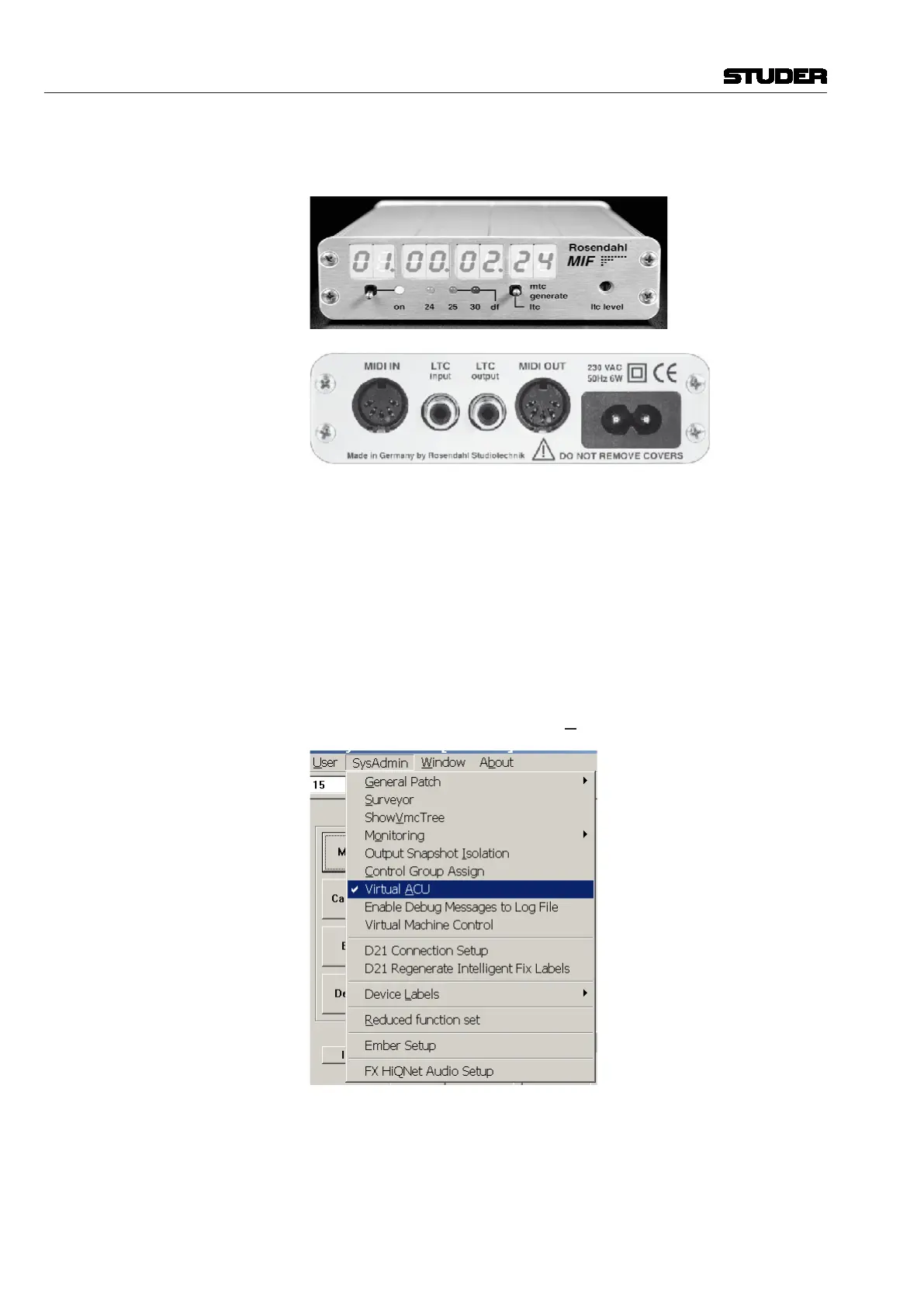
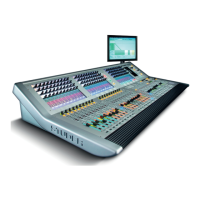
Time Code Vista 5 M3 utilizes MIDI time code. For synchronization to LTC, an external,
third-party converter such as the one in the picture below is required.
LTC Master
(DAW / Recorder)
MTC Slave
(Vista 5 M3 M3)
Operation: Three GC windows are provided for AutoTouchPlus operation, as shown
below:
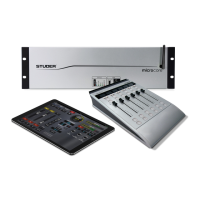
Virtual ACU Due to space restrictions on the Vista 5 M3 operating desk, most of the
AutoTouchPlus functions are operated from the GC screen, using the ‘virtual’
automation control unit window (ACU). In order to open it, system adminis-
trator (admin) rights are required. If logged-in as administrator, the SysAdmin
menu will have an additional Virtual ACU item, as shown below:
Activating it will open the ACU window in the GC. The other two windows
also needed during AutoTouchPlus operation (the Generator and the Auto
Touch Plus windows) can be opened by a click on their toolbar icons, as
shown in the screenshot below.


 To Next Page