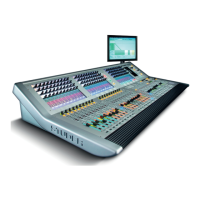
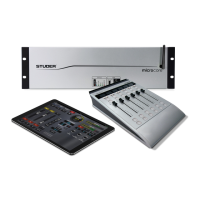
Vista 5 M3 Digital Mixing System
AutoTouchPlus 5-17
Document generated: 28.08.13
SW V4.9
Mix Pass Control Full flexibility is allowed for how a new Mix Pass automatically merges with
the Active Pass Read Mix data. The setting of a control when it is punched
out may be written to the punch-out point; the next data change in the read
mix; when a level match occurs (auto-takeover); or the end of the mix, the
end of time (23:59:59:2x), or a fixed cue point. In addition, the setting at the
punch-out point may be extended back to the punch-in point, the beginning
of the mix, the beginning of time (00:00:00.00), of a fixed cue point.
Enhanced Glide Control When the Glide function is active, every transition between the Read Mix
data and the new pass will glide from one to the other according to the current
glide time. In addition, some Glide transitions may be optionally set to ‘back
time’ the glide so that they are completed at the desired edit point, rather than
started there. Also, specific glide transitions may be suppressed while others
are allowed.
Scene Capture Any specific set of controls, their settings, and automation modes can be
saved in the Scene buffer. This allows the exact settings of those controls to
be punched into the mix at a later time when the scene occurs again.
Read Lock This forces the automation system to playback the current Active Mix and
ignore any and all key and control changes. This ensures a perfect audition
playback or layback to the final master record machine.
Real Time Switch Editing Switch data may be edited in real time allowing the movement of the in-point
and or the out-point, as well as adding or deleting Mutes and Ins or Outs.
Event List Editor All automation events may be edited (moved, copied, or deleted) offline using
the Event List Editor.
Full Offline Editing The OFLA (Off-Line Automation) application is integrated in AutoTouchPlus.
Mix data comprising the entire mix, or any specified objects for any specified
time range may be changed, merged, or copied with other mixes or itself.
Protection Any set of controls may be placed in a protected status. Protected controls
playback their recorded moves, but are prevented from being enabled for
Write or Trim operations. This is useful for protecting channels or controls
that have already been written, while working on other aspects of the mix.
Write Zone A Write Zone may be specified so that no data can be written outside the time
range specified. This is useful for working on a specific scene or section while
protecting the rest of the mix from accidentally writing into it. This will also
facilitate the automatic punch-out (with or without glide) at the end of the
Write Zone.
Auto-Punch When Auto-Punch is active the system will automatically punch Write En-
abled controls into Record at the beginning of the Write Zone.
Stop Frame Automation The Stop Frame automation feature makes it possible to write specific control
values between timecode locations. The user can stop timecode playback at a
specific location, set any number of controls to desired values, and move to
the next location forward in time where values may again be adjusted. The
initially set values will be recorded between the timecode locations.


 To Next Page