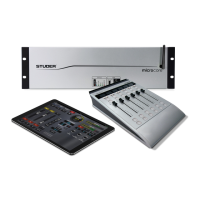
Vista 5 M3 Digital Mixing System
5-38 AutoTouchPlus
Document generated: 28.08.13
SW V4.9
Using these buttons activates adjacent Mix Passes within the Mix Pass Stack,
with Undo moving backward through the stack and REDO moving forward.
Undo and Redo
Note The Undo and Redo buttons move consecutively through the Mix Pass Stack.
The order of passes heard while using the Undo and Redo buttons may not
necessarily be in numeric order, depending on the order in which passes were
added to the stack.
Undo / Redo The precise functions of the Undo and Redo buttons are as follows:
• Undo: Clicking the Undo button will activate the most previous Mix Pass
in the Mix Pass Stack from the currently active position. In other words,
clicking Undo will allows the previous adjacent Mix Pass to be activated.
• Redo: Clicking the Redo button will activate the next Mix Pass in the
Mix Pass Stack from the currently active position. In other words, clicking
Redo will allows the next adjacent Mix Pass to be activated.
Consecutive clicks of either button will continue through the Mix Pass Stack
in the direction the button indicates (Undo = backward or to the left, Redo
= forward or to the right). If the first pass in the Mix Pass Stack is the Active
Pass, the system provides eight levels of undo/redo.
Conditions Undo and Redo are disabled once RECORD has been entered.
Notes Since all Mix Passes are stored in the Mix Tree, it is always possible to retrieve
any Mix Pass at anytime. However, passes must be in the Mix Pass Stack to
be played. In addition, the Undo and Redo buttons do not apply to the Mix
Tree and activate only the passes in the Mix Pass Stack.
The Undo and Redo buttons only allow activation of adjacent passes within
the Mix Pass Stack. The order of passes may or may not follow the branches
of the Mix Tree. This is depending on the order in which Mix Passes were
added to the Mix Pass Stack.
Using Undo and Redo • DiscardinganUndesiredPass:IfanewMixPasswasjustcompleted,the
new pass will be at the top of the stack and will become active. If it contains
unsuccessful moves, going back to the previous pass is as easy as clicking
Undo. When Undo is clicked, the previous Mix Pass will become active
and therefore the basis for the next new pass. In this regard, consecutive
clicks of Undo will allow the user to ‘back up’ to a Mix Pass that provides
a suitable point from which to restart.
• Real-timeMixComparison:ClickingUndo / Redo while a Mix Pass is
being replayed, adjacent passes in the Mix Pass Stack may be compared
in real-time.



 To Next Page