• GenTaskFiles
• Batch
• GenerateCoreFile
If all steps are completed, the new core file is generated.
Tip If you only wish to see the results of load balancing, but not to generate a
core file, use only the following three boxes:
• (VMC)Generate
• GenProcLib
• LoadBalanceProcs
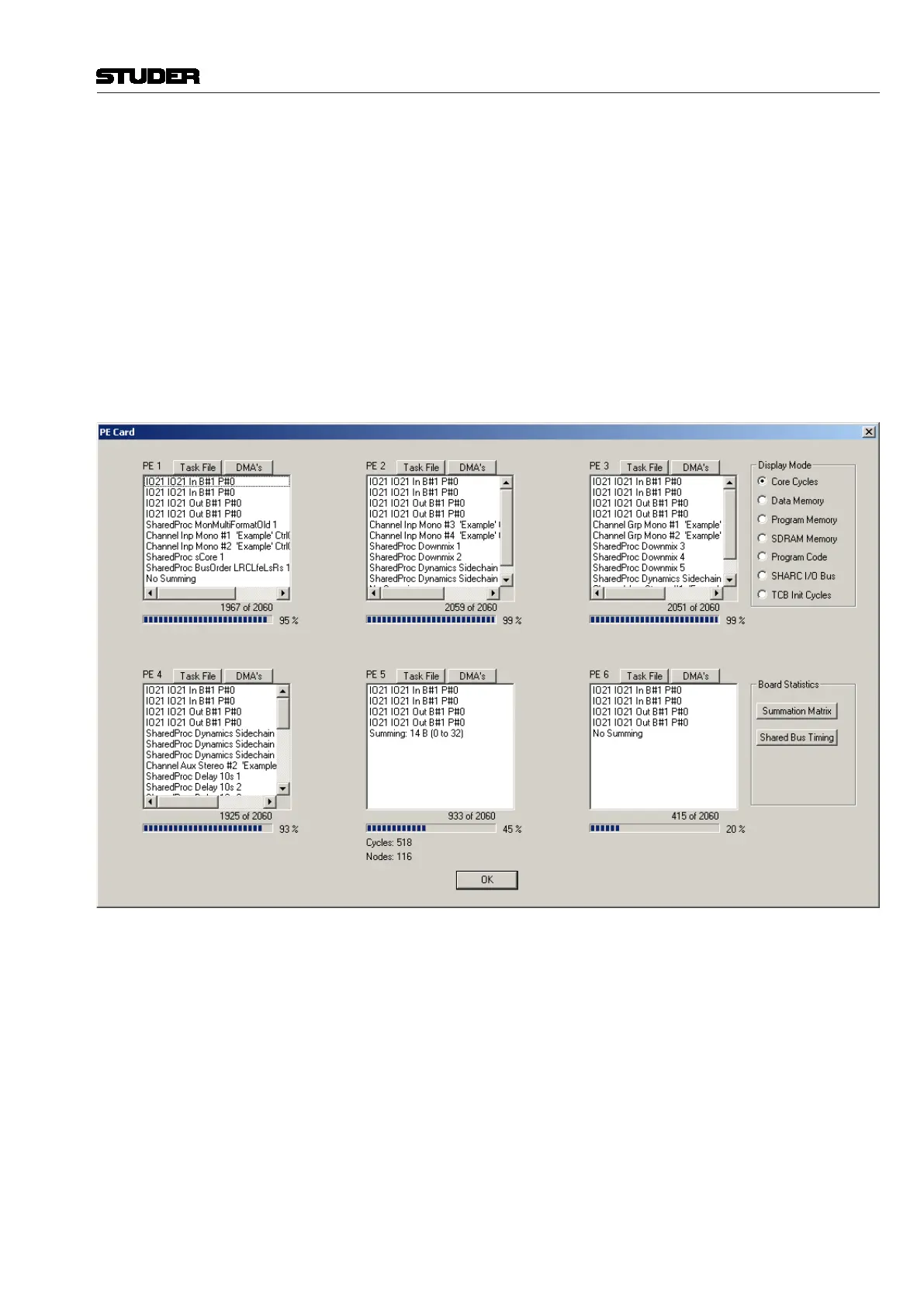
which will then display the ‘CORE’ area. Click on one of the buttons in this
area to see the load distribution on one DSP card in detail. Here the display
for DSP card #1 is shown as an example:
Vista 5 M3 Digital Mixing System
Session Conguration 6-37
Document generated: 28.08.13
SW V4.9


 To Next Page