Sysmex XP-300 8-13
Display and Output of Analysis Results
Revised April 2012
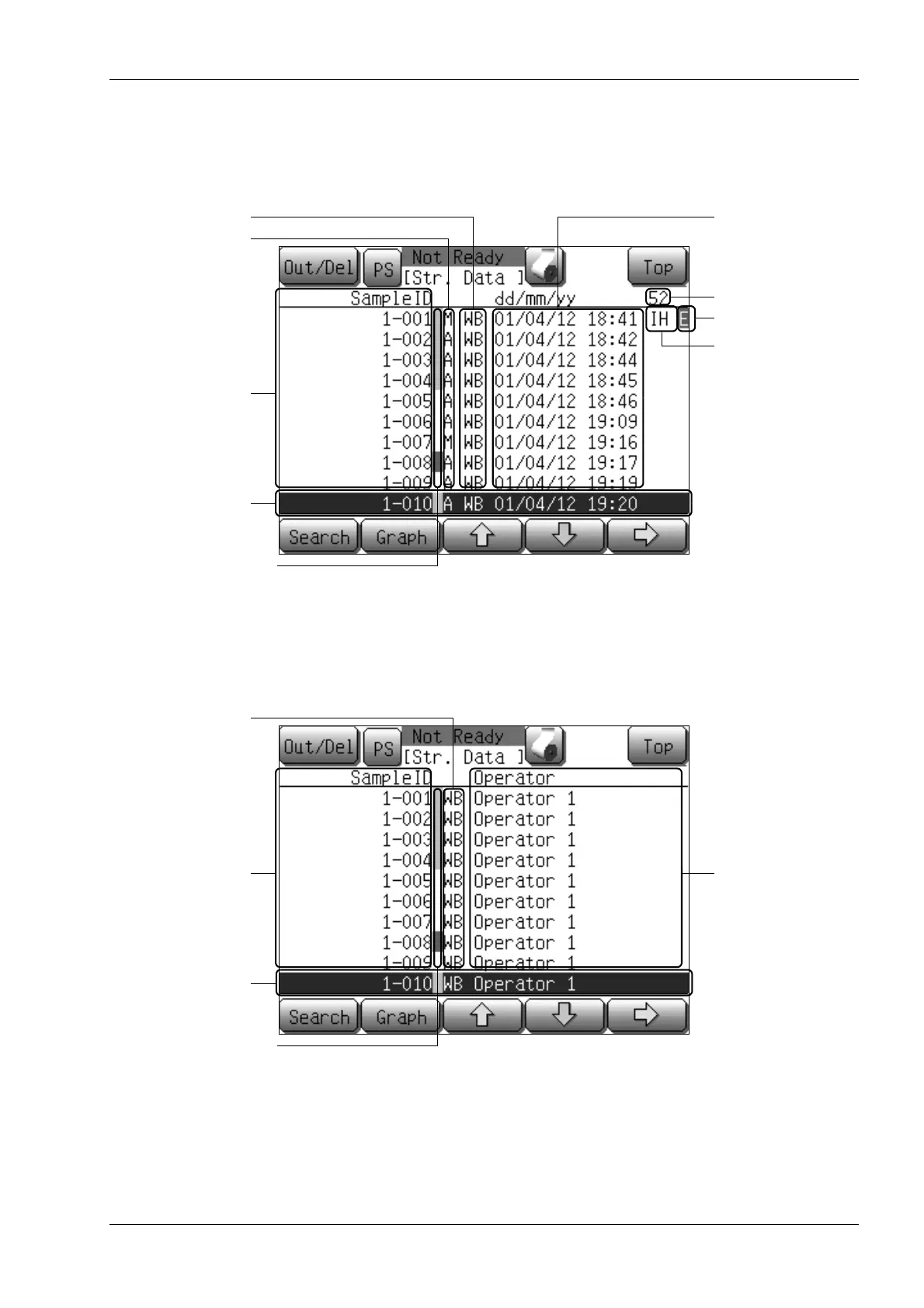
First list screen
Displays the sample ID, sample ID attribute, analysis mode, date and time of analysis and instrument error
flag in the stored data.
Second list screen
Displays the sample ID, analysis mode and operator ID in the stored data.
Analysis mode
Sample ID attribute
Sample ID
Cursor sample
Date and time of
analysis
Memory No.
Not-output mark
Instrument error flag
Histogram error flag or
numeric value abnormal flag
Analysis mode
Sample ID
Cursor sample
Operator ID
Histogram error flag or
numeric value abnormal flag



 To Next Page