Sysmex XP-300 9-13
Quality Control
Revised October 2012
Entering from handheld bar code reader
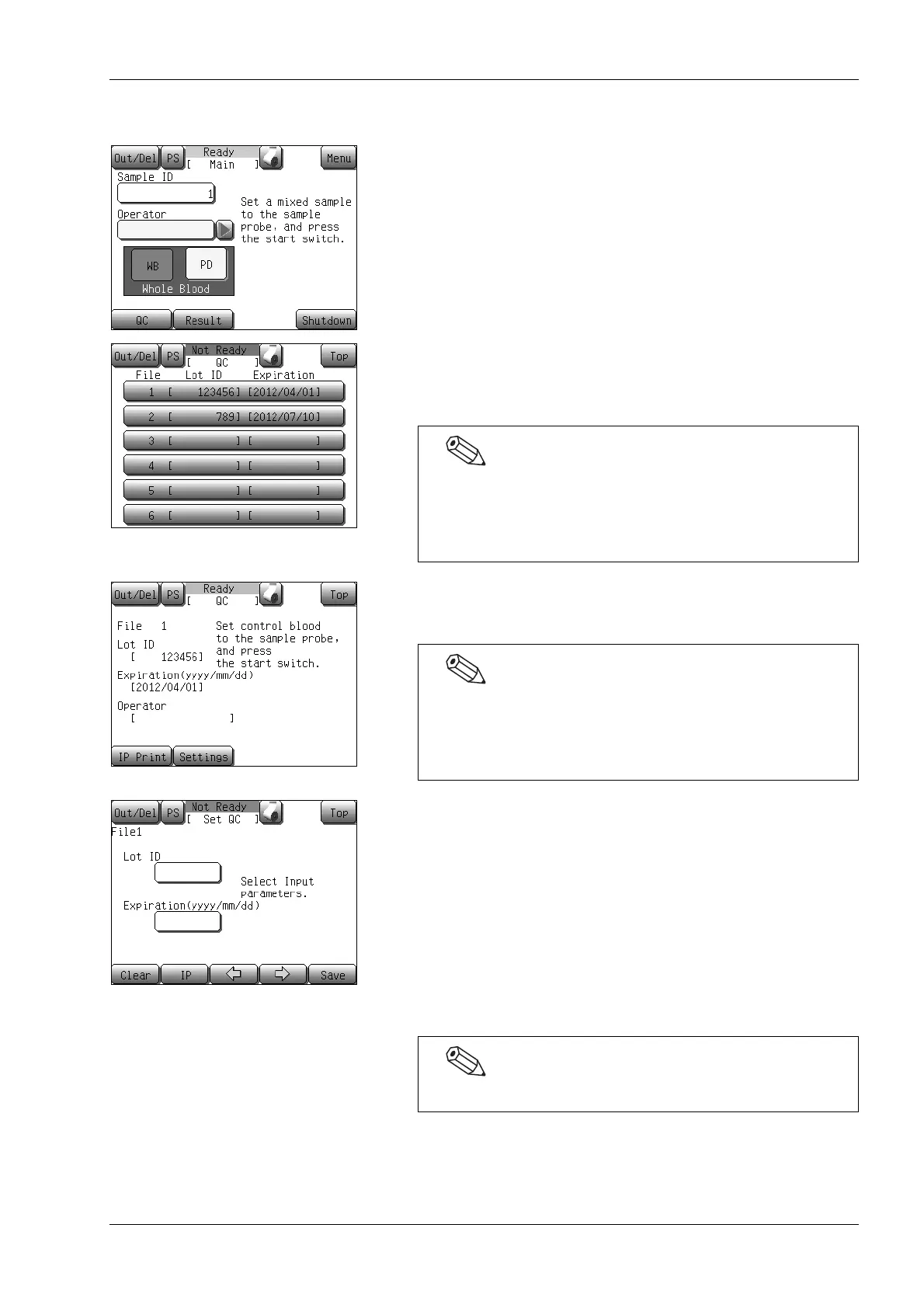
(1) Press the [QC] button at the Ready status.
The analysis control file selection screen will appear.
(2) Press the display column of the file number to be used.
The quality control analysis starting screen for the selected file
will appear.
(3) Press the [Settings] button.
The first QC file setting screen will appear.
(4) Read the Lot ID bar code in the Assay Sheet.
The Lot ID will be displayed if correctly read. When the
displayed Lot ID is not correct, read the bar code again.
(5) Read the expiration date bar code in the same way.
(6) Press the [→] button.
When the [→] button is pressed, the display changes from the
first QC file setting screen to the second screen. Pressing the
[→] button on the sixth screen returns to the first screen. When
the [←] button is pressed, the display changes in the reverse
order.
QC file settings can be made using file display columns 1 -
6.
If settings are made in a display column that has a
registered QC file, the existing file will be overwritten.
Pressing the [Setup] button on the QC chart screen also
displays the first QC file setting screen. For further
information regarding the displays, see “9.7 Quality control
chart screen”.
The QC file setting screens are consisted of 6 screens.



 To Next Page