10-6 Sysmex XP-300
Calibration
January 2012
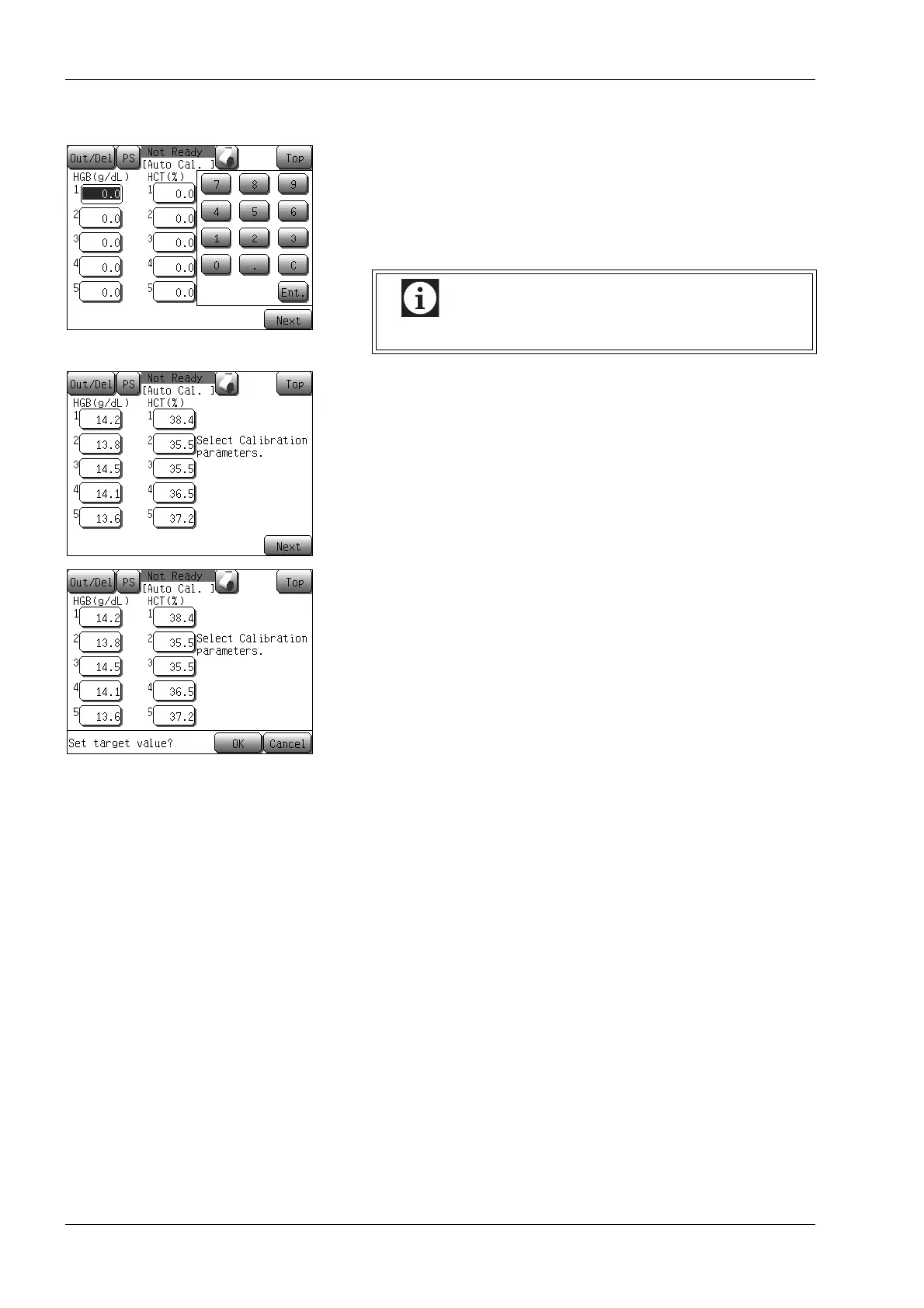
Entering target values
(1) Enter the reference values determined into the Target column.
When the button for the Target is pressed, the numerical keys
dialog will be displayed.
After entering a target value, press the [Ent.] button. The
entered value will be defined.
(2) After completion of entering target values, press the [Next]
button.
The automatic calibration target value confirmation message
will be displayed.
• Press the [OK] button to define target values, and display
the automatic calibration analysis starting screen.
• Press the [Cancel] button to close the dialog, and the setting
can be continued.
*Press the [Top] button to display the setting cancel
confirmation dialog.
Press the [OK] button to return to the Main screen without
changing any setting, and the [Cancel] button to close the
dialog and then to continue the setting.
Set “0” for the parameter that is not being calibrated.



 To Next Page