10-10 Sysmex XP-300
Calibration
January 2012
Updating calibration values
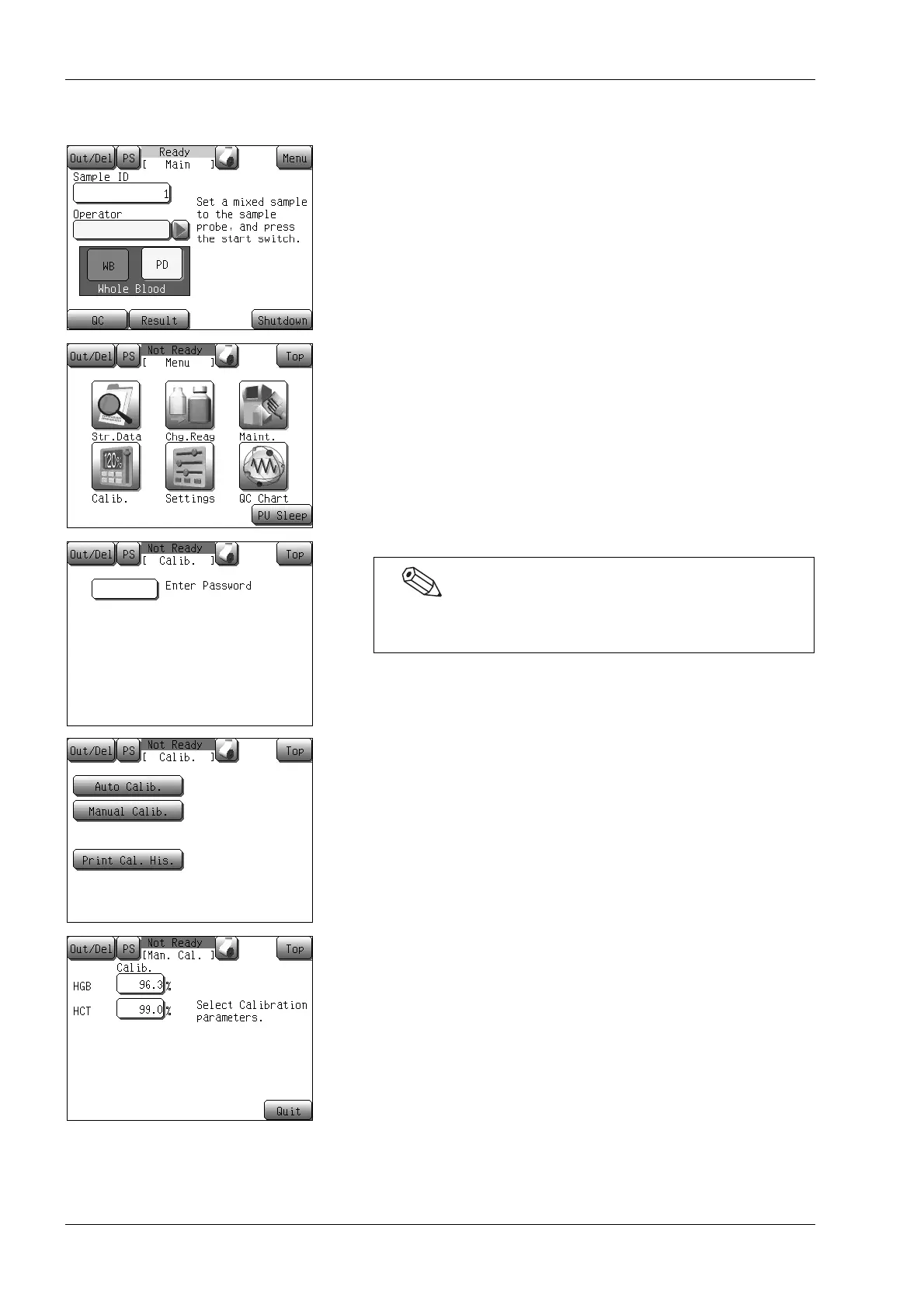
(1) Press the [Menu] button at the Ready status.
The Menu screen will appear.
(2) Press the [Calib.] button.
The calibrating menu screen will appear.
(3) Press the [Manual Calib.] button.
The manual calibration setting screen will appear.
(4) Press the calibration value display column for the calibrated
parameter.
The numerical keys dialog will be displayed.
If a password has been set, the password input screen will
appear. Enter the password.



 To Next Page